HP EliteBook X G2q Review: Snapdragon X2 Elite Laptop
The HP EliteBook X G2q combines a Snapdragon X2 Elite processor, 32GB of RAM, a 1TB SSD, built-in 5G, and Windows 11 Pro. This review examines whether the premium Copilot+ business laptop is worth buying.
HP EliteBook X G2q Snapdragon X2 Elite Review: Is It Worth Buying?
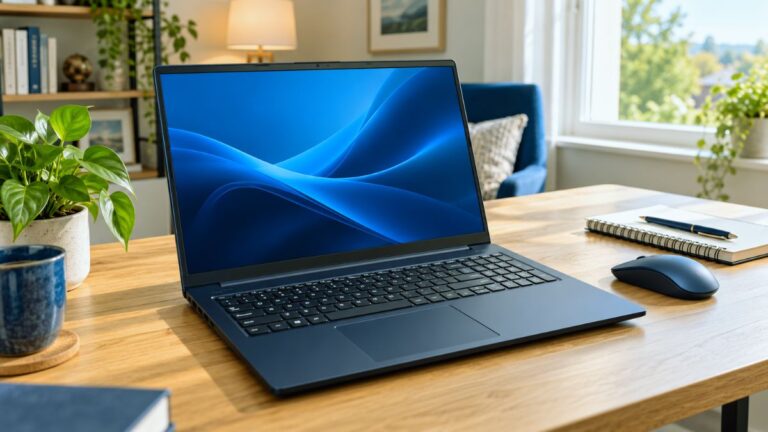
The HP EliteBook X G2q is a premium business laptop designed for professionals who prioritize portability, AI-assisted productivity, mobile connectivity, and long-lasting performance. This particular configuration features the Qualcomm Snapdragon X2 Elite X2E-84-100 processor, 32GB of memory, a 1TB SSD, built-in 5G, and Windows 11 Pro.
Unlike a conventional Intel or AMD business notebook, the EliteBook X G2q runs on Qualcomm’s ARM-based Snapdragon platform. That gives it a distinct set of strengths, including efficient performance, advanced on-device AI processing, and an always-connected computing experience. However, buyers should also consider software and accessory compatibility before moving to a Windows-on-ARM computer.
In this HP EliteBook X G2q Snapdragon X2 Elite review, we examine its specifications, performance potential, display, portability, AI features, connectivity, and limitations to help you decide whether it is the right business laptop for your needs.
Affiliate Disclosure: This post contains Amazon affiliate links. As an Amazon Associate, we may earn a commission from qualifying purchases at no additional cost to you.
Check Latest Price on Amazon
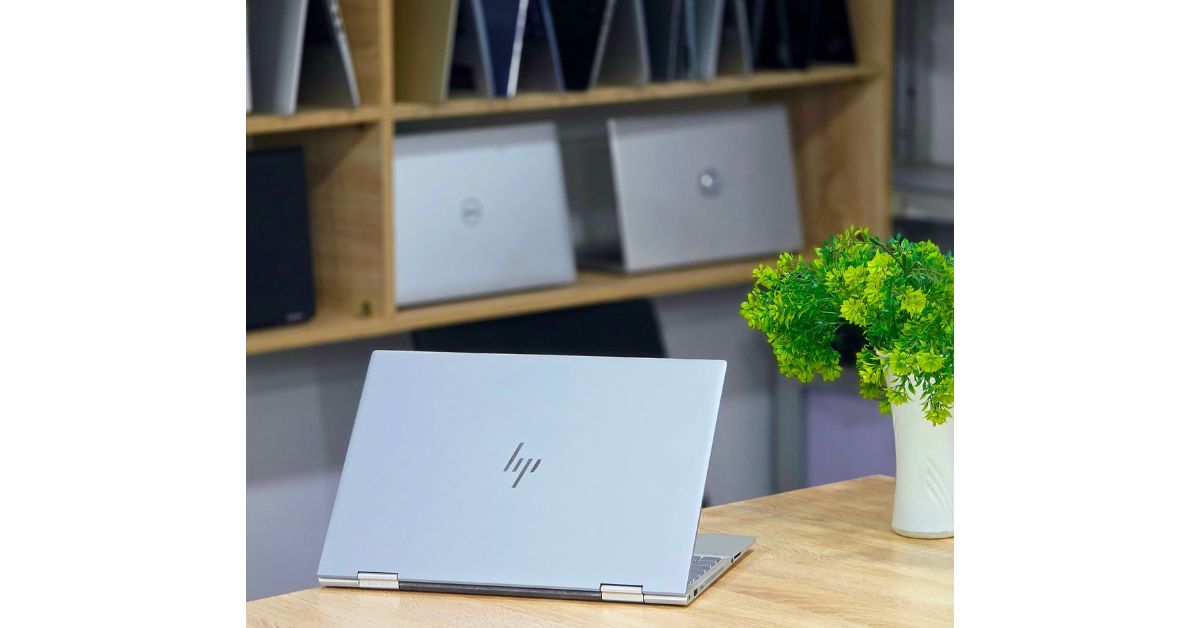
HP EliteBook X G2q Specifications
| Feature | Specification |
|---|---|
| Brand | HP |
| Product | EliteBook X G2q |
| Model number | D83SXUT#ABA |
| Processor | Qualcomm Snapdragon X2 Elite X2E-84-100 |
| CPU cores | 12 cores |
| Memory | 32GB |
| Storage | 1TB SSD |
| Display size | 14 inches |
| Resolution | 1920 × 1200 WUXGA |
| Touchscreen | No |
| Graphics | Qualcomm Adreno |
| Mobile connectivity | 5G |
| Operating system | Windows 11 Pro |
| Keyboard | English |
| Color | Atmospheric Blue |
| Special display features | Anti-glare and low blue light |
| PC category | Copilot+ PC |
Specifications can differ between EliteBook X G2q configurations, so buyers should verify the model number before ordering. HP lists the EliteBook X G2q family with multiple processor, memory, storage, and display options.
MacBook Air M5 vs MacBook Pro M5: Which Is Best for College Students in 2026?
Design and Portability
The HP EliteBook family is built primarily for professional and enterprise environments. The EliteBook X G2q follows that business-focused direction while adopting a more modern, mobile-first design.
Its 14-inch size offers a useful balance between portability and workspace. It should be easier to carry than a typical 15.6-inch or 16-inch business laptop while still providing enough screen space for documents, browser tabs, spreadsheets, email, and video meetings.
The Atmospheric Blue finish also helps the notebook stand out from the gray and black finishes commonly found on corporate laptops. It remains professional without appearing overly plain.
HP says the EliteBook X G2q series starts at approximately 2.304 pounds, although the exact weight can change based on the chosen display, battery, and wireless configuration. That makes it particularly appealing to professionals who regularly travel between offices, client locations, airports, and home workspaces.
The combination of a lightweight body and optional mobile connectivity is one of the most persuasive reasons to consider this computer.
Snapdragon X2 Elite Performance
At the center of this configuration is the Qualcomm Snapdragon X2 Elite X2E-84-100. The processor has 12 CPU cores and a listed maximum frequency of up to 4.7GHz in HP’s US product information.
This processor is designed for premium Windows laptops that must combine performance with energy efficiency. It should be well suited to common professional workloads such as:
- Microsoft 365 applications
- Large web-browsing sessions
- Email and communication platforms
- Video conferencing
- Business reporting
- Presentation creation
- Cloud-based software
- Research and content planning
- Light photo editing
- Multitasking across several applications
The 32GB memory configuration is especially important. It gives the laptop more room to maintain numerous browser tabs and applications without becoming dependent on slower storage-based virtual memory.
The Snapdragon X2 Elite platform is also designed around AI-enhanced workloads. Qualcomm identifies the HP EliteBook X G2q as featuring Snapdragon X2 Elite or X2 Plus options with up to 85 TOPS of NPU performance, depending on the processor configuration. This dedicated neural processing hardware can handle supported AI tasks locally instead of sending every process to the cloud.
However, raw processor specifications do not tell the entire story. The actual experience will depend on application optimization, thermal management, power settings, and whether each program runs natively on Windows on ARM.
MacBook Air 15-Inch M5 24GB/1TB Review 2026: Worth It?
Windows on ARM Compatibility
Software compatibility is the most important consideration before buying any Snapdragon-powered Windows laptop.
Many major Windows applications now offer native ARM versions, while Windows can emulate numerous traditional x86 and x64 programs. Everyday applications such as web browsers, Microsoft Office, streaming services, communication platforms, and common productivity tools should generally present fewer concerns than highly specialized software.
Problems are more likely with:
- Older business applications
- Legacy printer or scanner drivers
- Industry-specific software
- Certain VPN clients
- Specialized security tools
- Hardware utilities
- Some engineering applications
- Older plug-ins
- Certain games and anti-cheat systems
Emulation can allow a non-native application to run, but it does not guarantee identical performance or complete compatibility.
Before purchasing the EliteBook X G2q for work, make a list of your essential applications, peripherals, VPN services, and company security tools. Confirm that they support Windows 11 on ARM. This simple check can prevent an expensive compatibility problem.

32GB RAM and 1TB SSD
The combination of 32GB of memory and a 1TB SSD is one of the strongest parts of this configuration.
For most office users, 32GB is more than enough for routine tasks. Its real value becomes noticeable when the laptop is used for demanding multitasking. A user could keep Microsoft Teams, Outlook, Excel, a large collection of browser tabs, cloud storage, and presentation software open simultaneously with fewer memory-related slowdowns.
The 1TB SSD provides practical storage for:
- Business documents
- Presentations and spreadsheets
- Photos and marketing assets
- Offline cloud files
- Recorded meetings
- Training materials
- Large application installations
One terabyte also gives business users more flexibility than a 256GB or 512GB drive. Nevertheless, available storage will be lower than the advertised capacity after Windows, recovery files, and preinstalled software are included.
Buyers should also remember that memory on thin ARM laptops is commonly integrated rather than designed for easy user replacement. Purchase the memory capacity you expect to need throughout the laptop’s useful life.
View Product Details on Amazon
14-Inch WUXGA Display
This model uses a 14-inch, non-touch WUXGA display with a resolution of 1920 × 1200 pixels. Its 16:10 aspect ratio provides more vertical workspace than a traditional 1920 × 1080 screen.
The extra height can make a meaningful difference when working with long documents, web pages, email, and spreadsheets. Users can see more content before scrolling, which is especially useful on a compact laptop.
An anti-glare coating should help reduce distracting reflections under office lighting. The low-blue-light feature may also make extended work sessions more comfortable, although users should not treat it as a substitute for regular screen breaks and appropriate brightness settings.
The WUXGA panel prioritizes practicality and potential power efficiency over ultra-high resolution. It should be sharp enough for most business activities, but buyers focused on professional color work or premium media viewing may prefer one of the higher-resolution display configurations available in the wider EliteBook X G2q family.
Because this particular version is listed as non-touch, users who require touch or pen input should select a different configuration.
Qualcomm Adreno Graphics
Graphics are handled by the integrated Qualcomm Adreno GPU. It is intended to support everyday graphical tasks without requiring a separate graphics card.
The Adreno graphics should be suitable for:
- High-resolution video playback
- Business presentations
- Multiple productivity applications
- Browser-based design platforms
- Light creative work
- Basic photo and video editing
- External display use, subject to port support
This is not primarily a gaming laptop or a workstation built for sustained 3D rendering. Buyers who regularly use advanced CAD applications, complex 3D tools, GPU-heavy scientific software, or professional video effects should consider a laptop with a supported discrete GPU.
Casual gaming may be possible, but game compatibility on Windows on ARM varies. It would be unwise to purchase this EliteBook mainly for PC gaming.
Copilot+ PC and AI Features
The EliteBook X G2q belongs to Microsoft’s Copilot+ PC category. A Copilot+ PC includes a sufficiently powerful neural processing unit that can accelerate supported AI features.
Depending on Windows version, region, account, and update availability, Copilot+ features may include tools for image creation, live captions, enhanced search, video-call effects, and other AI-assisted workflows.
The dedicated NPU has two potential advantages:
- It can process supported AI tasks more efficiently than relying exclusively on the CPU or GPU.
- Some features can operate locally, which may reduce cloud dependence for particular workloads.
Business buyers should keep their expectations realistic. An NPU does not automatically make every application faster, and its value depends on software support. Copilot+ functionality also evolves through Windows updates, so feature availability can change.
The better reason to choose this laptop is its complete combination of efficient processing, business hardware, portability, security, and AI capability—not the Copilot+ label alone.
Built-In 5G Connectivity
Integrated 5G connectivity separates this configuration from many ordinary business laptops.
With an activated, compatible cellular plan, users may be able to connect to mobile data without tethering through a smartphone. This can be valuable for:
- Frequent business travelers
- Field employees
- Sales professionals
- Consultants visiting client locations
- Remote workers
- Users handling sensitive tasks away from trusted Wi-Fi
Mobile connectivity can also offer a safer and more consistent alternative to unsecured public Wi-Fi. Nevertheless, actual 5G availability and speed depend on the carrier, location, building coverage, network congestion, and selected service plan.
Buyers should verify carrier compatibility and activation requirements before ordering. A 5G modem does not include free cellular service; a separate data plan will normally be required.
Windows 11 Pro for Business
Windows 11 Pro is more appropriate for professional environments than the Home edition. It includes business-oriented management and security capabilities such as BitLocker device encryption, Remote Desktop hosting, Group Policy support, and domain or organizational management features.
The EliteBook line also benefits from HP’s focus on enterprise management and security. HP promotes Wolf Security for Business across eligible EliteBook configurations, although the exact services, licenses, and subscription periods can vary by model and seller.
Companies should confirm which security package and warranty are included with D83SXUT#ABA. Similar-looking configurations may include different support periods or Wolf Pro Security subscriptions.
Best Laptop for Online Jobs in USA
Battery-Life Expectations
Battery efficiency is one of the major promises of Snapdragon-based laptops. HP markets the EliteBook X G2q as a machine designed to power through long workdays, and it lists up to 21 hours of MobileMark 30 battery life for certain configurations with a 68Wh battery.
That figure should not be treated as a guaranteed result for every unit. Real-world battery life changes according to:
- Display brightness
- 5G usage
- Video meetings
- Number of active applications
- AI processing
- Windows power mode
- Background synchronization
- Emulated versus native software
- Battery size in the selected configuration
The X2 Elite platform should make the EliteBook attractive to mobile professionals, but independent testing of this exact model would be necessary to establish a reliable real-world runtime.
HP Fast Charge support may also reduce downtime, provided the correct compatible power adapter is used.
Everyday Business Experience
On paper, the EliteBook X G2q is best suited to mobile, communication-heavy business workflows. A typical user may move between Microsoft 365, browser-based platforms, video calls, research, cloud dashboards, and document editing throughout the day.
The 32GB RAM should support this multitasking comfortably. The 16:10 display provides sensible working space, while the low weight and 5G option strengthen the mobile experience.
This laptop could be particularly useful for:
- Executives
- Business consultants
- Sales representatives
- Remote managers
- Marketing professionals
- Writers and researchers
- University faculty
- Frequent travelers
- Corporate teams using compatible cloud applications
It is less suitable for buyers whose workflow depends on older Windows utilities, unsupported peripherals, high-end gaming, or workstation-class GPU performance.
Pros and Cons
Pros
- Powerful 12-core Snapdragon X2 Elite processor
- Generous 32GB memory
- Spacious 1TB SSD
- Built-in 5G connectivity
- Lightweight 14-inch business design
- Useful 16:10 WUXGA resolution
- Dedicated NPU for supported AI workloads
- Windows 11 Pro
- Anti-glare and low-blue-light display features
- Designed for mobile professionals
- Modern Atmospheric Blue finish
Cons
- ARM compatibility requires checking
- Non-touch display on this configuration
- Not intended for demanding gaming
- Integrated graphics are not a workstation GPU
- 5G service generally requires a separate plan
- Memory may not be user-upgradeable
- Higher-resolution screens are limited to other configurations
- Real-world battery and performance results require independent testing
Is the HP EliteBook X G2q Worth Buying?
The HP EliteBook X G2q Snapdragon X2 Elite looks like a compelling premium business laptop for professionals who need excellent mobility, modern connectivity, substantial memory, and AI-ready hardware.
Its 32GB RAM and 1TB SSD make it a more future-conscious choice than entry-level business notebooks. Built-in 5G can be highly valuable for users who travel frequently, while the 14-inch 16:10 display offers a productive workspace without making the laptop unnecessarily large.
The main condition is software compatibility. If all your essential applications and peripherals work properly with Windows on ARM, the EliteBook X G2q could be an excellent mobile work computer. If your job depends on legacy software, specialized drivers, high-end gaming, or professional discrete graphics, an Intel- or AMD-based alternative may be safer.
Apple 2026 MacBook Air 13-inch M5 Review: Specs & Features
Final Verdict
The HP EliteBook X G2q is built for a specific type of buyer: a mobile professional who values battery efficiency, AI acceleration, 5G connectivity, business security, and a lightweight design.
The Snapdragon X2 Elite X2E-84-100, 32GB RAM, and 1TB SSD create a strong specification package for business productivity. Its WUXGA display is practical rather than extravagant, and the integrated Adreno graphics are designed for productivity instead of serious gaming or workstation rendering.
Overall, this is a promising premium Copilot+ business laptop. It is worth considering if its price is competitive and your required software supports Windows on ARM. Check the seller’s exact warranty, cellular compatibility, included security services, and return policy before completing your purchase.
Overall specification-based rating: 4.3/5
- Performance potential: 4.5/5
- Business productivity: 4.6/5
- Portability: 4.7/5
- Display: 4.0/5
- Connectivity: 4.7/5
- Software compatibility: 3.7/5
- Value: dependent on current price
Best Budget Laptop for College Students Under $800 in USA
Frequently Asked Questions
Is the HP EliteBook X G2q a Copilot+ PC?
Yes. The EliteBook X G2q is marketed as a Copilot+ PC and includes a dedicated Qualcomm NPU for supported Windows AI features.
What processor does model D83SXUT#ABA use?
The listed configuration uses a Qualcomm Snapdragon X2 Elite X2E-84-100 processor with 12 CPU cores.
Does the HP EliteBook X G2q have 5G?
This specific configuration is listed with integrated 5G capability. A compatible carrier, coverage area, and separate cellular data plan may be required.
Is the EliteBook X G2q good for business use?
It should be well suited to business productivity, multitasking, video meetings, cloud services, document work, and travel. Buyers must verify that their important applications support Windows on ARM.
Can I play games on the HP EliteBook X G2q?
It may handle compatible casual games, but it is not a dedicated gaming laptop. Some Windows games, drivers, and anti-cheat systems may not work properly on ARM-based computers.
Is 32GB RAM enough for professional work?
Yes. For most professionals, 32GB is sufficient for extensive web browsing, Microsoft 365, meetings, communication tools, cloud applications, and moderate creative workloads.
Does this configuration have a touchscreen?
No. Model D83SXUT#ABA is listed with a non-touch 14-inch WUXGA display. Other EliteBook X G2q configurations may offer touchscreens.
Can the RAM be upgraded?
Buyers should assume that memory is not easily user-upgradeable unless HP’s service documentation for the exact model confirms otherwise. Choose the required memory capacity at the time of purchase.
“Hope this helps you choose the best gadget!”
Recommended Articles
-
Apple iPhone Duo: Price, Release Date & Features 2026
-
Apple TV Classic Movies Free to Watch in 2026: Complete Guide
-
Nothing Headphone (1) vs AirPods Max 2 (2026): Which Is Better
-
Apple Watch 12 or Ultra 4 Randomly Restarting? Complete Fix Guide (2026)
-
iOS 27 Paid Features Explained: Will Apple Charge for iPhone AI