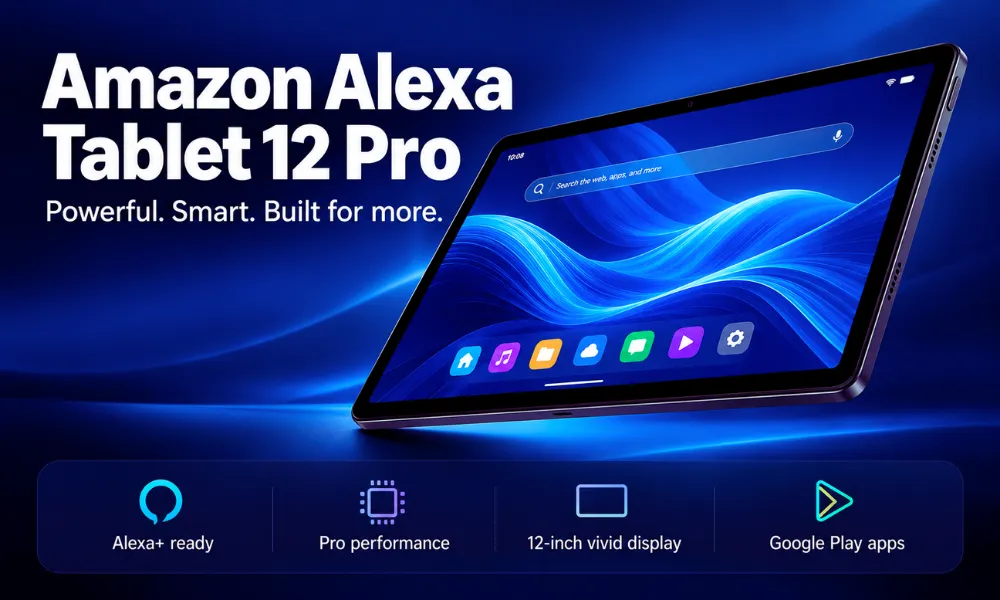
Amazon Alexa Tablet 12 Pro vs 11 vs 8: Full Comparison
Amazon introduces its new Alexa Tablets in 2026, replacing the familiar Fire tablet lineup with full Android, Google Play Store access, and built-in Alexa+ AI. Explore the Alexa Tablet 8, 11, and 12 Pro, including their prices, features, and key differences.
Amazon Alexa Tablet 12 Pro vs 11 vs 8 (2026): Features, Specs & Price
For years, Amazon’s Fire tablets were popular for one simple reason: they offered an affordable way to read books, watch movies, browse the internet, and enjoy Amazon services.
However, there was always a catch. If you wanted to use popular Google apps such as Gmail, Google Docs, or YouTube, the experience wasn’t as straightforward as it was on a typical Android tablet.
Now, Amazon is addressing that problem.
On October 8, 2026, Amazon announced an entirely new family of Android tablets with official Google Play Store support, built-in Alexa+ AI, upgraded hardware, and premium aluminum designs.
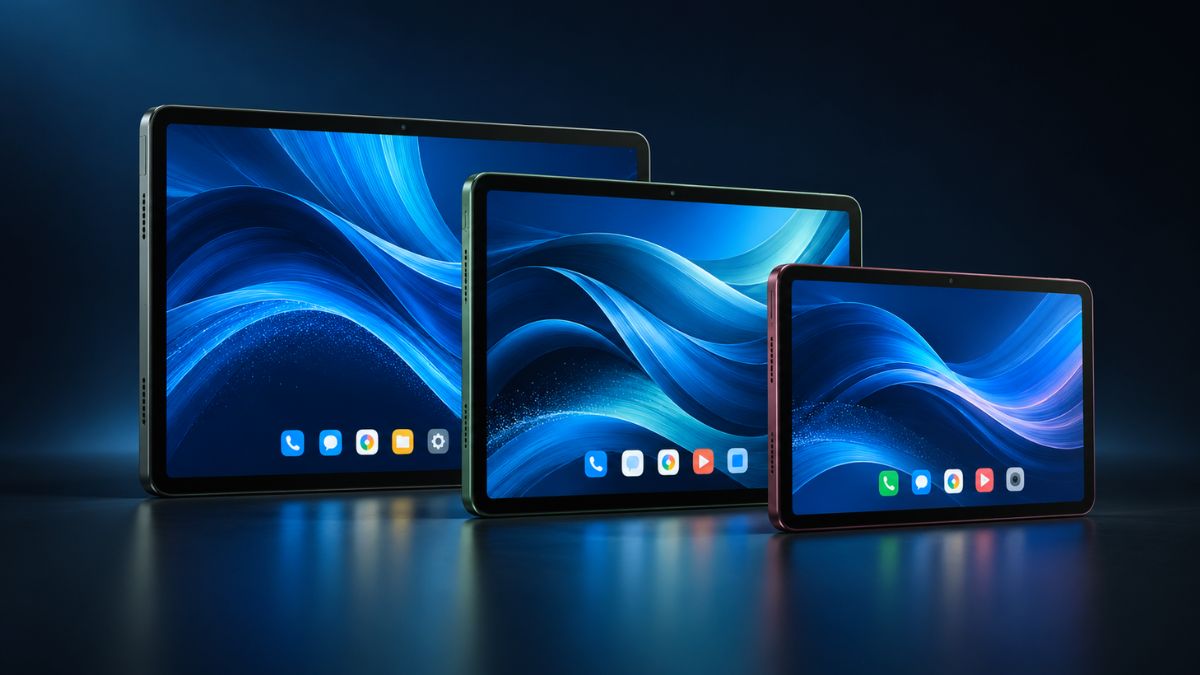
The lineup includes three models: the Amazon Alexa Tablet 8, Alexa Tablet 11, and Alexa Tablet 12 Pro.
Prices start at $229.99 for the smallest model and reach $499.99 for the standard 12 Pro. A more expensive version of the flagship tablet also offers an anti-glare screen.
This is a major change for Amazon. Instead of competing mainly on low prices, the company is introducing devices designed to compete more directly with mainstream Android tablets and Apple’s iPad.
But are these new tablets actually better for everyday users? And is Google Play support enough to justify the higher prices?
Here’s a closer look at everything Amazon has announced, including specifications, software features, battery life, availability, and which model makes the most sense for different buyers.
What Is the New Amazon Alexa Tablet?
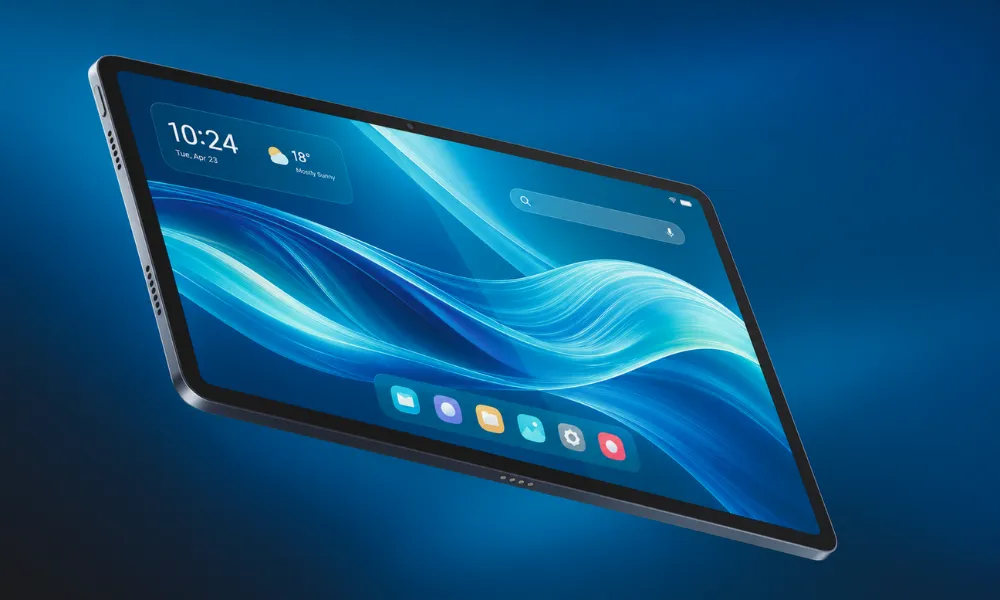
The Amazon Alexa Tablet is a new Android-based tablet family that combines Amazon’s entertainment services with the broader Android app ecosystem.
Unlike earlier Fire tablets, which relied primarily on Fire OS and the Amazon Appstore, the new devices include access to the official Google Play Store.
That difference matters more than it might initially seem.
Imagine buying a tablet for your family and discovering that an app you use every day isn’t available through its official app store. With older Fire tablets, this was sometimes frustrating, particularly for people who depended on Google services.
The new Alexa Tablets are designed to remove much of that inconvenience.
You can access compatible Android apps through Google Play while continuing to use Amazon services such as Kindle, Audible, Prime Video, Amazon Music, and Luna.
The tablets also introduce a more advanced Alexa experience. Rather than functioning only as a voice assistant, Alexa+ is integrated into the tablet interface and can help with information, everyday tasks, and compatible smart home devices.
What Are the Biggest Changes in 2026?
Several improvements distinguish the Alexa Tablet lineup from Amazon’s previous devices:
- Official Google Play access: Install compatible apps without relying on unofficial installation methods.
- Android operating system: A broader software experience than the older Fire OS approach.
- Alexa+ AI integration: Conversational assistance, smart home controls, and contextual features.
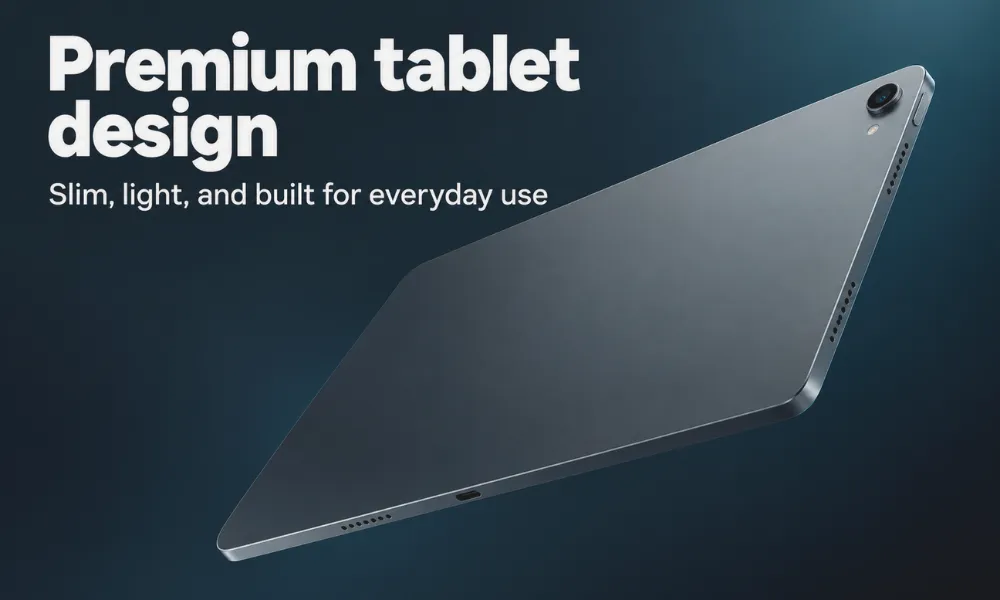
- Aluminum construction: A more premium design across all three models.
- Improved displays: Larger screens and higher refresh rates on selected versions.
- New Kindle reading features: Reduced distractions and display themes designed for reading.
- Productivity accessories: Keyboard and stylus support for the Alexa Tablet 12 Pro.
For most buyers, Google Play access will probably be the most immediately useful improvement.
Alexa+ introduces some interesting possibilities, but having easier access to familiar everyday apps is a practical benefit that doesn’t require changing how you already use a tablet.
Amazon Alexa Tablet 2026: Price and Specifications
Amazon is launching three models, each aimed at a different type of user.
The Alexa Tablet 8 is designed for portability. The Alexa Tablet 11 offers a larger screen for everyday entertainment, while the 12 Pro focuses on users who want better performance and more productivity features.
Here’s how the three tablets compare.
| Feature | Alexa Tablet 8 | Alexa Tablet 11 | Alexa Tablet 12 Pro |
|---|---|---|---|
| Starting price (US) | $229.99 | $329.99 | $499.99 |
| Screen size | 8.7 inches | 11 inches | 12 inches |
| Refresh rate | Not specified | 90Hz | Up to 120Hz |
| Starting RAM | 4GB | 8GB | 8GB |
| Starting storage | 64GB | 64GB | 128GB |
| Operating system | Android | Android | Android |
| Google Play Store | Yes | Yes | Yes |
| Alexa+ AI | Built-in | Built-in | Built-in |
| Claimed video battery life | Up to 14 hours | Up to 15 hours | Up to 16 hours |
| Main advantage | Portability | Entertainment | Productivity |
Prices and battery figures are based on Amazon’s announced specifications. Real-world performance may differ.
The Alexa Tablet 12 Pro is also available with a Nanomatte anti-glare display starting at $549.99.
One important consideration is that these are starting prices. Choosing additional storage, higher memory configurations, or accessories can increase the final cost.
Amazon Alexa Tablet 8: A Compact Choice for Reading and Travel
Not everyone wants a tablet with a large screen.
If you mainly read ebooks, browse websites, check email, or watch occasional videos, a smaller tablet can be more comfortable to carry and hold.
That’s exactly where the Alexa Tablet 8 fits into the new lineup.
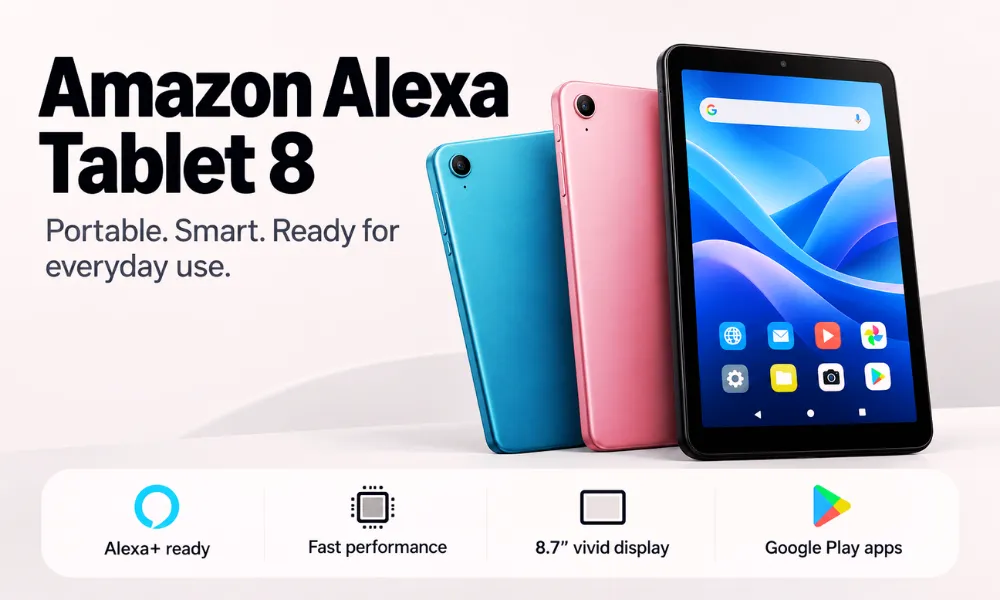
It comes with an 8.7-inch display, an aluminum body, and a weight of approximately 329 grams.
That relatively compact design makes it appealing for travel, commuting, or reading while relaxing at home.
Alexa Tablet 8 Key Features
The entry-level model includes:
- 8.7-inch display
- Octa-core processor
- 4GB starting RAM
- 64GB starting storage
- Wi-Fi 6 connectivity
- Google Play Store access
- Built-in Alexa+ AI
- Up to 14 hours of claimed video playback
Amazon offers this tablet in Graphite, Rosette, and Teal.
Although it is the least expensive model, it still includes the same fundamental software improvements as the more expensive versions.
That means buyers aren’t forced to purchase the flagship tablet just to get Google Play or Alexa+ integration.
Is the Alexa Tablet 8 Worth $229.99?
The answer largely depends on how you plan to use it.
For someone who wants a lightweight tablet for books, streaming, and general browsing, the Alexa Tablet 8 looks promising.
However, its 4GB of RAM is an important limitation to consider.
While that may be adequate for basic tasks, users who regularly open numerous apps, play demanding games, or multitask heavily may prefer a model with more memory.
The $229.99 starting price also puts it well above the price many shoppers previously associated with Amazon Fire tablets.
Our take: The Alexa Tablet 8 makes the most sense for readers, travelers, and casual users who value portability over processing power.
Amazon Alexa Tablet 11: The Best Balance for Everyday Users?
The Alexa Tablet 11 may be the most appealing option for households that want one device for several activities.
Its larger screen is better suited to watching videos, browsing websites, reading documents, and switching between applications.
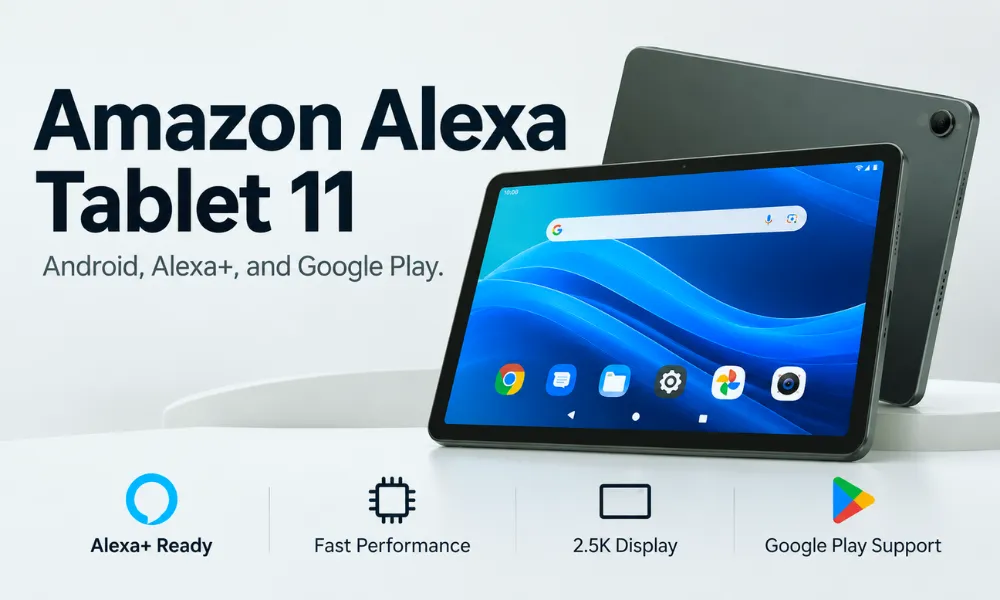
Amazon has equipped the device with an 11-inch 2.5K display offering 276 pixels per inch and a 90Hz refresh rate.
That refresh rate should make supported animations and scrolling appear smoother than on a standard 60Hz display.
It’s the kind of improvement you may notice while moving through long websites or social media feeds.
Alexa Tablet 11 Specifications
The model offers:
- 11-inch 2.5K display
- 90Hz refresh rate
- 16:10 aspect ratio
- Octa-core processor
- 8GB RAM
- 64GB starting storage
- Dual Dolby Atmos speakers
- Google Play support
- Built-in Alexa+ assistant
- Up to 15 hours of claimed video playback
The Alexa Tablet 11 comes in Graphite, Amethyst, and Matcha.
Its starting price is $329.99 in the United States.
Why the Alexa Tablet 11 Could Be the Sweet Spot
Compared with the Alexa Tablet 8, the 11-inch model offers twice the starting RAM, a larger display, and a stronger entertainment-focused feature set.
Those differences could be useful for people who use tablets throughout the day.
For example, an 11-inch screen is more comfortable for reading long documents, participating in video calls, and watching movies than a smaller 8.7-inch panel.
The extra RAM also gives the tablet more room to handle multiple applications.
That doesn’t automatically mean it will outperform every similarly priced Android tablet. Processor efficiency, software optimization, and thermal performance also affect the experience.
Still, based on the announced specifications, the Alexa Tablet 11 appears to offer the strongest balance of price and everyday usability in Amazon’s new lineup.
Our take: If you want a tablet primarily for entertainment, browsing, research, and light productivity, the Alexa Tablet 11 deserves serious consideration.
Amazon Alexa Tablet 12 Pro: A More Powerful Option for Work
The Alexa Tablet 12 Pro is Amazon’s attempt to move beyond basic entertainment tablets.
It offers a larger display, more capable hardware, and accessories intended to make everyday work easier.
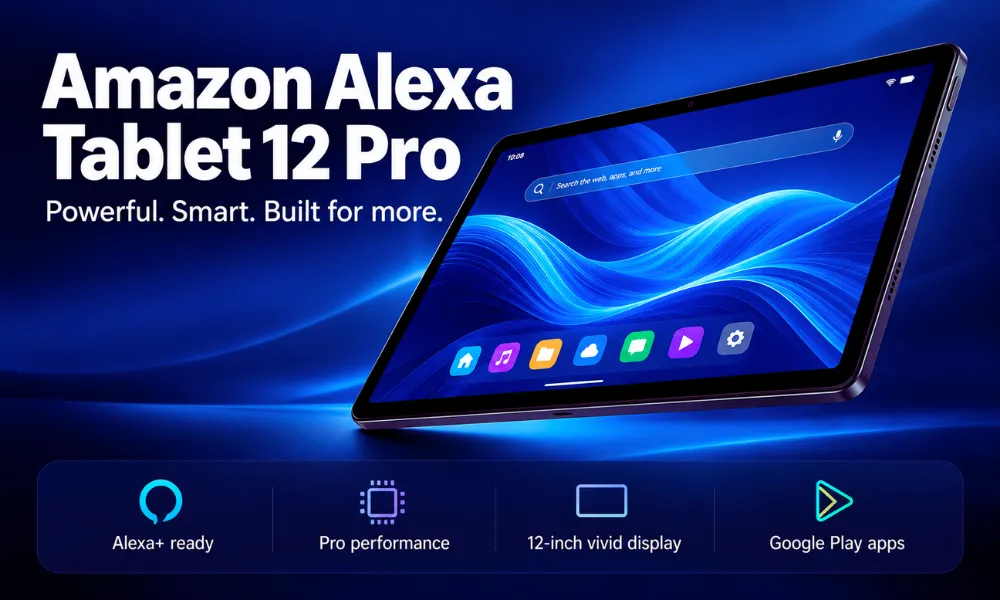
The device features a 12-inch screen with a refresh rate of up to 120Hz and a 3:2 aspect ratio.
That taller screen format can be useful when working on documents, browsing longer web pages, or viewing two applications.
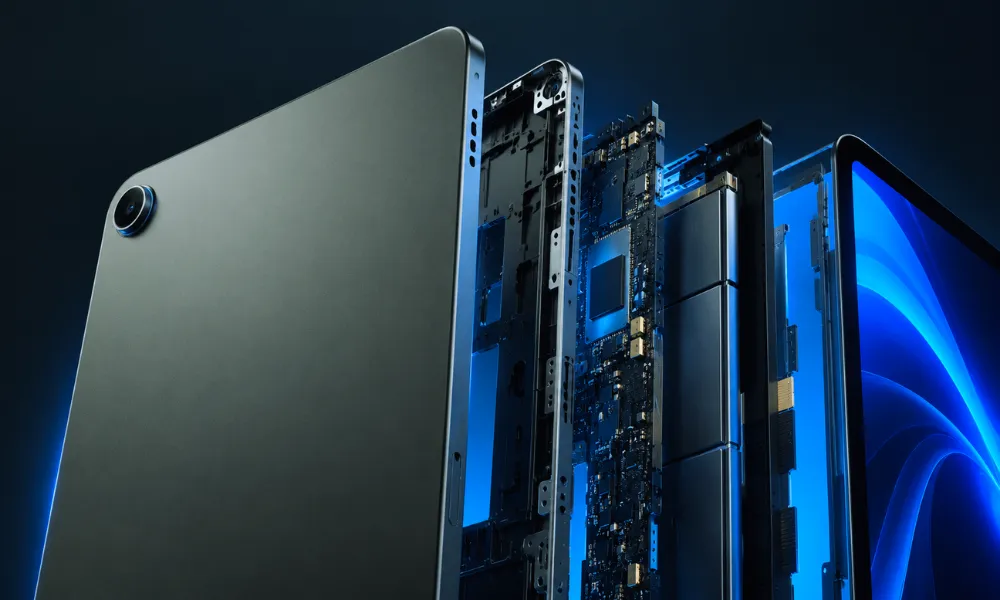
Amazon has also designed the tablet with a slim aluminum body measuring just 6.5mm thick.
Alexa Tablet 12 Pro Specifications
Notable features include:
- 12-inch high-resolution display
- 280 pixels per inch
- Up to 120Hz refresh rate
- 3:2 aspect ratio
- MediaTek Dimensity 8400 processor
- 8GB RAM in the base model
- 128GB starting storage
- Higher-memory configurations available
- Wi-Fi 6E connectivity
- Quad Dolby Atmos speakers
- Up to 16 hours of claimed video playback
- Optional Nanomatte anti-glare display
Amazon says the 12 Pro offers nearly three times the processing performance and nine times the graphics performance of its previous tablets.
These are manufacturer-provided comparisons rather than independent benchmark results.
Until reviewers test the device in real-world conditions, it’s difficult to determine how that performance translates into demanding games, multitasking, or everyday productivity.

What Is the Nanomatte Display?
One of the more unusual features of the Alexa Tablet 12 Pro is its optional Nanomatte screen.
This version starts at $549.99, which is $50 more than the standard model.
Amazon worked with Corning on a precision-etched glass treatment intended to reduce reflections while preserving screen detail.
That could be particularly useful if you regularly read near a window, study in brightly lit rooms, or use your tablet in environments where reflections become distracting.
However, it is worth remembering that an anti-glare display is not necessarily essential for everyone.
If you primarily watch movies at home or use your tablet in controlled lighting, the standard screen may already meet your needs.
The Nanomatte version is more appealing to people who prioritize reading comfort and reduced glare.
Alexa Tablet Pro Keyboard and Pro Pen
Amazon is also introducing accessories for the flagship model.
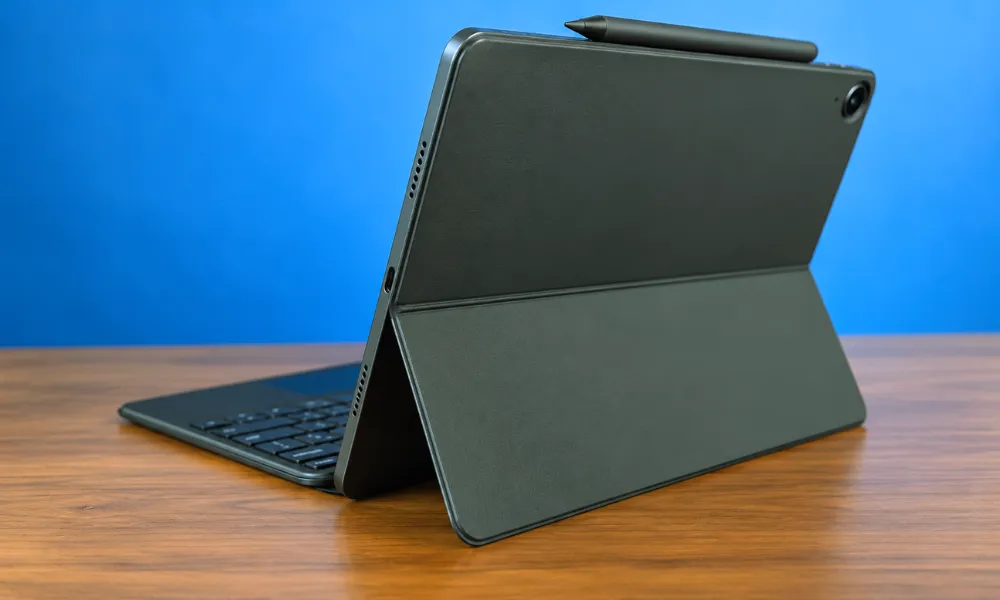
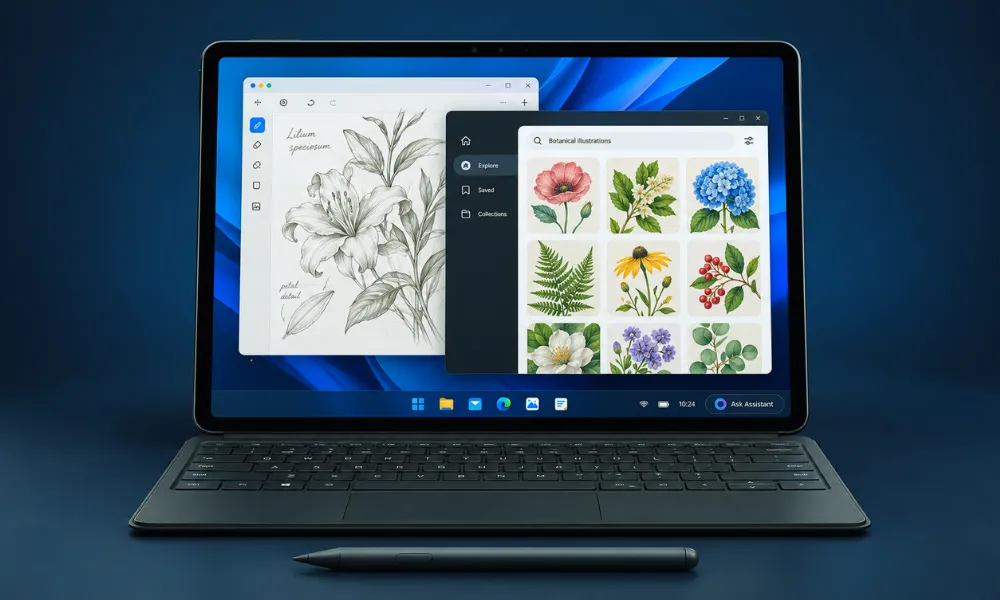
The Alexa Tablet Pro Keyboard costs $149.99 and attaches magnetically. It includes a trackpad and is designed for typing, navigation, and multitasking.
The Alexa Tablet Pro Pen costs $89.99 and supports pressure sensitivity, tilt detection, magnetic docking, and wireless charging.
The pen could be useful for handwritten notes, digital sketches, and PDF annotations.
These accessories make the 12 Pro more flexible, especially for students and people who prefer a touchscreen workflow.
However, they also increase the total price.
Purchasing the standard Alexa Tablet 12 Pro with both accessories brings the combined price to $739.97 before taxes.
At that point, buyers should compare it with similarly priced laptops and other tablets before making a decision.
 Can the Alexa Tablet 12 Pro Replace a Laptop?
For some everyday activities, possibly.
The larger display, keyboard, multitasking features, and Google Play app selection make it suitable for tasks such as email, note-taking, document editing, and online research.
However, replacing a laptop depends on the software you need.
People who rely on specialized desktop applications, complex spreadsheets, programming tools, or particular business software should check compatibility before purchasing.
A tablet with a keyboard can feel similar to a small laptop, but that doesn’t mean both devices provide identical capabilities.
Our take: The Alexa Tablet 12 Pro looks most attractive for users who want a combination of entertainment, reading, digital notes, and lightweight work in one device.
Google Play Store: The Biggest Upgrade for Amazon Tablets
The addition of Google Play is arguably the most important change in the entire Alexa Tablet lineup.
Amazon’s Fire tablets were never completely disconnected from Android. Fire OS itself was based on Android, but Amazon relied heavily on its own app ecosystem.
That arrangement worked well for Kindle, Prime Video, and other Amazon services.
The limitations became more noticeable when users wanted applications that weren’t officially available through the Amazon Appstore.
The new Alexa Tablets address that issue by providing official access to Google Play.
Which Apps Can You Install?
Amazon has specifically highlighted access to popular apps and services, including:
- YouTube
- Netflix
- Gmail
- Google Docs
- Other compatible Android applications available through Google Play
Amazon’s own entertainment ecosystem remains available as well.
Users can continue enjoying Kindle books, Audible audiobooks, Prime Video, Amazon Music, and Luna.
This combination is important because it means buyers don’t have to choose between familiar Amazon services and the broader Android app ecosystem.
Does Google Play Make the Alexa Tablets Better?
For many users, yes.
Being able to install familiar applications directly makes a tablet more convenient, especially if you use Google’s services for work, school, or communication.
However, there is an important distinction between having access to an app and having an excellent experience with it.
Some Android applications are better optimized for tablets than others.
A phone-focused app may not make full use of an 11-inch or 12-inch screen, even when it installs successfully.
That is why software testing remains important.
Still, official Google Play access removes a major obstacle that previously made Amazon tablets less appealing to some buyers.
Alexa+ AI: What Can the New Assistant Actually Do?
Google Play expands the apps available on the new tablets, but Amazon is also placing significant emphasis on artificial intelligence.
All three models include Alexa+, the company’s newer generative AI-powered assistant.
The goal is to make Alexa more useful during ordinary tasks rather than limiting it to simple commands.
Users can activate the assistant by speaking or tapping the Ask Alexa button.
Everyday Uses for Alexa+
Amazon is promoting several features that could make the tablet more convenient.
For example, Alexa+ can help users find information, answer follow-up questions, and control compatible smart home devices.
It can also provide assistance without requiring users to leave the application they’re currently using.
That could be useful when comparing products, looking up information while reading, or organizing simple tasks.
What Is Alexa+ On-Screen Intelligence?
On-Screen Intelligence allows Alexa+ to use information displayed on the tablet screen to provide more relevant assistance.
Suppose you’re browsing several travel destinations.
Instead of manually switching between pages and comparing every detail, you could ask Alexa to help identify differences between the options.
Similarly, someone reviewing an event schedule could ask the assistant to identify important dates or help organize upcoming activities.
Amazon says On-Screen Intelligence is disabled by default and must be enabled by the user.
A visual indicator appears when Alexa is accessing screen information.
This is particularly important because the content visible on a tablet may include personal messages, financial details, or other sensitive information.
Users should review the available privacy settings before enabling screen-related AI features.
Hands-Free Conversations
Alexa+ also supports live conversational sessions.
Rather than repeating a wake word for every follow-up question, users can maintain an ongoing interaction.
That may be convenient when cooking, studying, following instructions, or handling activities that make touchscreen interaction difficult.
Is Alexa+ Free?
Alexa+ is integrated into all three tablets, but buyers should distinguish built-in availability from subscription terms.
Amazon offers Alexa+ benefits to eligible Prime members and also provides separate subscription options for certain users.
Pricing, eligibility, and regional availability should be checked through Amazon before purchasing specifically for AI features.
The bigger question is how consistently Alexa+ will handle everyday requests.
Amazon’s examples are promising, but independent testing will be needed to judge accuracy and reliability.
Amazon Alexa Tablet vs Fire Tablet: What’s the Difference?
The new Alexa Tablets represent a substantial departure from Amazon’s older Fire tablet strategy.
Fire tablets became popular largely because they provided basic entertainment features at affordable prices.
The new lineup puts greater emphasis on premium hardware, Android app compatibility, and AI integration.
| Feature | Older Fire Tablets | New Alexa Tablets |
|---|---|---|
| Operating system | Fire OS | Android |
| Official Google Play | Not included | Included |
| Primary app marketplace | Amazon Appstore | Google Play |
| Alexa experience | Varies by model | Alexa+ integrated |
| Hardware approach | Budget-focused | Premium aluminum designs |
| Main purpose | Reading and entertainment | Entertainment, AI, and productivity |
| Price range | Generally lower | Starts at $229.99 |
Is Amazon Discontinuing Fire Tablets?
Amazon is phasing out the Fire tablet lineup as it introduces the Alexa Tablet family.
That doesn’t mean existing devices will immediately stop functioning.
Current Fire tablet owners can continue using their devices, and Amazon has indicated that security support will continue for existing products.
Older Fire tablet inventory may also remain available while supplies last.
If you already own a Fire tablet and it handles everything you need, there is no urgent reason to replace it.
However, if limited app availability has been a recurring frustration, the new Android-based tablets offer a meaningful improvement.
Amazon Alexa Tablet vs Apple iPad: Which Should You Choose?
Amazon’s new pricing strategy places the Alexa Tablets in a more competitive part of the market.
Instead of competing primarily against inexpensive entertainment devices, the company must now convince buyers to consider its products alongside established tablets from Apple and Samsung.
That won’t be easy.
Apple’s iPad lineup benefits from a mature collection of tablet applications and close integration with other Apple devices.
Samsung offers Android tablets across multiple price categories, including models with productivity features and stylus support.
Amazon is approaching the market from a different angle.
Why Choose an Amazon Alexa Tablet?
The new Alexa Tablets may be particularly appealing if you regularly use Amazon services.
For example, someone who reads Kindle books, watches Prime Video, uses Audible, and controls smart home devices through Alexa may appreciate having those experiences integrated into one tablet.
Google Play access makes the offer more attractive because users no longer have to rely only on Amazon’s app ecosystem.
The Alexa Tablet 12 Pro also has a distinctive anti-glare display option that may appeal to people who spend a lot of time reading.
Why Might an iPad Be Better?
An iPad may make more sense if you’re already heavily invested in Apple’s ecosystem.
People who regularly move between an iPhone, Mac, and iPad may prefer Apple’s device integration and familiar applications.
Certain creative and professional workflows may also depend on applications that are unavailable or work differently on Android.
The important point is that specifications alone don’t determine which device is better.
Software support, long-term updates, app compatibility, and overall usability can matter just as much as screen size and processing power.
What About Samsung Galaxy Tab Devices?
Samsung’s Galaxy Tab lineup is another alternative worth considering.
Both Samsung tablets and the new Alexa Tablets offer access to Android apps, making this comparison particularly relevant.
When choosing between them, compare display quality, software update policies, accessory prices, and features you actually intend to use.
Amazon’s Alexa integration may be an advantage for some households, while Samsung’s established tablet software may appeal to buyers who prioritize multitasking.
Independent comparisons will provide a clearer picture once Amazon’s tablets reach consumers.
Amazon Alexa Tablet Battery Life: What to Expect
Amazon is advertising improved battery life across the new lineup.
According to the company’s estimates:
| Tablet | Claimed Video Playback |
|---|---|
| Alexa Tablet 8 | Up to 14 hours |
| Alexa Tablet 11 | Up to 15 hours |
| Alexa Tablet 12 Pro | Up to 16 hours |
These figures sound encouraging, especially for people who travel or spend long periods away from a charger.
However, advertised battery life should never be treated as a guarantee.
Screen brightness, wireless connectivity, app activity, background processes, and gaming can all affect power consumption.
Watching a video at moderate brightness will generally place different demands on the battery than playing a graphics-intensive game.
A New Kindle Reading Mode
Amazon has also introduced a reading-focused experience designed to make the tablets more comfortable for extended reading sessions.
Opening the Kindle app can activate features that reduce distractions, silence notifications, and adjust the display.
Users can choose from different reading themes, including warmer colors and grayscale.
Amazon claims up to 20 hours of reading under specified conditions.
For someone who uses a tablet mainly as an ebook reader, these features may be especially interesting.
Still, buyers should remember that a regular tablet display and a dedicated Kindle e-reader use different display technologies.
A dedicated e-reader may remain preferable for people who prioritize an E Ink screen and extended battery life.
Amazon Alexa Tablet Release Date and Availability
Amazon officially announced the new Alexa Tablets on October 8, 2026.
The company has confirmed different shipping dates depending on the market.
| Country or Region | Announced Shipping Date |
|---|---|
| United States | October 14, 2026 |
| Canada | October 14, 2026 |
| Mexico | October 14, 2026 |
| United Kingdom | October 19, 2026 |
| Germany | October 19, 2026 |
| France | October 19, 2026 |
| Italy | October 19, 2026 |
| Spain | October 19, 2026 |
Amazon says the devices will be sold directly through Amazon and selected retail partners, including Best Buy and Target in the United States.
Availability of individual colors, storage configurations, and accessories may vary.
Customers outside the announced launch countries should check local availability rather than assuming the same release schedule applies worldwide.
Which Amazon Alexa Tablet Should You Buy in 2026?
With three models available, the decision should begin with your intended use rather than the most expensive specifications.
Best for Reading and Travel: Alexa Tablet 8
Choose the Alexa Tablet 8 if you prefer a smaller, lighter device.
Its compact design should work well for ebooks, web browsing, occasional streaming, and basic communication.
The main trade-offs are its smaller display and lower starting RAM.
Best for Most Everyday Users: Alexa Tablet 11
The Alexa Tablet 11 looks like the strongest all-round option.
Its larger 2.5K screen, 90Hz refresh rate, 8GB RAM, and dual Dolby Atmos speakers make it more appealing for regular entertainment and casual productivity.
For many households, these improvements may justify spending more than the price of the smaller model.
Best for Productivity: Alexa Tablet 12 Pro
The Alexa Tablet 12 Pro is the most suitable option if you want to work with multiple applications, use a stylus, or add a keyboard.
Its larger screen and higher-performance hardware make it more flexible, although the total cost increases quickly with accessories.
Best Option for Existing Fire Tablet Owners
If you own a Fire tablet that works well, keeping it is still a reasonable choice.
An upgrade becomes more worthwhile when you need better performance, a larger screen, or official access to apps that your current tablet doesn’t support.
Frequently Asked Questions
Does the Amazon Alexa Tablet support Google Play?
Yes. All three new Alexa Tablet models run Android and include official Google Play Store access. Users can install compatible applications directly from Google’s app marketplace.
What is the cheapest Amazon Alexa Tablet in 2026?
The Alexa Tablet 8 is the least expensive model, starting at $229.99 in the United States. It includes an 8.7-inch display, 4GB RAM, and 64GB starting storage.
Can you install YouTube and Netflix on the Alexa Tablet?
Yes. Amazon confirms that compatible versions of popular applications, including YouTube and Netflix, are available through Google Play.
Is the Alexa Tablet 11 better than the Alexa Tablet 8?
The Alexa Tablet 11 offers a larger screen, more starting RAM, a 90Hz refresh rate, and enhanced speakers. It may be a better option for entertainment and multitasking, while the Tablet 8 is more portable and less expensive.
Does the Alexa Tablet 12 Pro support a keyboard?
Yes. Amazon offers a dedicated Pro Keyboard for the Alexa Tablet 12 Pro. It attaches magnetically, includes a trackpad, and is sold separately for $149.99.
Can students use the Amazon Alexa Tablet?
Yes. The new tablets can run compatible educational and productivity applications through Google Play. The Alexa Tablet 11 may be suitable for general studying, while the 12 Pro offers additional options for note-taking and keyboard use.
Is the new Alexa Tablet good for reading Kindle books?
The new Alexa Tablets include a dedicated Kindle reading experience with reduced distractions, reading themes, and claimed battery life of up to 20 hours under certain conditions.
Is Amazon replacing Fire tablets?
Amazon is phasing out the Fire tablet line in favor of its new Alexa Tablet family. Existing Fire tablets are expected to continue functioning and receiving security support.
When will the Amazon Alexa Tablets be available?
Amazon has announced shipping beginning October 14, 2026, in the United States, Canada, and Mexico, followed by October 19 in selected European markets.
Is the Amazon Alexa Tablet worth buying?
The new tablets look promising for users who want Google Play access alongside Amazon entertainment services and Alexa+ integration. However, buyers should compare them with similarly priced Android tablets and iPads, particularly until independent performance reviews become available.
Final Verdict: Are Amazon’s New Alexa Tablets Worth It?
Amazon’s 2026 Alexa Tablet lineup represents a significant change in the company’s tablet strategy.
For years, Fire tablets attracted buyers with low prices and easy access to Amazon entertainment services. The trade-off was a more restricted app experience than users typically found on mainstream Android tablets.
With the new Alexa Tablets, Amazon is addressing that limitation directly.
Official Google Play Store support is the most important improvement, while aluminum designs, better screens, longer claimed battery life, and integrated Alexa+ features make the devices more competitive.
But the higher prices also create new expectations.
At $229.99, the Alexa Tablet 8 must offer more than basic reading and streaming convenience. The $329.99 Alexa Tablet 11 faces competition from established midrange tablets, while the $499.99 Alexa Tablet 12 Pro must demonstrate that its productivity features are worth the premium.
Based on the announced specifications, the Alexa Tablet 11 appears to offer the best balance for most people. Its 11-inch display, 8GB RAM, and improved entertainment features make it a sensible starting point.
The Alexa Tablet 8 is more appealing for people who prioritize portability, while the 12 Pro is worth considering if you want a larger screen and optional work accessories.
Ultimately, the real value of these tablets will become clearer after independent reviews examine performance, battery life, app compatibility, and the everyday usefulness of Alexa+.
For now, Amazon’s decision to combine Google Play with its familiar services gives the new Alexa Tablets a stronger foundation than the older Fire tablet lineup.
Best iPhone accessories:-
-
Nothing Headphone (1) vs AirPods Max 2 (2026): Which Is Better
-
iOS 27 Paid Features Explained: Will Apple Charge for iPhone AI?
-
MacBook Air M5 vs MacBook Pro M5 for College Students 2026
-
Apple AirPods 4 Review: Features, Battery Life & More
-
Apple 2026 MacBook Air 13-inch M5 Review: Specs & Features
-
Best Budget Gaming Chair for Long Hours: 7 Comfortable Picks for 2026