MacBook Air M5 vs MacBook Pro M5 for College Students 2026
Compare the MacBook Air M5 and MacBook Pro M5 for college students in 2026. Discover which laptop offers better performance, battery life, portability, display quality, and overall value for your studies.
MacBook Air M5 vs MacBook Pro M5: Which Is Best for College Students in 2026?
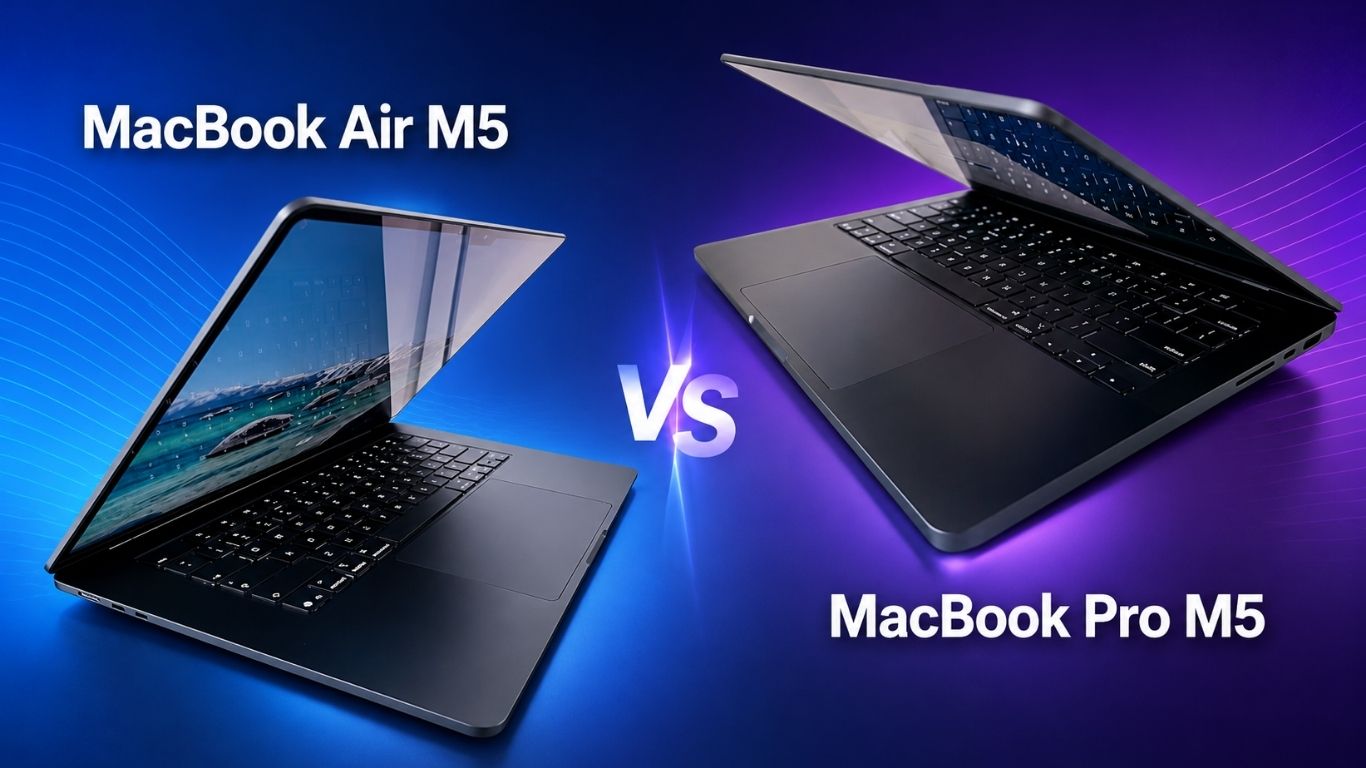
Choosing between the MacBook Air M5 and MacBook Pro M5 can be difficult for college students. Both laptops use Apple’s powerful M5 chip, offer long battery life, support Apple Intelligence, and provide enough performance for years of academic work. However, they are designed for different types of users.
The 15-inch MacBook Air M5 focuses on portability, screen space, quiet operation, and everyday productivity. The 14-inch MacBook Pro M5 provides a brighter and smoother display, active cooling, more ports, longer advertised battery life, and higher sustained performance for demanding workloads.
For this comparison, we are looking at a 15-inch MacBook Air M5 with 16GB of unified memory and a 1TB SSD against a 14-inch MacBook Pro M5 with 32GB of unified memory and a 1TB SSD.
The short answer is simple: the MacBook Air M5 is the better choice for most students, while the MacBook Pro M5 is worth considering for students working with professional video editing, 3D rendering, advanced software development, engineering applications, music production, or local AI workloads.
Let’s compare them in detail.
MacBook Air M5 vs MacBook Pro M5: Quick Comparison
| Feature | 15-inch MacBook Air M5 | 14-inch MacBook Pro M5 |
|---|---|---|
| Processor | Apple M5, 10-core CPU | Apple M5, 10-core CPU |
| Graphics | 10-core GPU | 10-core GPU |
| Memory in compared model | 16GB unified memory | 32GB unified memory |
| Storage | 1TB SSD | 1TB SSD |
| Display | 15.3-inch Liquid Retina | 14.2-inch Liquid Retina XDR |
| Refresh rate | 60Hz | ProMotion up to 120Hz |
| Display brightness | 500 nits | Up to 1,000 nits SDR outdoors and 1,600 nits peak HDR |
| Cooling | Fanless | Active cooling |
| Advertised video battery life | Up to 18 hours | Up to 24 hours |
| Thunderbolt ports | Two Thunderbolt 4 ports | Three Thunderbolt 4 ports |
| Other ports | MagSafe and headphone jack | MagSafe, HDMI, SDXC and headphone jack |
| Wireless | Wi-Fi 7 and Bluetooth 6 | Wi-Fi 6E and Bluetooth 5.3 |
| External displays | Up to two | Up to two |
| Weight | 3.3 pounds | Heavier than the Air |
| Best for | Most college students | Demanding professional workloads |
Both models use a 10-core CPU, 10-core GPU, 16-core Neural Engine and 153GB/s of unified memory bandwidth in the configurations discussed here. However, their displays, cooling systems, memory configurations, ports and overall designs create meaningful differences.
Design and Portability
Portability matters when you carry a laptop between classrooms, the library, a dorm room and a coffee shop. The 15-inch MacBook Air M5 is designed for this lifestyle.
Despite its larger display, the MacBook Air is only 0.45 inches thick and weighs approximately 3.3 pounds. Its slim aluminum body fits easily into most 15-inch laptop backpacks. The fanless design also means it operates silently, even when you are studying in a quiet library.
The 14-inch MacBook Pro M5 is more compact in width because of its smaller screen, but its thicker chassis and cooling system make it heavier. It remains portable by professional-laptop standards, but students will notice the additional weight when carrying it with textbooks, chargers and other supplies.
The MacBook Pro feels more substantial and provides more room for cooling and ports. That design is useful for students who frequently run demanding applications for extended periods. However, students who mainly use web browsers, Microsoft Office, Google Docs, Zoom and research tools may prefer the lighter MacBook Air.
Portability winner: MacBook Air M5
Display Quality and Screen Size
The display is one of the biggest differences between these two laptops.
The 15-inch MacBook Air has a 15.3-inch Liquid Retina display with a resolution of 2880 by 1864 pixels, 500 nits of brightness, P3 wide color and support for one billion colors. Its larger screen provides plenty of room for writing papers, reading research documents, creating presentations and placing two applications side by side.
Students who do not plan to purchase an external monitor may appreciate the Air’s larger screen. It can make spreadsheets, online lectures, research tabs and split-screen multitasking more comfortable.
The 14-inch MacBook Pro uses a 14.2-inch Liquid Retina XDR display with a resolution of 3024 by 1964 pixels. It supports ProMotion adaptive refresh rates up to 120Hz, extreme dynamic range and up to 1,600 nits of peak brightness when displaying HDR content. The higher refresh rate makes scrolling, animation and interface movement appear noticeably smoother.
The MacBook Pro is the clear winner for professional photo editing, HDR video production, color-sensitive creative work and students who want the best possible display. Its higher outdoor brightness may also help when working near windows or outside.
However, screen quality is not the only consideration. The MacBook Air gives students a physically larger workspace, which may be more useful for everyday assignments.
Choose the Air if you want more screen space. Choose the Pro if you prioritize brightness, contrast, HDR and smoother 120Hz motion. Apple confirms the Air’s 15.3-inch, 500-nit Liquid Retina panel and the Pro’s 14.2-inch XDR display with ProMotion and up to 1,600 nits of peak HDR brightness in its official specifications. MacBook Air technical specifications and MacBook Pro technical specifications.
Display quality winner: MacBook Pro M5
Screen-size winner: MacBook Air M5
M5 Performance for Everyday Student Work
Both laptops in this comparison use the base Apple M5 chip with a 10-core CPU and 10-core GPU. They also include hardware-accelerated ray tracing, a 16-core Neural Engine and media engines for formats such as H.264, HEVC, ProRes and AV1.
For typical student activities, both machines should feel extremely fast. These tasks include:
- Writing essays and reports
- Browsing with multiple tabs
- Attending Zoom or FaceTime classes
- Creating PowerPoint presentations
- Working in Microsoft Excel
- Managing PDF documents
- Streaming videos
- Using note-taking applications
- Performing light photo and video editing
- Running common coding tools
The 16GB of unified memory in the MacBook Air should be sufficient for most undergraduate students. It provides enough capacity for normal multitasking and many creative applications.
The MacBook Pro configuration in this comparison includes 32GB of unified memory. That additional memory can benefit students running virtual machines, large development environments, professional creative software, scientific datasets or local AI models. It also gives the machine more flexibility for advanced workloads several years into the future.
However, more memory does not automatically make the Pro a better purchase. If your daily workload rarely uses more than 16GB, the extra memory may provide little noticeable benefit.
For ordinary academic work, the MacBook Air M5 and MacBook Pro M5 may feel very similar because they use the same basic processor and GPU configuration.
Sustained Performance and Cooling
The MacBook Air uses a fanless cooling system. This makes it completely silent and reduces the number of moving components inside the laptop. For short bursts of work, it can deliver strong M5 performance.
During longer and more demanding tasks, however, the laptop may reduce performance to control heat. This can happen during long video exports, complex 3D rendering, extended code compilation or other workloads that continuously push the CPU and GPU.
The MacBook Pro has an active cooling system. Its fan helps maintain higher performance during prolonged workloads. This advantage may not matter when writing an essay, but it can become important when exporting a large video project or rendering a detailed scene.
Students studying filmmaking, animation, architecture, game design or advanced computer science may benefit from the Pro’s ability to handle sustained workloads. The Air remains capable of completing many of these tasks, but the Pro is designed to perform them more consistently.
Sustained-performance winner: MacBook Pro M5
Which MacBook Is Better for AI?
Both models are built around the M5 chip and support Apple Intelligence. The M5 platform includes a Neural Engine and Neural Accelerators in the GPU cores to help accelerate supported AI workloads.
Students may use AI for summarizing their own notes, proofreading drafts, organizing information, generating ideas, editing media or running compatible models locally. Apple Intelligence also integrates writing and productivity features into supported areas of macOS.
Because both laptops use the base M5 chip, their core AI capabilities are similar. The main advantage of the compared MacBook Pro is its 32GB of memory. Local language models and other AI applications can require large amounts of memory, so 32GB provides more flexibility than 16GB.
The Pro’s active cooling may also help during prolonged AI processing. Nevertheless, most students using cloud-based AI services and built-in Apple Intelligence features will not need a MacBook Pro.
For everyday AI-assisted studying, the MacBook Air is more than capable. For experimenting with larger local models, AI development or extended machine-learning workloads, the 32GB MacBook Pro is the stronger option.
Battery Life
Battery life can determine whether a student needs to carry a charger throughout the day.
Apple rates the 15-inch MacBook Air M5 for up to 18 hours of video streaming and up to 15 hours of wireless web use. The 14-inch MacBook Pro M5 is rated for up to 24 hours of video streaming and up to 16 hours of wireless web use.
These are controlled test results rather than guarantees. Actual battery life will vary based on display brightness, applications, browser tabs, video calls, connected accessories and workload intensity.
Both laptops should be capable of lasting through a typical day of classes under moderate use. The MacBook Pro has the advantage in Apple’s advertised figures, but the MacBook Air is still an excellent all-day laptop.
Students using demanding editing or development applications should expect shorter battery life on either device.
Advertised battery-life winner: MacBook Pro M5
Ports and Connectivity
The 15-inch MacBook Air M5 includes:
- Two Thunderbolt 4 ports
- MagSafe 3 charging
- A 3.5mm headphone jack
- Wi-Fi 7
- Bluetooth 6
- Support for up to two external displays
This selection is enough for many students, but connecting an SD card, HDMI display and multiple accessories may require a USB-C hub.
The base 14-inch MacBook Pro M5 provides:
- Three Thunderbolt 4 ports
- HDMI
- SDXC card slot
- MagSafe 3 charging
- A 3.5mm headphone jack
- Wi-Fi 6E
- Bluetooth 5.3
- Support for up to two external displays
The Pro is more convenient for photography, filmmaking, presentations and multi-device workstations. A student can connect an HDMI display or projector without always carrying an adapter, while photographers can transfer images directly from an SD card.
An important distinction is that the base M5 MacBook Pro does not have Thunderbolt 5. That technology is associated with higher-tier M5 Pro and M5 Max configurations. The product description supplied by some retailers may combine features from multiple MacBook Pro configurations, so always check the exact model before purchasing.
Ports winner: MacBook Pro M5
Wireless-technology winner: MacBook Air M5
Camera and Audio
Both laptops include a 12MP Center Stage camera with Desk View support. Center Stage helps keep the user positioned in the frame during video calls, while Desk View can show a top-down view of a workspace.
These features can be useful for online classes, virtual presentations, group projects and tutoring sessions.
Both models also have six-speaker sound systems, three-microphone arrays and Spatial Audio support. However, the MacBook Pro offers a higher-fidelity speaker system and studio-quality microphones, making it the stronger choice for recording audio, editing video and creating media.
For regular Zoom meetings and entertainment, the MacBook Air already provides a strong experience. The Pro’s audio improvements are most valuable to students involved in content creation, music or production work.
MacBook Air M5 for Different College Majors
The MacBook Air M5 is the best choice for most students in majors such as:
- Business administration
- Marketing
- Economics
- English
- History
- Sociology
- Political science
- Education
- Communications
- Law and pre-law
- Nursing and health sciences
- General undergraduate studies
These programs typically rely on writing, research, presentations, spreadsheets, online learning systems and video conferencing. The M5 chip and 16GB of memory can handle these activities comfortably.
The 15.3-inch display is especially helpful for students who work with documents and research sources side by side. Its lighter and thinner body also makes it easier to carry around campus.
Still deciding between portability and professional performance? Read our complete “MacBook Air M5 vs MacBook Pro M5 for college students” comparison to discover which model offers the best value for your studies in 2026.
MacBook Pro M5 for Demanding Majors
The MacBook Pro M5 may be the better investment for students studying:
- Film and video production
- Photography
- Graphic design
- Animation
- 3D modeling
- Music production
- Software engineering
- Data science
- Game development
- Architecture
- Engineering
- Artificial intelligence
Compatibility must still be checked before purchasing. Some engineering, architecture and scientific applications are designed primarily for Windows or may have limited macOS support. A powerful MacBook cannot solve software compatibility problems.
For supported applications, the Pro’s active cooling, better display, additional memory and wider selection of ports create a more professional workstation.
Is 16GB of Memory Enough for Students?
For most students, 16GB of unified memory is enough in 2026. It should comfortably support web browsing, office applications, research, communication, light coding and moderate creative work.
Students who expect to keep the laptop for several years may consider 24GB if it fits their budget. This can provide additional room for future applications and heavier multitasking.
Choose 32GB when your degree or work clearly requires it. Examples include running virtual machines, editing large video projects, using professional design applications, processing substantial datasets or experimenting with local AI models.
Purchasing 32GB solely because it sounds more future-proof may not be the best use of a limited student budget. Memory cannot be upgraded later, but neither can the money spent on performance you never use.
Want a closer look at the larger MacBook Air configuration? Read our detailed “MacBook Air 15-inch M5 24GB/1TB review” to explore its performance, display, battery life, advantages, and potential limitations.
Is a 1TB SSD Worth It?
A 1TB SSD is useful for students who store large video files, photo libraries, development projects, offline media or several years of coursework locally.
For students whose work mainly consists of documents, presentations and cloud files, 512GB may be sufficient. External SSDs and cloud storage can provide additional capacity later, although internal storage is generally more convenient.
Since both compared configurations include 1TB, storage capacity does not determine the winner here. The decision should focus on portability, display quality, memory requirements, ports and sustained performance.
AppleCare+ for College Students
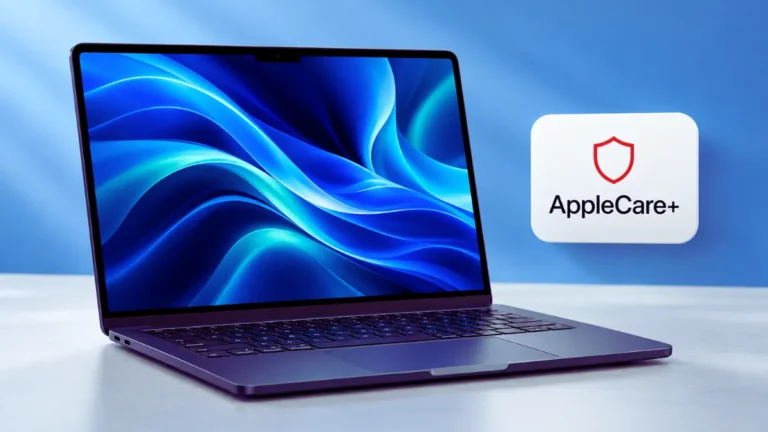
The MacBook Air package described here includes three years of AppleCare+. That can be valuable for a student carrying a laptop between classes every day.
Before buying, compare the total package prices instead of comparing only the laptops. Check:
- Whether AppleCare+ is included or added separately
- The exact coverage period
- Service fees for accidental damage
- Whether the seller is authorized
- Return and replacement conditions
- Whether the coverage is registered correctly
AppleCare+ does not make the MacBook Air faster, but it may improve the overall value of a student bundle by reducing the financial risk associated with accidental damage.
MacBook Air M5 Pros and Cons
Pros
- Better choice for most students
- Thin and relatively light design
- Large 15.3-inch display
- Silent fanless operation
- Strong M5 performance
- Up to 18 hours of advertised video playback
- Wi-Fi 7 and Bluetooth 6
- Supports up to two external displays
- 12MP Center Stage camera
- Usually offers better overall student value
Cons
- Display is limited to 60Hz
- Only two Thunderbolt ports
- No built-in HDMI or SDXC slot
- Fanless cooling is less suitable for prolonged heavy workloads
- 500-nit display cannot match the Pro’s XDR panel
MacBook Pro M5 Pros and Cons
Pros
- Excellent Liquid Retina XDR display
- ProMotion refresh rate up to 120Hz
- Better sustained performance
- 32GB configuration supports heavier multitasking
- Three Thunderbolt 4 ports
- Built-in HDMI and SDXC card slot
- Up to 24 hours of advertised video playback
- Better microphones and high-fidelity speakers
- Well suited to professional creative work
Cons
- More expensive
- Heavier than the MacBook Air
- Smaller physical display than the 15-inch Air
- More power than many students need
- Base M5 model uses Wi-Fi 6E rather than Wi-Fi 7
- Base M5 model has Thunderbolt 4, not Thunderbolt 5
Which MacBook Offers Better Value for Students?
The MacBook Air M5 offers better value for the average college student. It provides the same basic M5 CPU and GPU configuration as the base MacBook Pro in this comparison while remaining thinner, lighter and quieter.
Its 16GB of memory is appropriate for common student workloads, and the 1TB SSD provides generous storage. The large 15.3-inch display is also valuable for research, assignments and entertainment.
The MacBook Pro becomes a better value only when its premium features support work you genuinely need to complete. Its XDR display, active cooling, 32GB of memory, HDMI port and SDXC slot can save time and reduce reliance on adapters for creative and technical students.
A good buying rule is this:
If you cannot identify a specific application or workload that requires the MacBook Pro, buy the MacBook Air.
The Air is not merely the cheaper option. For many students, it is the more practical machine.
Final Verdict: MacBook Air M5 or MacBook Pro M5?
For most students, the 15-inch MacBook Air M5 with 16GB of unified memory and a 1TB SSD is the best choice in 2026. It is powerful enough for normal coursework, easy to carry, completely silent and equipped with a spacious display and long battery life.
Choose the MacBook Air M5 if you primarily need a laptop for essays, research, presentations, spreadsheets, online classes, general coding, entertainment and light creative projects.
The 14-inch MacBook Pro M5 with 32GB of unified memory and a 1TB SSD is better for students with demanding professional workloads. Its active cooling, XDR display, additional memory and expanded port selection make it more suitable for extended video editing, 3D rendering, music production, complex development and local AI work.
Our recommendation
- Best for most college students: 15-inch MacBook Air M5
- Best for creative and technical students: 14-inch MacBook Pro M5
- Best for portability and screen size: 15-inch MacBook Air M5
- Best for display quality and sustained performance: 14-inch MacBook Pro M5
- Best overall student value: 15-inch MacBook Air M5
Always verify the exact configuration, current price and included AppleCare+ coverage before ordering. Apple’s official information confirms that the M5 Air starts with 512GB storage and offers a fanless design, Wi-Fi 7 and up to 18 hours of battery life, while the base M5 MacBook Pro offers its XDR display and up to 24 hours of battery life. Apple MacBook Air M5 announcement and Apple MacBook Pro M5 announcement.
Frequently Asked Questions
Is the MacBook Air M5 good for college students?
Yes. The MacBook Air M5 is suitable for most college students because it combines fast performance, long battery life, a lightweight design and a silent fanless system. The 16GB configuration should handle normal academic work and multitasking comfortably.
Is the MacBook Pro M5 worth it for students?
The MacBook Pro M5 is worth it for students who regularly perform demanding work such as professional video editing, 3D rendering, large software builds, advanced data analysis or local AI processing. For basic coursework, its additional capabilities may not justify the higher price.
Is 16GB of unified memory enough for college?
Yes, 16GB is enough for most students using browsers, Microsoft Office, research tools, communication applications and light creative software. Students using virtual machines, large datasets or professional production applications may benefit from 24GB or 32GB.
Which model has the better display?
The MacBook Pro M5 has the better display. Its Liquid Retina XDR panel supports higher brightness, better HDR performance and ProMotion refresh rates up to 120Hz. The MacBook Air offers a larger 15.3-inch screen, which may be more comfortable for everyday multitasking.
Which MacBook is better for computer science students?
The MacBook Air M5 is enough for many computer science students. The MacBook Pro M5 is better for students who run multiple virtual machines, compile large projects or perform sustained development and AI workloads. Students should confirm that all required university software supports macOS.
Can the MacBook Air M5 handle video editing?
Yes. The MacBook Air M5 can handle light and moderate video editing. The MacBook Pro is preferable for frequent long-form editing, complex effects, color-critical HDR work and extended exports because it has active cooling and a superior display.
Which one has better battery life?
According to Apple’s testing, the 14-inch MacBook Pro M5 offers up to 24 hours of video streaming, while the 15-inch MacBook Air M5 offers up to 18 hours. Real-world battery life depends on usage and settings.
Does the base MacBook Pro M5 have Thunderbolt 5?
No. The base 14-inch MacBook Pro with the standard M5 chip uses three Thunderbolt 4 ports. Thunderbolt 5 is available on certain higher-tier MacBook Pro configurations using M5 Pro or M5 Max chips