Best Touchscreen Portable Monitor Under $200
Discover the UPERFECT 15.6-inch portable touchscreen monitor featuring Full HD resolution, 125% sRGB color coverage, 10-point touch control, USB-C connectivity, and an adjustable stand—ideal for remote work, travel, gaming, and everyday productivity.
UPERFECT Portable Monitor Touchscreen 15.6-Inch Review
Working from a single laptop screen can feel restrictive, particularly when managing documents, attending online meetings, editing content, or monitoring several applications. The UPERFECT Portable Monitor Touchscreen 15.6 Inch is designed to provide a more flexible second-screen experience without requiring a permanent desktop setup.
According to its listed specifications, this portable monitor combines a Full HD IPS display, 10-point touch input, 125% sRGB color coverage, HDR support, and USB-C and Mini HDMI connectivity. Its slim construction, adjustable stand, and protective case also make it suitable for remote workers, students, travelers, gamers, and content creators.
However, compatibility and available functions can vary by device. This review examines its features, limitations, connectivity requirements, and ideal use cases to help you decide whether it fits your setup.
UPERFECT Portable Monitor Specifications
| Feature | Specification |
|---|---|
| Brand | UPERFECT |
| Screen size | 15.6 inches |
| Panel type | IPS matte display |
| Maximum resolution | 1920 × 1080 Full HD |
| Touch capability | 10-point multi-touch |
| Color coverage | 125% sRGB |
| Contrast ratio | 1500:1 |
| Brightness | Up to 300 nits |
| HDR support | Yes |
| Connectivity | Full-featured USB-C and Mini HDMI |
| Stand | Integrated 180-degree adjustable stand |
| Orientation | Landscape and portrait |
| Mounting | VESA compatible |
| Listed thickness | Approximately 0.23 inches |
| Listed weight | Approximately 1.4 pounds |
| Protective case | Included |
Specifications and compatibility can vary by model revision or seller listing. Check the current product page before purchasing.
Check Price on Amazon
A 15.6-Inch Full HD Display for Everyday Productivity
The UPERFECT monitor has a 15.6-inch, 1920 × 1080 display. This combination provides a familiar laptop-sized workspace while keeping the monitor relatively easy to transport.
Full HD resolution should be sufficient for common activities such as:
- Writing and editing documents
- Managing spreadsheets
- Browsing the internet
- Watching videos
- Coding and web development
- Attending online meetings
- Casual gaming
- Editing photos and social media content
A 15.6-inch display offers more working room than compact 13-inch portable screens. Users can keep reference material on the portable monitor while performing their primary task on a laptop.
For example, a remote worker could place a video meeting on one screen and meeting notes on the other. A student could read a digital textbook while writing an assignment. A content creator could display a preview, timeline, or research page without constantly switching windows.
Responsive 10-Point Touchscreen Control
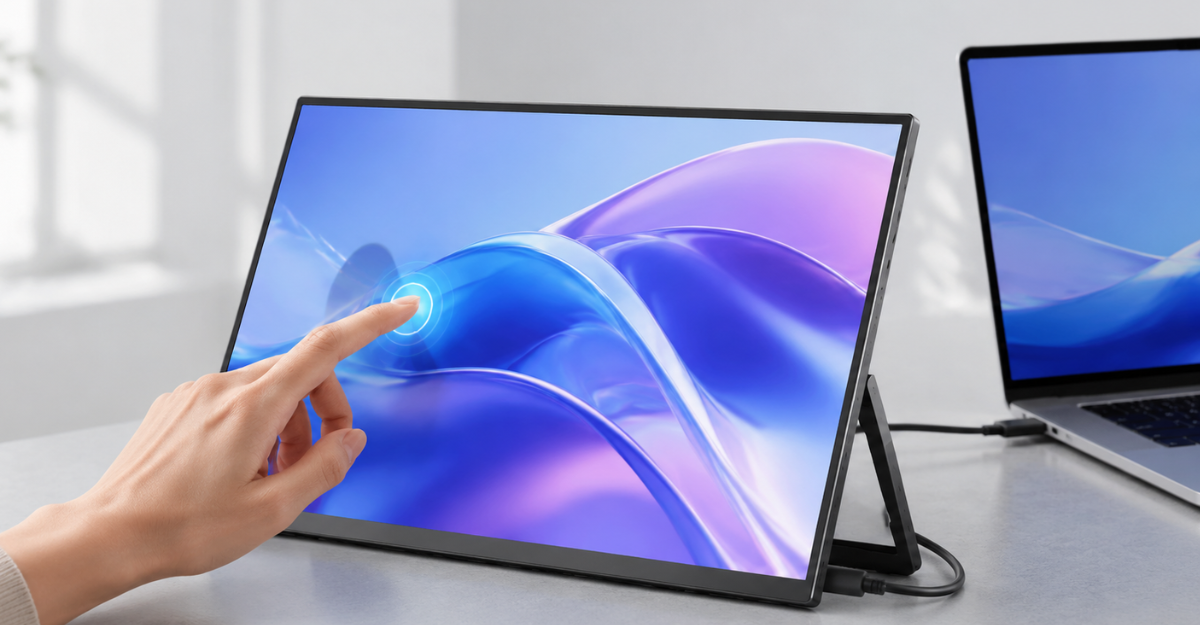
One of the monitor’s most notable features is its 10-point capacitive touchscreen. On compatible devices, it can recognize multiple simultaneous touch inputs, allowing users to tap, swipe, scroll, pinch, and zoom directly on the screen.
Touch control may be useful for:
- Navigating Windows applications
- Browsing files and websites
- Zooming in on photographs or documents
- Operating compatible Android apps
- Giving interactive presentations
- Controlling music or media
- Using touch-friendly dashboards
- Playing compatible touchscreen games
The touchscreen can reduce dependence on a mouse when working in a tight space, such as an airplane tray, hotel desk, classroom, or temporary workstation.
Important Touchscreen Compatibility Limitations
Touch functionality is not universal. The product information indicates the following limitations:
- Touch input does not work with an iPhone or iPad.
- macOS reportedly supports only single-touch input rather than full 10-point touch.
- A USB-C connection must support the required video and data functions.
- When using Mini HDMI for video, an additional USB connection may be required to transmit touch data.
- Some devices may require a separate power source.
Therefore, buyers should not assume that connecting any USB-C cable will automatically enable video, power, and touch. Device port capability and cable type matter.
View Latest Deal
125% sRGB Color Coverage
The listed 125% sRGB color coverage is an attractive feature for users who want more vibrant colors than a basic office monitor may provide. Wider color coverage can benefit photo viewing, digital illustration, video playback, web design, and casual content creation.
Its advertised 1500:1 contrast ratio is intended to deliver more distinct differences between dark and light areas. The monitor also includes HDR support and up to 300 nits of listed brightness.
These features may produce a colorful and engaging image for everyday entertainment and creative tasks. Nevertheless, color-gamut coverage alone does not guarantee factory-calibrated accuracy. Professional photographers, video colorists, and print designers should consider calibrating the monitor and reviewing independent color-accuracy measurements before relying on it for critical work.
For general content creation, presentations, entertainment, and secondary-screen use, the display specifications appear competitive for a portable model.
Slim and Travel-Friendly Construction
A portable monitor should be easy to carry without adding excessive weight to a laptop bag. According to the supplied product details, the UPERFECT model is approximately 0.23 inches slim and weighs around 1.4 pounds.
This makes it suitable for people who frequently move between:
- Home and office
- College and accommodation
- Coworking spaces
- Client locations
- Hotels and airports
- Temporary workstations
A custom protective case is included, which can help protect the display during storage and transportation. Users should still place the monitor in a padded section of their bag and avoid pressure against the screen.
Remember that the full travel weight will include the monitor, protective case, cables, and possibly a charger or power adapter.
USB-C and Mini HDMI Connectivity
The UPERFECT portable monitor includes a full-featured USB-C connection and a Mini HDMI port. This provides compatibility options for laptops, desktops, selected smartphones, gaming consoles, and other devices.
Connecting Through USB-C
A compatible full-featured USB-C connection may transmit video, touch data, and power through one cable. This is the cleanest setup because it reduces cable clutter.
However, the source device’s USB-C port must support video output, commonly through DisplayPort Alt Mode or another compatible standard. A USB-C port used only for charging or basic data transfer may not send a display signal.
Connecting Through Mini HDMI
Mini HDMI can carry the video signal from devices with an HDMI output. When using this connection, the monitor may also require:
- A power connection; and
- A USB-A-to-USB-C data connection if touch control is needed.
This setup uses more cables, but it can expand compatibility with desktops, consoles, and laptops that lack video-capable USB-C ports.
Adjustable Stand and VESA Mounting
The integrated stand can reportedly adjust through 180 degrees, enabling users to choose a suitable viewing angle. The monitor supports both landscape and portrait positioning.
Landscape orientation works well for videos, spreadsheets, games, and general multitasking. Portrait orientation can be helpful for reading long articles, viewing documents, coding, or monitoring social media feeds.
The monitor is also VESA mountable. A compatible monitor arm or stand can create a cleaner and more ergonomic permanent workspace. Before buying a mount, verify its hole pattern, screw size, and weight support against the current product documentation.
Performance for Remote Work and Study
This portable monitor is particularly relevant to remote and hybrid workers. A second display can provide additional space for communication tools, documents, research, or project management software.
Potential productivity arrangements include:
- Email on one screen and a document on the other
- Video meeting on one display and notes on the second
- Website preview beside an editing dashboard
- Research material next to an assignment
- Spreadsheet data alongside a report
- Code editor beside documentation or terminal output
Students may also find it useful for online classes, research, presentations, and shared study spaces. The touchscreen adds another interaction option, although keyboard and mouse input will usually remain more efficient for long writing sessions.
Gaming and Entertainment Use
The monitor’s 1080p resolution, HDMI connectivity, HDR support, and 125% sRGB coverage make it a possible portable screen for gaming and media viewing.
It may be connected to compatible consoles, laptops, or other gaming devices, subject to cable and power requirements. Its compact size makes it easier to use in a bedroom, dorm, hotel, or shared living space than a conventional monitor.
Serious competitive gamers should check the exact refresh rate, response time, input-lag performance, and adaptive-sync support on the specific listing. These details were not included in the supplied specifications and can significantly affect fast-paced gaming.
Pros and Cons
Pros
- Responsive 10-point touch on compatible systems
- 15.6-inch Full HD IPS matte display
- Listed 125% sRGB color coverage
- 1500:1 advertised contrast ratio
- HDR support and up to 300 nits brightness
- USB-C and Mini HDMI connectivity
- Slim and lightweight construction
- Integrated 180-degree adjustable stand
- Landscape and portrait positioning
- VESA mounting support
- Protective travel case included
Cons
- Touch does not work with iPhone or iPad
- macOS is limited to single-touch operation
- Not every USB-C port supports video output
- HDMI use may require separate power and touch cables
- Professional color work may require calibration
- Exact refresh rate and response time should be verified
- 300-nit brightness may be less effective in bright outdoor conditions
Who Should Buy the UPERFECT Portable Touchscreen Monitor?
This monitor may be a good fit for:
- Remote and hybrid professionals
- Business travelers
- College students
- Digital nomads
- Presenters and trainers
- Programmers and web developers
- Casual gamers
- Content creators
- Android and Windows users who want touch control
- Anyone needing a lightweight second screen
It may be less suitable for iPhone or iPad owners specifically seeking touchscreen functionality, Mac users who require full multi-touch support, or creative professionals who need independently verified reference-grade color accuracy.
What to Check Before Buying
Before ordering the monitor, confirm the following:
- Does your USB-C port support video output?
- Does your device support external touch input?
- Will one USB-C cable provide sufficient power?
- Do you need a Mini HDMI adapter or additional cable?
- Is full multi-touch supported by your operating system?
- Are the listed dimensions and weight suitable for your bag?
- Does the package include every cable you need?
- Are the refresh rate and response time appropriate for your games?
- Does the seller provide a suitable return policy and warranty?
Checking these details can prevent many common portable-monitor connection problems.
Final Verdict
The UPERFECT Portable Monitor Touchscreen 15.6 Inch offers a compelling selection of features for a travel-friendly second display. Its Full HD resolution, 10-point touch capability, 125% sRGB coverage, flexible stand, VESA compatibility, and dual connection options make it adaptable to work, study, entertainment, and casual creative use.
Its greatest value is flexibility. It can function as a portable second screen on the road or become part of a more permanent desk setup. However, buyers should carefully confirm USB-C video support and touchscreen compatibility before purchasing. This is especially important for Apple users and devices that do not have fully featured USB-C ports.
For Windows or compatible Android users seeking a colorful, touch-enabled portable display, this UPERFECT monitor deserves consideration.
Frequently Asked Questions
Is the UPERFECT 15.6-inch portable monitor touchscreen?
Yes. It features 10-point multi-touch control on compatible devices and operating systems. Touch capability may vary depending on the connection method and source device.
Does its touchscreen work with an iPhone or iPad?
No. The supplied product information states that touch functionality does not work with iPhones or iPads. These devices may still support external display output in some configurations, but not the monitor’s touch input.
Does it support full touchscreen control on a Mac?
The product notes indicate that macOS supports only single-touch input, not full 10-point multi-touch. Mac owners should verify compatibility with their exact device and operating-system version.
Can the monitor work with one USB-C cable?
It may work through one cable when the source device has a full-featured USB-C port capable of carrying video, data, and sufficient power. Some devices may require an additional power connection.
Can I connect it using HDMI?
Yes. The monitor has a Mini HDMI port. HDMI carries video, but you may need separate power and a USB data connection to activate touchscreen functionality.
Is this monitor suitable for photo and video editing?
The listed 125% sRGB coverage should provide vibrant colors for general content creation. Color-critical professional work may require calibration and independently verified accuracy measurements.
Can the monitor be used vertically?
Yes. Its adjustable stand supports landscape and portrait use. It is also VESA compatible, allowing installation on a suitable arm or stand.