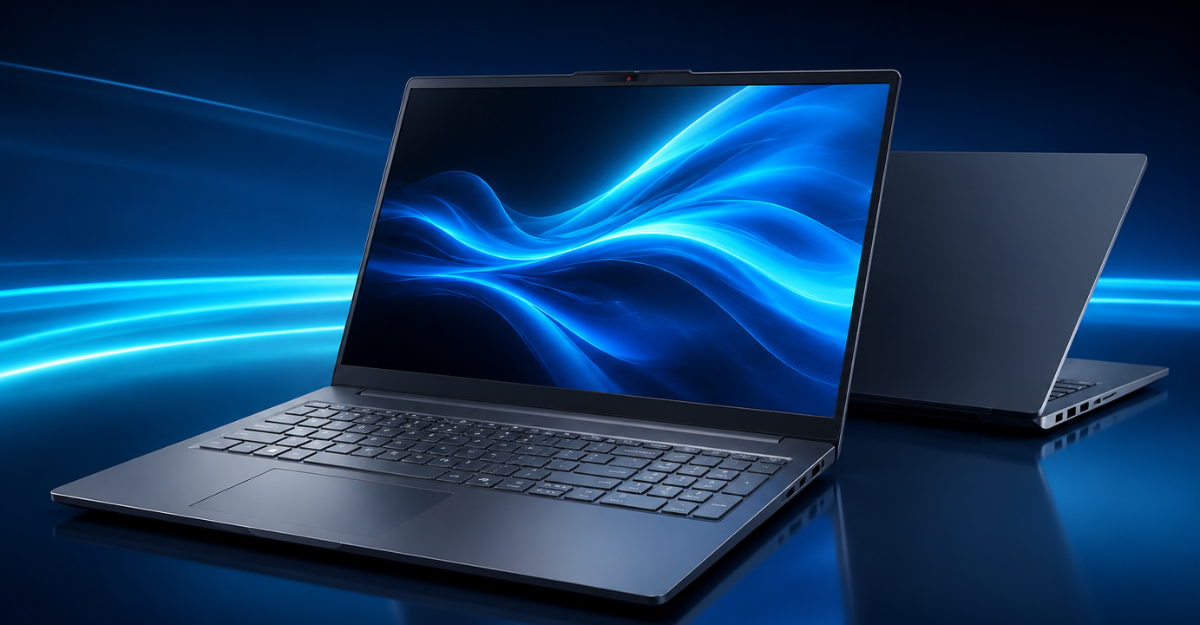
Best Budget Laptop for College Students Under $800 in USA
Looking for the best budget laptop for college students under $800? Discover how the Lenovo IdeaPad Slim 3 16 delivers powerful Intel Core i5 performance, 16GB RAM, a 512GB SSD, and a spacious 16-inch display for studying, multitasking, online classes, and everyday productivity.
Best Budget Laptop for College Students Under $800 in USA (2026)
Finding a dependable college laptop without spending more than $800 can be challenging. Students need a computer that can manage research, assignments, online classes, presentations, video calls, entertainment, and sometimes creative applications. At the same time, the laptop should be portable enough to carry around campus and powerful enough to remain useful for several academic years.
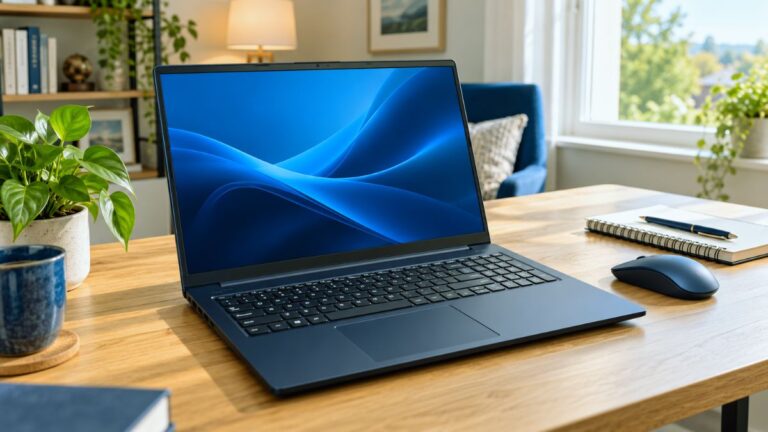
The Lenovo IdeaPad Slim 3 16 is a compelling option for students searching for a capable laptop at an affordable price. It features an Intel Core i5-13420H processor, 16GB of DDR5 RAM, a 512GB PCIe solid-state drive, and a spacious 16-inch WUXGA display.
These specifications make it suitable for college students, remote workers, small-business owners, and professionals who regularly manage multiple applications. Its full-size keyboard, numeric keypad, Wi-Fi 6 support, privacy shutter, and practical selection of ports add further value.
In this Lenovo IdeaPad Slim 3 16 review, we will examine its specifications, performance, display, connectivity, portability, advantages, and limitations to help you decide whether it is the best budget laptop for college students under $800 in the USA in 2026.

Lenovo IdeaPad Slim 3 16 Specifications
| Specification | Details |
|---|---|
| Brand | Lenovo |
| Model | IdeaPad Slim 3 16 |
| Processor | Intel Core i5-13420H |
| Processor Configuration | 8 cores and 12 threads |
| Maximum Clock Speed | Up to 4.6GHz |
| Memory | 16GB DDR5 RAM |
| Storage | 512GB PCIe SSD |
| Display Size | 16 inches |
| Display Resolution | 1920 × 1200 WUXGA |
| Display Type | IPS, anti-glare |
| Brightness | 300 nits |
| Graphics | Integrated graphics |
| Operating System | Windows 11 Home |
| Wireless Connectivity | Wi-Fi 6 and Bluetooth 5.2 |
| Webcam | 720p HD with privacy shutter |
| Weight | Approximately 3.70 pounds |
| Color | Luna Grey |
| Keyboard | Full-size keyboard with numeric keypad |
| Ports | USB-A, USB-C, HDMI, SD card reader and audio jack |
Why the Lenovo IdeaPad Slim 3 16 Is Suitable for Students
A student laptop does not necessarily need a premium metal body, a dedicated gaming graphics card, or an ultra-high-resolution touchscreen. However, it should provide reliable everyday performance, sufficient memory, fast storage, a comfortable display, and useful connectivity.
The Lenovo IdeaPad Slim 3 16 covers most of those requirements. Its 16GB of RAM is especially valuable because many inexpensive student laptops are still sold with only 8GB. Although 8GB may be enough for basic browsing and document editing, 16GB provides more space for multitasking and demanding academic applications.
The Intel Core i5-13420H is another important advantage. It is an H-series processor designed to deliver stronger performance than many low-power processors commonly found in budget laptops. That additional processing power can help students manage large spreadsheets, research databases, presentations, programming tools, and light creative projects.
Students also receive a larger 16-inch display with a 16:10 aspect ratio. The additional vertical screen space makes it easier to read documents, work with spreadsheets, browse websites, and compare multiple sources.

👉 “Check full review here”
Intel Core i5-13420H Performance
The Lenovo IdeaPad Slim 3 16 is powered by the Intel Core i5-13420H processor. It has eight cores, 12 threads, and a maximum turbo frequency of up to 4.6GHz.
The processor combines performance and efficiency cores to balance speed with power consumption. Its performance cores handle demanding workloads, while the efficiency cores assist with background activities and lighter applications.
For an average college student, this processor should comfortably manage:
- Microsoft Word, Excel and PowerPoint
- Google Docs, Sheets and Slides
- Zoom, Microsoft Teams and Google Meet
- Online learning platforms
- Multiple browser tabs
- PDF reading and editing
- Email and research
- Basic coding and programming tools
- Light photo and video editing
- Business and accounting software
The H-series processor makes this laptop particularly appealing to students who want more than entry-level performance. It should be useful for business, accounting, computer science, marketing, education, and general academic programs.
However, processor performance can vary depending on the laptop’s cooling system, power settings, and whether it is connected to a charger. Demanding applications may also cause the fan to become more noticeable.
16GB DDR5 RAM for Smooth Multitasking
Memory is one of the most important considerations when buying a laptop for college. Students frequently keep multiple applications open while researching and completing assignments.
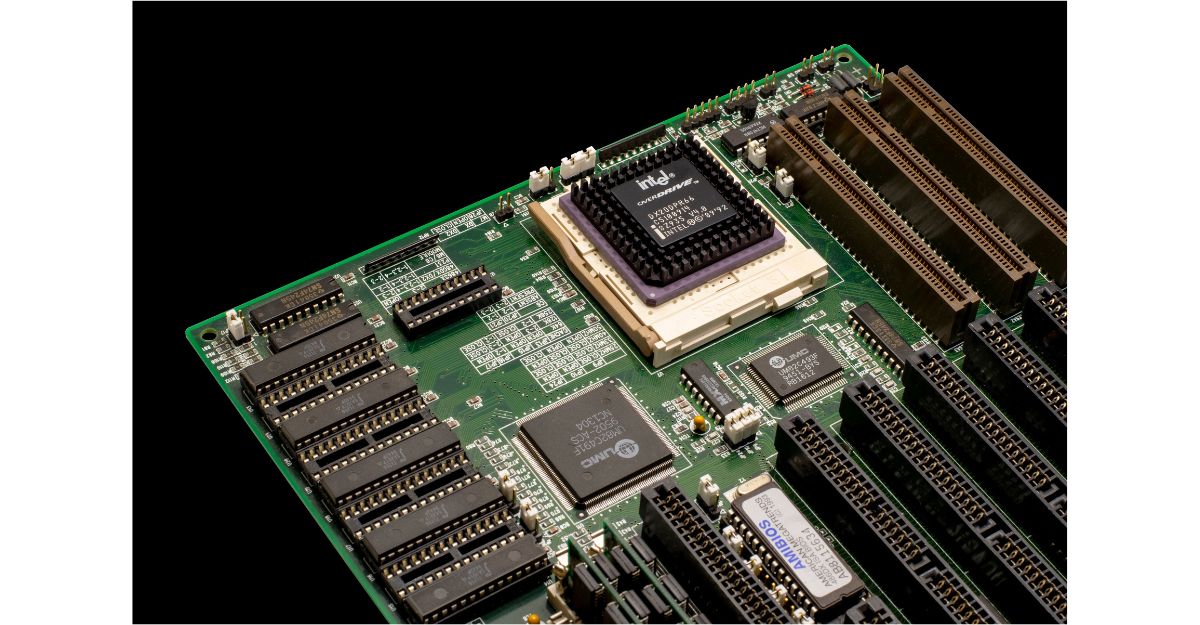
The Lenovo IdeaPad Slim 3 16 includes 16GB of DDR5 RAM, providing enough capacity for most academic and productivity workloads. Students should be able to attend a video class, keep several browser tabs open, edit a document, and run communication applications without experiencing the severe slowdown associated with lower-memory computers.
The 16GB memory capacity is useful for:
- Research involving numerous browser tabs
- Video calls with screen sharing
- Large Microsoft Office files
- Coding and development environments
- Basic graphic design applications
- Entry-level video editing
- Remote internships and office work
- Online exams and educational software
DDR5 memory also provides a newer memory platform than DDR4. Real-world performance still depends on the application, but the combination of 16GB RAM and the Core i5 processor gives this laptop a balanced configuration for students.
Before purchasing, check whether the RAM in the exact listing is upgradeable or permanently attached to the motherboard. Laptop configurations can vary between retailers.

Fast 512GB PCIe SSD Storage
The laptop comes with a 512GB PCIe SSD, offering a good balance between speed and storage capacity.
A solid-state drive can make Windows, applications, and saved files respond more quickly than a traditional hard drive. The seller states that the system can achieve boot times below 10 seconds, although actual startup time will depend on the installed applications, Windows updates, and system settings.
The 512GB capacity provides space for:
- College assignments and presentations
- Downloaded textbooks and PDF files
- Photos and personal documents
- Academic applications
- Selected videos and media
- Business and internship files
Students who store large video projects, games, or extensive media libraries may eventually require additional space. They can use an external SSD, portable hard drive, SD card, or cloud storage service when necessary.
For most college users, however, 512GB is a practical starting capacity.
Spacious 16-Inch WUXGA Display
The Lenovo IdeaPad Slim 3 features a 16-inch WUXGA IPS display with a resolution of 1920 × 1200 pixels. Its 16:10 aspect ratio provides more vertical working space than a traditional 1920 × 1080 screen.
That extra space can make a meaningful difference when reading lengthy articles, reviewing spreadsheets, writing research papers, or working with two windows.
The display also includes:
- IPS panel technology
- Anti-glare coating
- 300-nit brightness
- 1920 × 1200 resolution
- A productivity-friendly 16:10 aspect ratio
The anti-glare finish can reduce distracting reflections in classrooms, libraries, offices, and other brightly lit environments. A brightness rating of 300 nits is generally adequate for indoor use, although it may feel limited under direct sunlight.
This is not positioned as a professional color-grading display. Students whose courses require highly accurate color reproduction should verify the display’s color-gamut specifications or consider using a calibrated external monitor.
For assignments, web browsing, online classes, streaming, and everyday productivity, the screen offers a useful combination of size and resolution.
Integrated Graphics: What Can It Handle?
This Lenovo laptop uses integrated graphics instead of a dedicated graphics card. Integrated graphics are appropriate for common student activities, including streaming, presentations, web browsing, light image editing, and basic creative work.
It should be suitable for:
- Watching HD and online video
- Creating PowerPoint presentations
- Basic Canva projects
- Simple Photoshop editing
- Light video editing
- Casual or older games at modest settings
- Connecting an external display
However, this is not the ideal laptop for demanding AAA gaming, professional 3D modeling, advanced animation, heavy engineering simulation, or complex 4K video production.
Students studying architecture, advanced engineering, 3D design, or professional video production may need a laptop with a dedicated NVIDIA or AMD graphics processor. Those models generally cost more and may have shorter battery life.
Keyboard and Numeric Keypad
The Lenovo IdeaPad Slim 3 includes a full-size keyboard with a numeric keypad. A dedicated number pad can be especially helpful for accounting, finance, business, statistics, and data-entry students.
It allows faster entry of numbers into:
- Microsoft Excel
- Accounting applications
- Statistical software
- Financial models
- Inventory systems
- Invoices and business documents
The larger 16-inch body provides enough room for a more complete keyboard layout than many compact laptops. However, students should still examine the exact product photos before buying because regional keyboard layouts and backlighting availability may differ between configurations.
Webcam and Privacy Protection
Online classes, group meetings, interviews, and remote internships have made webcams an important laptop feature.
This model includes a 720p HD webcam with a physical privacy shutter. The resolution is sufficient for routine Zoom, Google Meet, and Microsoft Teams calls, although it will not provide the same image quality as a high-quality 1080p external webcam.
The privacy shutter is a useful security feature. Students can physically cover the camera when it is not being used rather than depending entirely on software controls.
For clearer video calls, use the laptop in a well-lit room and keep the camera near eye level.
Wi-Fi 6 and Bluetooth 5.2
Reliable wireless connectivity is necessary for online classes, cloud applications, video streaming, and collaborative projects.
The Lenovo IdeaPad Slim 3 supports Wi-Fi 6, which can provide improved speed and efficiency when connected to a compatible Wi-Fi 6 router. Actual internet performance will still depend on the network connection, router, distance, and congestion.
Bluetooth 5.2 allows students to connect compatible wireless accessories such as:
- Headphones
- Earbuds
- Mice
- Keyboards
- Speakers
- Smartphones
These wireless features make the laptop suitable for classrooms, dorm rooms, libraries, home offices, and shared workspaces.
Ports and Connectivity
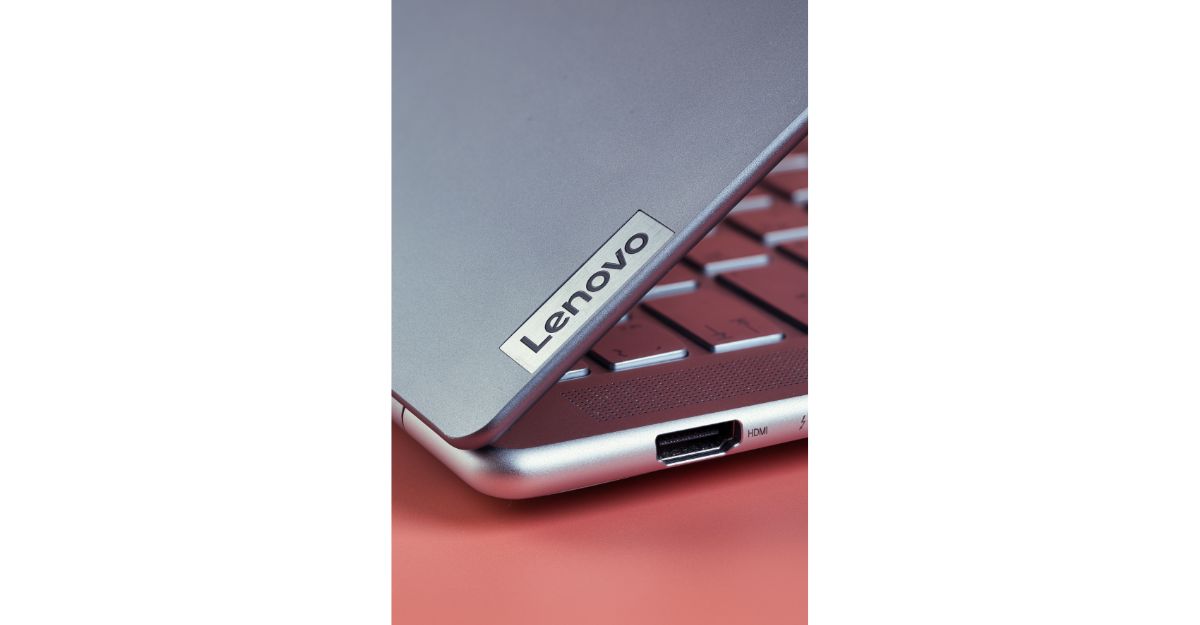
The IdeaPad Slim 3 offers a practical collection of ports:
- Two USB-A ports
- One USB-C port
- HDMI 1.4
- SD card reader
- Headphone and microphone combination jack
According to the supplied product information, the USB-C connection supports Power Delivery and DisplayPort functionality. This may allow users to connect compatible displays and accessories through a single modern connection.
The HDMI port can be useful for connecting:
- External monitors
- Televisions
- Classroom projectors
- Presentation displays
An SD card reader is convenient for photographers, content creators, and students who regularly transfer files from cameras or other devices.
Port capabilities sometimes vary between configurations. Confirm the exact USB-C charging and video-output functions on the retailer’s specification page before ordering.
Portability and Design
A 16-inch laptop offers more screen space, but it is usually less compact than a 13- or 14-inch model. The Lenovo IdeaPad Slim 3 attempts to balance those considerations with a listed weight of approximately 3.70 pounds.
That weight is reasonable for a large-screen laptop, although students who walk long distances around campus may still prefer a smaller device.
The Luna Grey finish gives the laptop a clean, professional appearance that fits classrooms, offices, meetings, and remote-work environments. Its design is practical rather than luxurious, which is reasonable in this price category.
Before buying, check whether the laptop will fit inside your current backpack or sleeve. A case designed for a 15-inch computer may not comfortably accommodate a 16-inch model.
Windows 11 Home and Copilot Features
The laptop comes with Windows 11 Home, making it compatible with a broad range of educational and professional applications.
Windows 11 provides access to:
- Microsoft 365
- Video-conferencing applications
- Web browsers
- Programming tools
- Creative software
- Cloud-storage platforms
- University learning systems
The supplied listing also mentions Copilot integration. The available Copilot functions may depend on Windows updates, region, Microsoft account settings, and current Microsoft policies.
Some universities provide Microsoft 365 subscriptions to enrolled students. Check with your college before purchasing a separate Office subscription.
👉 “Click here for detailed guide”
Who Should Buy This Lenovo Laptop?
The Lenovo IdeaPad Slim 3 16 may be a strong choice for:
College and University Students
Its processor, memory, storage, and large display are suitable for research, essays, online classes, presentations, and everyday coursework.
Business and Accounting Students
The numeric keypad, spacious screen, and 16GB of RAM are helpful for spreadsheets, financial calculations, and business applications.
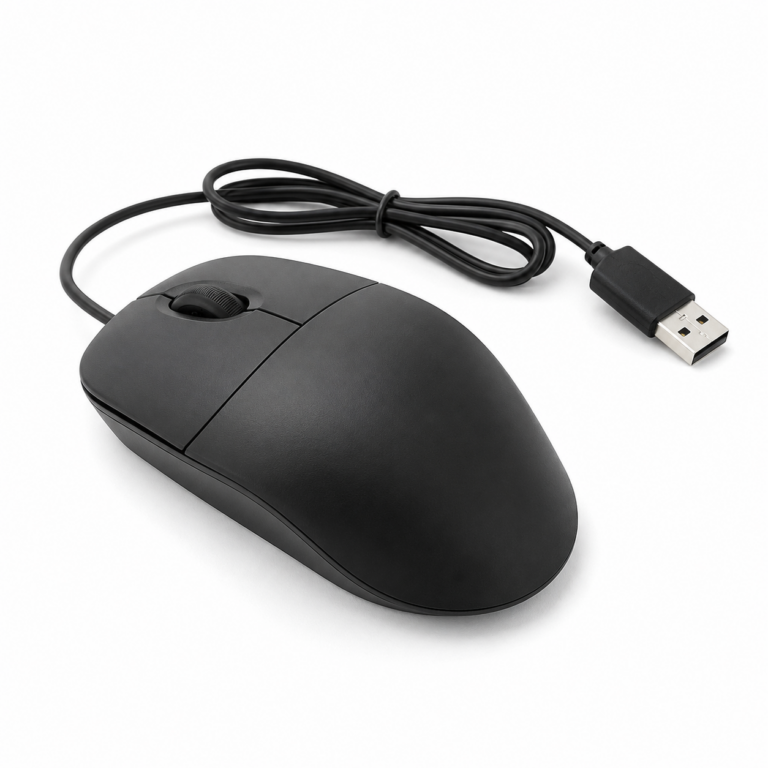
For a simple and reliable study setup, you can also check our guide to a [USB wired mouse for Windows and Mac].
Programming Students
The Core i5 processor and 16GB of memory should handle beginner and intermediate coding environments, depending on the specific development workload.
Remote Workers
The webcam privacy shutter, Wi-Fi 6, practical ports, and productivity-focused configuration suit remote meetings and document-heavy work.
Small-Business Owners
It can manage email, invoices, spreadsheets, video calls, inventory records, and common cloud-based business tools.
Who Should Consider Another Laptop?
This model may not be the best option for everyone. Consider a different laptop if you require:
- High-end gaming performance
- A dedicated graphics card
- Professional 3D rendering
- Advanced engineering simulation
- Premium color accuracy
- A very compact 13-inch design
- A high-resolution 1080p or 4K webcam
- A confirmed all-day battery for travel
A gaming or mobile-workstation laptop would be better for graphics-intensive workloads. A smaller ultrabook may be more convenient for students who prioritize portability.
Students planning to work remotely or start freelancing can also read our guide to the [best laptops for online jobs in USA].
Lenovo IdeaPad Slim 3 16 Pros and Cons
Pros
- Powerful Intel Core i5-13420H processor
- 16GB of DDR5 memory
- Fast 512GB PCIe SSD
- Large 16-inch WUXGA IPS display
- Productivity-friendly 16:10 screen
- Anti-glare coating
- Wi-Fi 6 and Bluetooth 5.2
- USB-C, HDMI and SD card connectivity
- Full-size keyboard with numeric keypad
- Webcam privacy shutter
- Reasonable weight for a 16-inch laptop
- Windows 11 Home included
Cons
- Integrated graphics are not ideal for demanding gaming
- 720p webcam is relatively basic
- A 16-inch laptop requires a larger bag
- Display brightness may be limited outdoors
- Exact upgrade options may vary
- Battery-life information should be confirmed before purchase
- Retail prices can change over time
Is It the Best Budget Laptop for College Students Under $800?
The Lenovo IdeaPad Slim 3 16 offers a well-balanced set of specifications for students who value performance and screen space. Its Intel Core i5-13420H processor is more capable than many entry-level chips, while 16GB of DDR5 RAM provides useful multitasking capacity.
The 512GB SSD, 16-inch WUXGA display, numeric keypad, Wi-Fi 6, and varied port selection make it suitable for both academic and professional activities.
Its integrated graphics and basic webcam prevent it from being perfect for every user. Nevertheless, those limitations are understandable for a productivity laptop in this price range.
If the configuration described in this article is currently available for less than $800, it can be a strong choice for students who need a dependable Windows laptop for assignments, business applications, programming, online classes, and general productivity.
Always check the current price, seller reputation, warranty, return policy, and exact specifications before placing an order because online listings and prices may change.
Buyers who can increase their budget may also consider the [Apple MacBook Air 13-inch M5] for better portability, battery life, and long-term performance.
Final Verdict
The Lenovo IdeaPad Slim 3 16 is a practical candidate for the best budget laptop for college students under $800 in the USA in 2026.
Its strongest qualities are its Core i5 H-series processor, 16GB DDR5 RAM, fast 512GB SSD, and spacious WUXGA display. These features provide a strong foundation for research, writing, presentations, online classes, spreadsheets, remote work, and light content creation.
Students who need dedicated graphics or an ultra-portable design should explore other options. For users who prioritize everyday performance, multitasking, screen size, and productivity features, this Lenovo model offers an attractive combination of capability and value.
Frequently Asked Questions
Is the Lenovo IdeaPad Slim 3 16 good for college students?
Yes. Its Intel Core i5 processor, 16GB RAM, 512GB SSD, large display, and Windows 11 operating system make it suitable for most college assignments and everyday academic tasks.
Can this laptop handle programming?
It should handle beginner and intermediate programming, web development, common IDEs, and general computer-science coursework. Very demanding virtual machines or advanced development workloads may require more memory or higher-end hardware.
Is 16GB of RAM enough for college?
Yes. Sixteen gigabytes is sufficient for most students and offers comfortable multitasking for browsers, office applications, video calls, and many educational programs.
Can the Lenovo IdeaPad Slim 3 run games?
It can run casual, older, and less-demanding games at appropriate settings. It is not designed for demanding modern games because it uses integrated graphics.
Does it have a backlit keyboard?
Backlighting may differ between IdeaPad Slim 3 configurations. Check the exact retailer listing or ask the seller before purchasing if a backlit keyboard is important to you.
Is the Lenovo IdeaPad Slim 3 easy to carry?
At approximately 3.70 pounds, it is reasonably portable for a 16-inch laptop. However, its larger dimensions may require a backpack or sleeve designed for 16-inch computers.
Is this Lenovo laptop worth buying for under $800 ?
It can provide good value under $800 due to its Core i5 H-series processor, 16GB DDR5 RAM, 512GB SSD, and 16-inch WUXGA screen. Compare the current price and warranty with competing models before buying.
More Review……
HP EliteBook X G2q Review: Snapdragon X2 Elite Laptop…..
MacBook Air M5 vs MacBook Pro M5 for College Students 2026
MacBook Air 15-Inch M5 24GB/1TB Review 2026: Worth It?
👉 “Hope this helps you choose the best gadget!”