The Best Gaming Routers For 2026
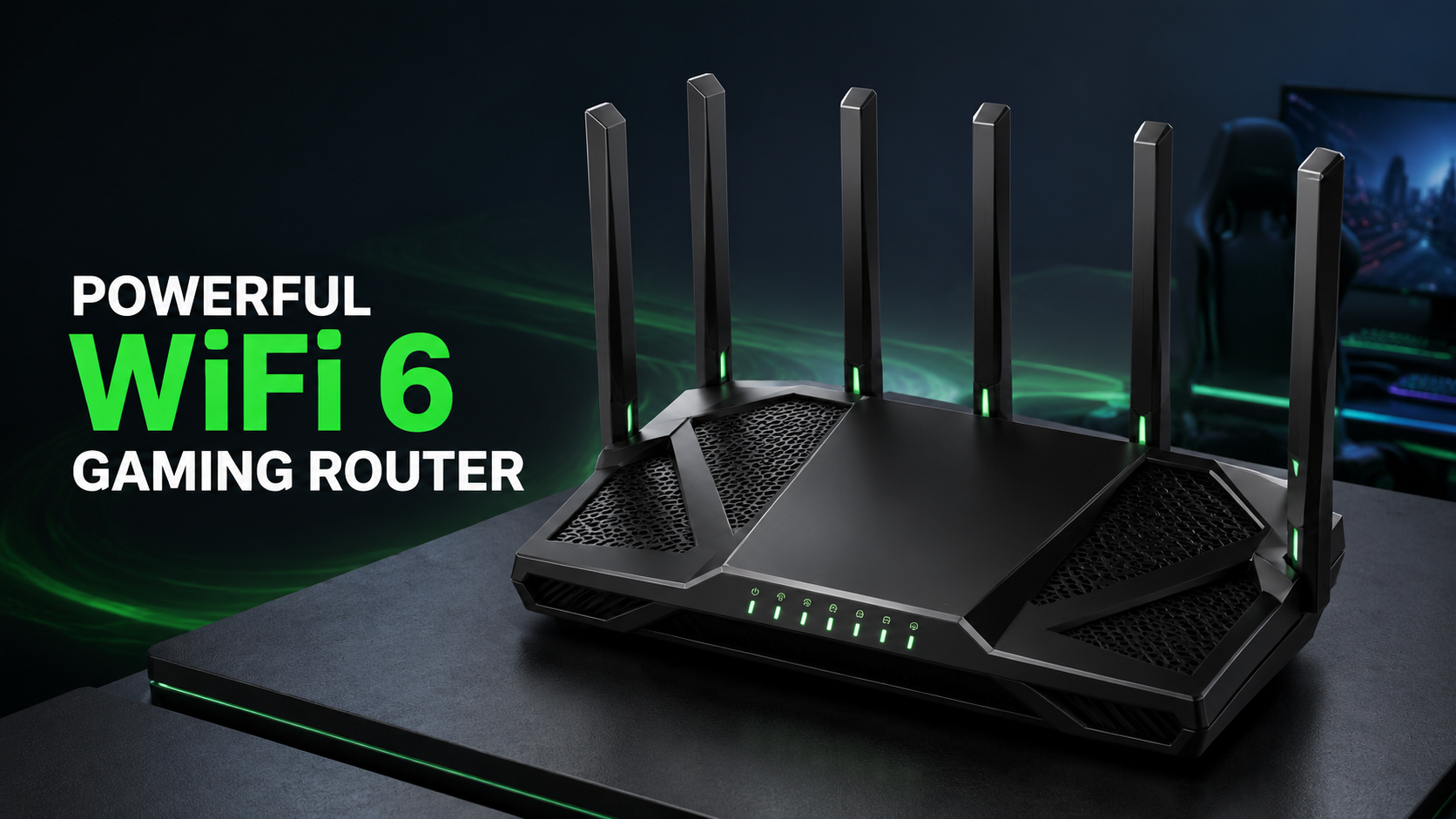
The TP-Link Archer AX73 offers AX5400 WiFi 6 speed, stable gaming performance, QoS and long-range coverage, making it one of the best gaming routers for 2026.
TP-Link AX5400 WiFi 6 Router Review: Is the Archer AX73 One of the Best Gaming Routers for 2026?
A fast internet plan alone cannot guarantee smooth online gaming. Your router also plays an important role in maintaining a stable connection, managing multiple devices and reducing congestion across your home network. This becomes especially important when people are gaming, streaming, downloading and making video calls simultaneously.
The TP-Link AX5400 WiFi 6 Router, also known as the Archer AX73, is designed to handle demanding home networks without requiring buyers to move immediately to an expensive premium gaming router. It combines dual-band WiFi 6, theoretical wireless speeds of up to 5,378Mbps, six external antennas, Quality of Service, OFDMA, MU-MIMO and gigabit Ethernet connectivity.
Although the Archer AX73 is not marketed as a specialized gaming router with gaming-themed software and RGB lighting, its speed, coverage and network-management features make it a capable option for online gaming.
In this TP-Link Archer AX73 review, we will examine its gaming performance, WiFi coverage, wired connections, device capacity, security features and limitations to determine whether it deserves a place among the best gaming routers for 2026.
TP-Link Archer AX73 Specifications
| Feature | Details |
|---|---|
| Brand | TP-Link |
| Model | Archer AX73 |
| WiFi Class | AX5400 |
| WiFi Standard | WiFi 6, IEEE 802.11ax |
| Frequency Bands | Dual-band 2.4GHz and 5GHz |
| 5GHz Speed | Up to 4,804Mbps |
| 2.4GHz Speed | Up to 574Mbps |
| Processor | 1.5GHz triple-core CPU |
| Antennas | Six fixed high-performance antennas |
| WAN Port | One Gigabit WAN port |
| LAN Ports | Four Gigabit LAN ports |
| USB Port | One USB 3.0 port |
| Gaming Features | Device-based QoS, OFDMA and MU-MIMO |
| Security | WPA3, firewall, access control and HomeShield |
| Operating Modes | Router Mode and Access Point Mode |
| Mesh Support | TP-Link OneMesh |
| Management | TP-Link Tether app and web interface |
AX5400 WiFi 6 Performance
The Archer AX73 is an AX5400-class router with a combined theoretical wireless capacity of approximately 5.4Gbps. The 5GHz band supports speeds of up to 4,804Mbps, while the 2.4GHz band supports up to 574Mbps.
These numbers represent the total theoretical wireless rates under ideal laboratory conditions. They do not mean one gaming device will receive a 5.4Gbps internet connection. Actual speed depends on your internet plan, distance, walls, interference, device capabilities and network traffic.
The 5GHz band is the better choice for gaming devices located near the router. It offers higher speed and usually experiences less interference than 2.4GHz. The 2.4GHz band provides longer-range coverage and is useful for smart home devices or equipment located farther away.
WiFi 6 improves efficiency when multiple compatible devices share the network. This is important in modern homes where phones, computers, consoles, televisions, security cameras and smart appliances may all remain connected.
Gaming Performance and Connection Stability
For competitive online gaming, latency and stability are usually more important than extremely high download speeds. Most games do not require gigabit bandwidth, but lag, packet loss and sudden connection drops can seriously affect gameplay.
The Archer AX73 uses a 1.5GHz triple-core processor to manage network traffic. It also supports technologies such as OFDMA and MU-MIMO, which help the router communicate with several compatible devices more efficiently.
OFDMA can divide a wireless channel into smaller resource units, allowing the router to serve multiple WiFi 6 clients during the same transmission period. MU-MIMO enables simultaneous communication with multiple compatible clients through separate spatial streams.
These technologies can be especially helpful when one person is gaming while others are:
- Streaming 4K or 8K video
- Downloading large files
- Joining video conferences
- Browsing social media
- Using cloud-based applications
- Connecting multiple smart home devices
The result can be a more organized network with less congestion. However, gaming latency also depends heavily on your ISP, game server location, modem, network traffic and whether you use Ethernet or WiFi.
Quality of Service for Gaming Devices
The Archer AX73 includes device-based Quality of Service, commonly called QoS. This feature allows you to prioritize important equipment on your network.
For example, you can give higher priority to a gaming PC, PlayStation, Xbox or streaming computer. When the network becomes busy, the router can prioritize traffic associated with that device.
QoS cannot repair a poor internet connection or eliminate latency caused by a distant game server. However, it may help prevent another user’s large download or high-resolution stream from consuming all available bandwidth.
The Archer AX73 does not offer the same advanced game-server routing, gaming dashboards or dedicated gaming acceleration tools found on some more expensive gaming routers. Its QoS is simpler, but it should be sufficient for many regular home gamers.
👉 “Click here for detailed guide”
Wired Gaming With Gigabit Ethernet
A wired Ethernet connection is still the preferred choice for serious competitive gaming. Ethernet normally provides more consistent latency and avoids many sources of wireless interference.
The Archer AX73 includes:
- One Gigabit WAN port
- Four Gigabit LAN ports
You can connect a gaming PC, console, television or desktop directly to the router with an Ethernet cable. The router also supports static link aggregation using two LAN ports for compatible devices.
One important limitation is the absence of a 2.5Gbps or multi-gig Ethernet port. Even though the router advertises wireless speeds above one gigabit, its internet and individual wired connections are limited by Gigabit Ethernet.
This should not be a problem for most U.S. households using internet plans of 1Gbps or below. However, users with multi-gig internet service may want a newer router with 2.5GbE or 10GbE connectivity.
Long-Range WiFi Coverage
TP-Link positions the Archer AX73 as suitable for a typical three-bedroom home. It uses six fixed external antennas, high-power front-end modules, beamforming and a 4T4R structure to improve wireless coverage.
Beamforming helps concentrate the WiFi signal toward connected devices instead of sending the same amount of energy equally in every direction. This can improve connection strength for compatible devices.
The six antennas also help the router cover multiple directions. However, no single router can guarantee complete coverage in every house. Thick concrete walls, metal surfaces, floors, mirrors and neighboring networks can weaken the signal.
For the best results, place the router:
- Near the center of the home
- In an open and elevated position
- Away from large metal objects
- Away from microwaves and other interference sources
- Outside enclosed cabinets
- Close to the main gaming room when possible
Larger or unusually shaped homes may still require a mesh system or compatible range extender.
Gamers shopping within a fixed budget can compare our recommended “gaming routers under $200 in the USA”
160MHz Channel Support
The Archer AX73 supports HE160, also known as 160MHz channel width, on the 5GHz band. A wider channel can provide significantly more bandwidth to compatible devices than an 80MHz channel.
This feature can benefit WiFi 6 gaming PCs and laptops with compatible network adapters. It may also improve large downloads, game installations and local file transfers.
However, not every device supports 160MHz channels. Availability may also be affected by regional regulations, nearby networks and Dynamic Frequency Selection channels. Real-world performance will vary according to your environment.
Streaming and Multiple Connected Devices
Gaming is not the only demanding activity in a modern household. Many families stream video on multiple televisions while also using smartphones, laptops, smart speakers and security devices.
The Archer AX73’s six wireless streams, OFDMA and 4×4 MU-MIMO support make it suitable for busy networks. TP-Link advertises enough wireless capacity for activities such as 8K streaming, but the actual experience depends on your internet bandwidth and device support.
A family can separate devices between the two frequency bands. Gaming systems, streaming devices and recent laptops can use 5GHz, while smart plugs and less demanding devices can remain on 2.4GHz. This distribution may reduce unnecessary congestion.
TP-Link HomeShield Security
The Archer AX73 includes TP-Link HomeShield for network management and security. Available features may include network scanning, IoT device identification, parental controls, usage reports and Quality of Service.
Some HomeShield features are available through a free basic plan, while more advanced functions may require a paid subscription. Buyers should check TP-Link’s current HomeShield plan details before purchasing.
The router also supports WPA3 encryption, guest networks, access control, an SPI firewall and IP and MAC binding. Keeping the router’s firmware updated and using a strong administrator password are still essential.
For families, parental controls can help create profiles, pause internet access and manage online activity. Feature availability may vary according to firmware version and subscription level.
USB 3.0 File Sharing
A USB 3.0 port is located on the router, allowing users to connect a compatible external storage device. The Archer AX73 supports functions such as:
- Samba file sharing
- FTP server
- Media server
- Apple Time Machine
- Private network storage
This feature can provide convenient access to media and files across the home network. It is not a complete replacement for a high-performance network-attached storage system, but it adds useful functionality to the router.
Setup and Network Management
The Archer AX73 can be configured through the TP-Link Tether app or a web browser. The Tether app offers guided installation and access to common settings from a compatible Android or iOS device.
The standard installation process includes connecting the router to a modem, powering it on, creating WiFi names and passwords and selecting basic security settings.
A modem or compatible gateway is required for most U.S. internet services. The Archer AX73 does not replace a cable, DSL or fiber modem unless your ISP equipment can operate in a compatible bridge or passthrough configuration.
The router can also work with major providers such as Xfinity, Spectrum, Cox, Verizon and AT&T, but the exact installation process depends on the provider and service type.
OneMesh Support
The Archer AX73 supports TP-Link OneMesh with compatible TP-Link extenders. OneMesh can create a unified WiFi network with a single network name and improve roaming around the home.
This may be useful if the router provides strong performance near the gaming area but leaves weak-signal zones in distant rooms.
Before buying an extender, confirm that the specific extender model and router hardware version support the required mesh features. Product capabilities can vary by region, firmware and hardware revision.
Advantages of the TP-Link Archer AX73
The main benefits include:
- Fast dual-band AX5400 WiFi 6 performance
- 160MHz channel support
- Six high-performance antennas
- OFDMA and 4×4 MU-MIMO
- Device-based QoS
- Four Gigabit LAN ports
- WPA3 security
- USB 3.0 file sharing
- OneMesh compatibility
- Easy Tether app setup
- Good value for gaming and streaming households
Potential Disadvantages
Before purchasing, consider these limitations:
- No 2.5Gbps multi-gig Ethernet port
- No dedicated 6GHz WiFi band
- Dual-band rather than tri-band operation
- Some HomeShield features require payment
- No advanced gaming dashboard
- Actual WiFi speed is much lower than the advertised combined rate
- Coverage varies based on walls and interference
- Fixed antennas cannot be removed or replaced
Who Should Buy the Archer AX73?
The TP-Link AX5400 Archer AX73 is a strong option for:
- PC and console gamers using internet speeds up to 1Gbps
- Families with many connected devices
- Users upgrading from an older WiFi 5 router
- Homes needing broad dual-band coverage
- Streamers who also play online games
- Buyers who want WiFi 6 without premium gaming-router pricing
It may not be the best option for users who need multi-gig internet, WiFi 6E, WiFi 7, a dedicated gaming interface or a tri-band mesh backhaul.
For a closer look at gaming performance, VPN features, and network controls, read our complete “GL.iNet Flint 2 gaming router review”
Is the TP-Link AX5400 One of the Best Gaming Routers for 2026?
The TP-Link Archer AX73 remains a capable WiFi 6 router for gaming, streaming and busy home networks. It offers fast 5GHz connectivity, useful QoS controls, strong device capacity and several wired ports without the high price of a flagship gaming router.
Its main weakness is its Gigabit Ethernet limitation. Shoppers with internet service faster than 1Gbps should consider a multi-gig router. It also lacks the specialized gaming tools found on premium models.
For households using a standard gigabit or slower connection, however, the Archer AX73 provides an excellent balance of speed, coverage, simplicity and value.
Final Verdict: The TP-Link Archer AX73 is one of the better value-focused gaming routers for 2026, particularly for users who want reliable WiFi 6 performance without paying for unnecessary gaming aesthetics or advanced multi-gig hardware.
The specifications discussed here are supported by the official TP-Link Archer AX73 product page.
Frequently Asked Questions
Is the TP-Link Archer AX73 good for gaming?
Yes. Its WiFi 6 support, device-based QoS, OFDMA, MU-MIMO and Gigabit Ethernet ports make it suitable for PC and console gaming.
Does the Archer AX73 have a dedicated gaming mode?
It provides device-based QoS but does not offer the same advanced gaming dashboard or game-server routing features found on specialized premium gaming routers.
What is the maximum speed of the Archer AX73?
It is rated for up to 4,804Mbps on 5GHz and 574Mbps on 2.4GHz. These are theoretical wireless rates, and actual speeds will be lower.
Does the Archer AX73 support 2.5Gbps Ethernet?
No. It has one Gigabit WAN port and four Gigabit LAN ports. Users with multi-gig internet should consider a router with 2.5GbE connectivity.
Can I use the Archer AX73 with Xfinity or Spectrum?
Yes, it can work with major internet providers. However, a compatible modem is required for most services, and ISP-specific setup requirements may apply.
Does the Archer AX73 support mesh WiFi?
It supports TP-Link OneMesh with compatible TP-Link range extenders. Compatibility should be confirmed before purchasing an extender.
How many devices can connect to the Archer AX73?
It is designed for busy networks with many connected devices. Actual performance depends on device activity, distance, interference and internet bandwidth.
Is the Archer AX73 WiFi 6E or WiFi 7?
No. It is a dual-band WiFi 6 router operating on 2.4GHz and 5GHz. It does not include a 6GHz band.