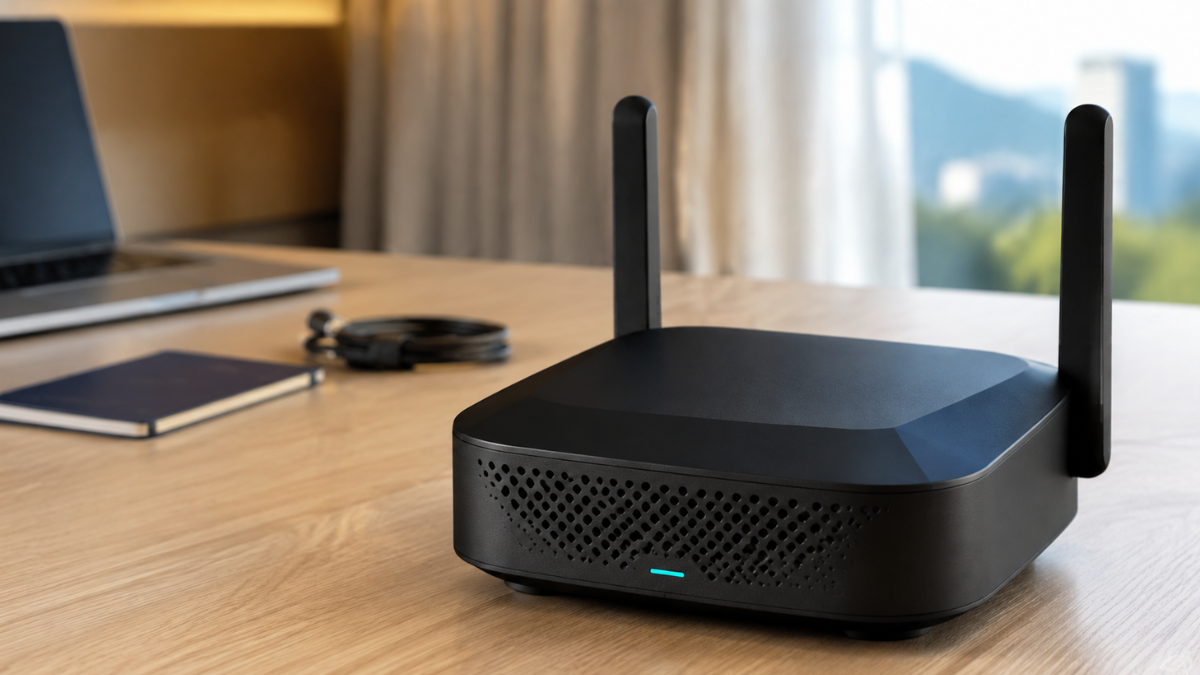
Best Travel Routers Under $100 in USA
Discover the TP-Link Roam 7 BE3600, a powerful WiFi 7 travel router with captive portal support, built-in VPN, multi-gig connectivity, and secure networking for hotels, remote work, and USA travel.
Best Travel Routers Under $100 in USA: TP-Link Roam 7 Review 2026
Finding a powerful travel router at an affordable price can be challenging. Many inexpensive models use older WiFi standards, offer limited VPN support, or lack the flexibility needed for hotels, airports, Airbnbs, and remote work.
The TP-Link Roam 7 BE3600, model TL-WR3602BE, offers a more advanced solution. It combines dual-band WiFi 7, VPN support, captive portal authentication, multiple operating modes, a 2.5G WAN port, and USB 3.0 connectivity in a compact design.
Although its regular price may exceed $100, promotional pricing can occasionally bring it close to or below that level. This makes it relevant for shoppers researching the best travel routers under $100 in USA, provided they verify the current price before purchasing.
TP-Link Roam 7 Specifications
| Feature | Specification |
|---|---|
| Brand | TP-Link |
| Model | Roam 7 / TL-WR3602BE |
| WiFi standard | WiFi 7 / 802.11be |
| Frequency bands | Dual-band 2.4 GHz and 5 GHz |
| 2.4 GHz speed | Up to 688 Mbps |
| 5 GHz speed | Up to 2882 Mbps |
| 6 GHz support | No |
| WAN port | One 2.5 Gbps port |
| LAN port | One gigabit port |
| USB | USB 3.0 |
| VPN | OpenVPN, WireGuard, PPTP and L2TP |
| Maximum devices | Up to 90 |
| Captive portal | One-step authentication through Tether App |
| Power | USB-C; no built-in battery |
| OpenWrt support | No |
| Color | Black |
Advertised wireless speeds are theoretical maximums. Actual results depend on the original internet connection, connected devices, distance, interference, VPN use, and network congestion.
What Is the TP-Link Roam 7?
The Roam 7 is a portable router designed to create a private network from an existing internet connection. It can receive internet through Ethernet, public WiFi, phone tethering, or a compatible USB modem and share that connection with multiple devices.
It is suitable for:
- Hotels and Airbnbs
- Airports and public WiFi
- Remote work
- Business travel
- Gaming and streaming
- Temporary office networks
- Family trips with multiple devices
The Roam 7 is not a standalone mobile hotspot. It does not contain a SIM slot, cellular data plan, or built-in battery. You need an external internet source and a suitable USB-C power source.
Travelers who frequently use public hotel networks should also read our guide to the “best travel router for hotel Wi-Fi”
WiFi 7 Performance
Roam 7 supports dual-band WiFi 7, providing advertised speeds of up to 688 Mbps on 2.4 GHz and 2882 Mbps on 5 GHz.
The 2.4 GHz band generally offers longer range and better connectivity through obstacles. The 5 GHz band is usually more suitable for fast downloads, video calls, streaming, and gaming when devices are close to the router.
Unlike some WiFi 7 routers, the Roam 7 does not support the 6 GHz band. Buyers should not assume that every WiFi 7 device is tri-band.
The router can reportedly handle up to 90 connected devices. Most travelers will never reach that number, but the additional capacity is useful for families, small teams, temporary offices, and users carrying several smart devices.
A travel router cannot make a slow hotel connection faster. Its role is to manage and redistribute the available connection while providing a private network for your devices.
Private Network on Public WiFi
Connecting directly to public WiFi means placing each device on a shared network. The Roam 7 can connect to that public network and create a separate private WiFi network for your laptop, phone, tablet, streaming device, or gaming console.
This provides several practical benefits:
- One familiar network for all your devices
- Fewer repeated hotel WiFi logins
- Centralized VPN configuration
- Better control over connected devices
- Easier connection for devices without browsers
- Separation from other users on the public network
You should still use strong passwords, install software updates, enable multi-factor authentication, and follow safe browsing practices.
For options that work conveniently with multiple devices, explore our guide to the “best travel WiFi routers for laptops and phones”
One-Step Captive Portal Authentication
Hotels, airports, and cafés often use captive portals. These are login pages that request a room number, access code, email address, or acceptance of network terms.
The TP-Link Tether App allows users to complete the captive portal authentication process and share the authenticated connection with connected devices. After logging in through the router, users generally do not need to repeat the process separately on every device.
A typical hotel setup involves:
- Powering the Roam 7 through USB-C.
- Connecting a phone to the router.
- Opening the TP-Link Tether App.
- Selecting the hotel WiFi network.
- Completing the captive portal login.
- Connecting additional devices to the Roam 7 network.
- Enabling the configured VPN when required.
Some hotels may impose device limits, reauthentication periods, or other restrictions. Captive portal compatibility can therefore vary.
👉 “Click here for detailed guide”
If you need a portable Wi-Fi 6 model with VPN support, read our detailed “GL.iNet Slate AX travel router review”
Multiple Operating Modes
The Roam 7 provides several modes for different networking situations.
Router Mode
Router Mode shares an internet connection received through Ethernet, USB phone tethering, or a compatible USB modem.
Hotspot Mode
Hotspot Mode connects to a public wireless network and creates a separate private WiFi network.
Access Point Mode
Access Point Mode adds wireless connectivity to an available wired network.
Range Extender Mode
This mode extends an existing wireless network into an area with weaker coverage.
Client Mode
Client Mode allows a wired device to connect to an existing WiFi network through the router.
These options make the Roam 7 more versatile than a basic portable hotspot.
VPN Client and Server Support
Roam 7 supports OpenVPN and WireGuard in both client and server configurations. It also supports PPTP and L2TP, although modern protocols such as WireGuard and OpenVPN are generally preferred for stronger security.
VPN Client Mode can route supported connected devices through a configured VPN service. This is helpful for devices that do not have their own VPN applications.
VPN Server Mode can allow authorized remote access to your private network when it is configured correctly.
A commercial VPN service usually requires a separate subscription. A VPN also cannot protect users from phishing, malicious downloads, weak passwords, or unsafe account practices.
The Roam 7 does not support OpenWrt, so users who want extensive open-source customization should consider a compatible alternative.
2.5G WAN and Gigabit LAN
The router includes:
- One 2.5 Gbps WAN port
- One 1 Gbps LAN port
The 2.5G WAN port can take advantage of a fast wired internet connection when the hotel, office, cable, and network equipment support it.
The gigabit LAN port can provide a stable wired connection for a laptop, gaming console, or other compatible device. This can be useful for video meetings, large file transfers, and online gaming.
USB 3.0 and File Sharing
The USB 3.0 port can be used with compatible storage devices for file sharing across the private network. Travelers can connect an external drive and access documents, photos, or media from supported devices.
The USB connection may also support compatible phone tethering or modem configurations, depending on the device and network provider.
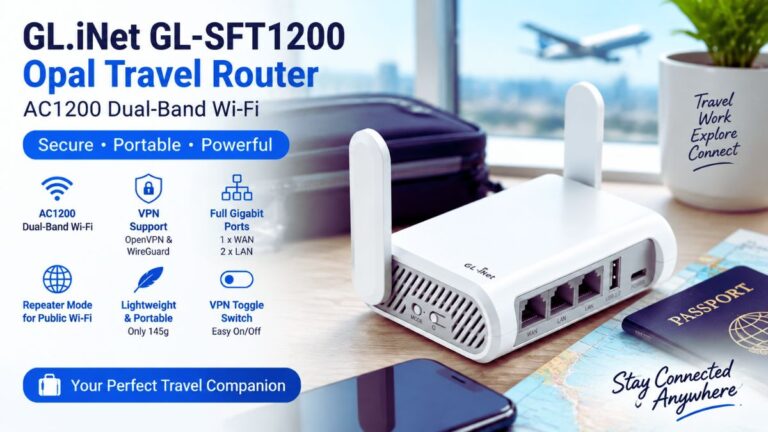
Budget-conscious travelers can also check our “GL.iNet Opal travel router review” for its AC1200 performance and portability.
Portable Power Options
Roam 7 does not contain a built-in battery. It uses USB-C power and can run from its included power equipment or many compatible power banks that provide the required output.
Power-bank support makes it useful in airports, cafés, vehicles, and locations without a convenient wall outlet. Users must carry the router and a separate power source when mobile operation is required.
Advantages of TP-Link Roam 7
Pros
- Modern dual-band WiFi 7
- Compact travel-friendly design
- One-step captive portal authentication
- OpenVPN and WireGuard support
- Up to 90 connected devices
- Multiple networking modes
- 2.5G WAN connectivity
- USB 3.0 file sharing
- USB-C power-bank compatibility
- Useful Tether App setup
- Suitable for hotels and remote work
Potential Limitations
Cons
- Regular price may exceed $100
- No built-in battery
- No SIM card slot
- No 6 GHz WiFi band
- Does not support OpenWrt
- Requires an existing internet source
- Cannot improve a slow hotel connection
- Captive portal compatibility may vary
- VPN services may require separate subscriptions
Is TP-Link Roam 7 Really Under $100?
The price is not consistently below $100. TP-Link’s official US store listed the router at $119.99 when checked, while retailer prices and promotions may differ.
Therefore, do not present it as a guaranteed under-$100 product. A more accurate buying recommendation is:
- Under $100: Excellent value
- Between $100 and $120: Strong value for WiFi 7 and captive portal support
- Above $120: Compare it with WiFi 6 alternatives before purchasing
Add a visible notice near your affiliate button: 👉 “Check full review here”
Price and availability may change. Check the current retailer price before purchasing.
Who Should Buy the Roam 7?
The Roam 7 is suitable for:
- Frequent hotel guests
- Remote workers
- Business travelers
- Families using multiple devices
- Travelers who need VPN support
- Users who want WiFi 7 connectivity
- Gamers needing wired and wireless options
It may not be the best choice for users who need an integrated battery, built-in cellular service, a SIM slot, 6 GHz WiFi, or OpenWrt customization.
Final Verdict
The TP-Link Roam 7 is a capable portable router with WiFi 7, VPN support, captive portal authentication, multiple operating modes, USB 3.0, and multi-gigabit connectivity. It is particularly useful for travelers who connect several devices to hotel, airport, Airbnb, or shared office networks.
Its main issue for this specific keyword is price. It may qualify as one of the best travel routers under $100 in USA only when a retailer offers a suitable discount. At its regular price above $100, it should be presented as a premium alternative rather than a guaranteed budget pick.
If you find the Roam 7 below $100, its combination of performance, security, and travel flexibility makes it a highly competitive purchase.
Frequently Asked Questions
Does the TP-Link Roam 7 have a built-in battery?
No. It requires USB-C power from a compatible adapter, laptop, or power bank.
Does it support hotel captive portals?
Yes. The Tether App provides a simplified captive portal authentication process, although hotel compatibility may vary.
Does Roam 7 support OpenWrt?
No. The manufacturer states that this model does not support OpenWrt.
Can it connect to a phone hotspot?
It supports public WiFi connections and compatible USB phone tethering. Compatibility may depend on the phone and carrier.
Is the Roam 7 a cellular hotspot?
No. It does not include a SIM slot or independent cellular connection.
Does it support the 6 GHz WiFi band?
No. It is a dual-band WiFi 7 router using 2.4 GHz and 5 GHz.