Best Travel Router for Hotel Wi-Fi ( USA Guide )
Discover why the GL.iNet Beryl 7 is one of the best travel routers for hotel WiFi in 2026. Explore its captive portal support, WiFi 7 performance, high-speed VPN, dual 2.5G ports and security features.
Table of Contents
ToggleBest Travel Router for Hotel WiFi With Captive Portal: 2026 USA Guide
Connecting several devices to hotel WiFi can be frustrating. You may need to enter a room number, accept terms, or complete a captive portal login separately on every laptop, phone, tablet, and streaming device. Public hotel networks can also offer limited privacy and inconsistent performance.
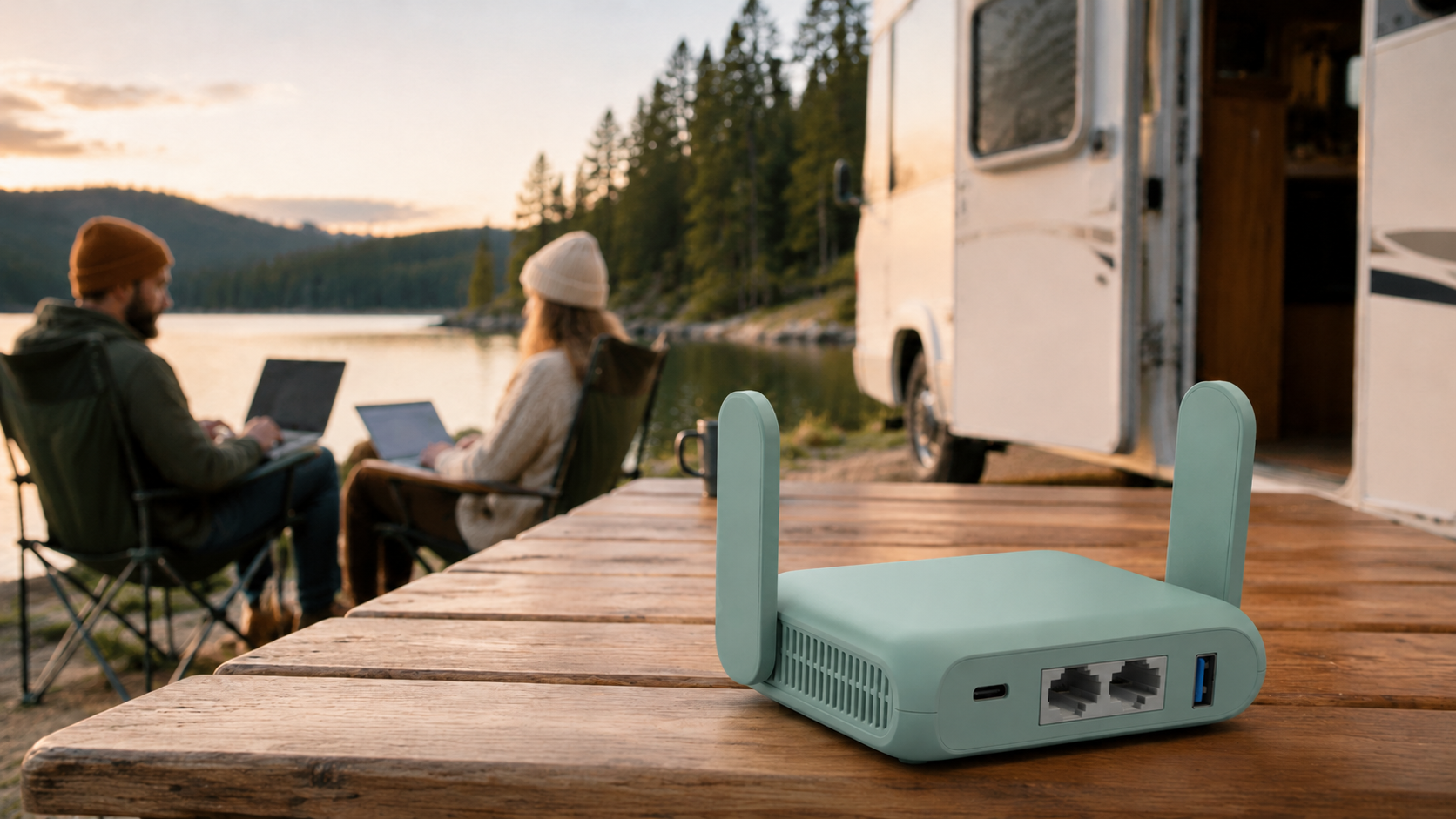
The GL.iNet GL-MT3600BE Beryl 7 provides a practical solution. This compact dual-band WiFi 7 router can connect to an available hotel network and create a private WiFi network for your devices. Instead of configuring each device individually, you can connect them to one familiar, secure network.
With WiFi 7, dual 2.5G Ethernet ports, fast VPN performance, OpenWrt customization, and support for numerous devices, the Beryl 7 is a compelling candidate for the best travel router for hotel WiFi with captive portal access in 2026.
GL.iNet Beryl 7 Specifications
| Feature | Specification |
|---|---|
| Brand | GL.iNet |
| Model | GL-MT3600BE Beryl 7 |
| WiFi standard | WiFi 7 / 802.11be |
| Frequency bands | Dual-band 2.4 GHz and 5 GHz |
| 2.4 GHz speed | Up to 688 Mbps |
| 5 GHz speed | Up to 2882 Mbps |
| Ethernet ports | One 2.5G WAN and one 2.5G LAN |
| USB connection | USB 3.0 |
| VPN protocols | WireGuard and OpenVPN-DCO |
| Maximum WireGuard speed | Up to 1100 Mbps |
| Maximum OpenVPN-DCO speed | Up to 1000 Mbps |
| Storage | 512 MB |
| Firmware | OpenWrt-based firmware |
| Connected devices | Up to 120 devices |
| Security | WPA3, DNS over HTTPS, DNS over TLS and IPv6 |
| Color | Mint Green |
The listed wireless and VPN speeds are manufacturer-rated maximums. Real-world performance will depend on the hotel connection, VPN server, device capability, network congestion, distance, and router configuration.
👉 “Check full review here”
What Is the GL.iNet Beryl 7?
The Beryl 7 is a portable router developed for travelers, business users, remote workers, gamers, and people who regularly connect multiple devices to temporary networks.
It can receive internet access from hotel WiFi, an Ethernet connection, or another compatible source. It then creates a private wireless network that your devices can join.
The router is compatible with:
- Laptops and desktop computers
- Smartphones and tablets
- Gaming consoles
- Streaming devices
- Printers and other network devices
It is important to understand that the Beryl 7 is a travel router, not a standalone cellular hotspot. It does not have a built-in SIM card or cellular data plan. You still need an existing internet source, such as hotel WiFi or Ethernet.
To compare more affordable portable models, explore our complete guide to the “best travel routers under $100 in the USA”
Why Use a Travel Router in a Hotel?
Many hotels use captive portals. A captive portal is the login page that appears before you can access the internet. It may ask for your room number, last name, access code, email address, or acceptance of the hotel’s terms.
A travel router can simplify this process. You connect the router to the hotel network, complete the required login, and then share the connection with your devices through the router’s private WiFi network.
This arrangement offers several benefits:
- Fewer repeated hotel login attempts
- One familiar network for your devices
- Easier connection for devices without browsers
- Centralized VPN protection
- Better control over connected devices
- Separation from other users on the hotel network
Captive portal behavior varies between hotels. Therefore, setup is not guaranteed to work identically on every network.
Connecting Beryl 7 to a Hotel Captive Portal
The exact interface may change with firmware updates, but the general process is straightforward:
- Connect the Beryl 7 to its power adapter.
- Connect your laptop or phone to the Beryl 7 WiFi network.
- Open the router’s administration panel.
- Select the hotel network using repeater mode.
- Open a regular webpage to trigger the hotel captive portal.
- Enter the required room details or access code.
- Complete the hotel’s authentication process.
- Connect your remaining devices to the Beryl 7 network.
- Enable your configured VPN if needed.
If the login page does not appear, you may need to disable the VPN temporarily while authenticating. Some networks may also require MAC address cloning or reauthentication after a certain period.
Always follow the hotel’s internet policy and terms of use.
Dual-Band WiFi 7 Performance
Beryl 7 supports dual-band WiFi 7 with advertised wireless speeds of up to 688 Mbps on 2.4 GHz and 2882 Mbps on 5 GHz.
The 2.4 GHz connection generally provides greater range and better performance through certain obstacles. The 5 GHz band is typically better for faster downloads, 4K streaming, gaming, and video conferences when you are near the router.
WiFi 7 also improves network efficiency when multiple compatible devices are active. According to the product information, Beryl 7 can support as many as 120 connected devices.
Most travelers will never need that many connections. However, the additional capacity can benefit families, small teams, event staff, temporary offices, and users carrying several smart devices.
The router cannot make the original hotel internet service faster. If the hotel provides a slow or heavily congested connection, your final internet speed will remain restricted by that source.
Travelers who want Wi-Fi 6 and built-in VPN support can read our “GL.iNet Slate AX travel router review”
Dual 2.5G Ethernet Ports
The Beryl 7 includes two 2.5-gigabit Ethernet ports:
- One 2.5G WAN port
- One 2.5G LAN port
The WAN port lets you connect the router directly to a wired hotel, office, or apartment network. A wired source can deliver a more stable connection than repeating a distant WiFi signal.
The LAN port allows you to connect a laptop, gaming console, or other compatible device directly to the router. This may improve connection stability during video conferences, competitive gaming, and large file transfers.
You will only receive the full benefit of 2.5G connectivity when the source network, cable, and connected device support it.
👉 “Click here for detailed guide”
High-Speed VPN Client and Server
Beryl 7 includes preinstalled support for WireGuard and OpenVPN. It is compatible with more than 30 VPN service providers, although an active VPN subscription may be required.
The manufacturer lists maximum VPN speeds of:
- Up to 1100 Mbps with WireGuard
- Up to 1000 Mbps with OpenVPN-DCO
These speeds make the Beryl 7 much more capable than many older portable VPN routers. However, real results will vary according to the VPN provider, selected server, protocol, encryption, hotel network, and device configuration.
Router-level VPN support allows compatible connected devices to use one centrally managed VPN connection. This is particularly useful for streaming devices and gaming consoles that may not support standalone VPN applications.
A VPN improves encryption between the router and VPN server, but it does not protect against phishing, unsafe downloads, weak passwords, or compromised accounts.
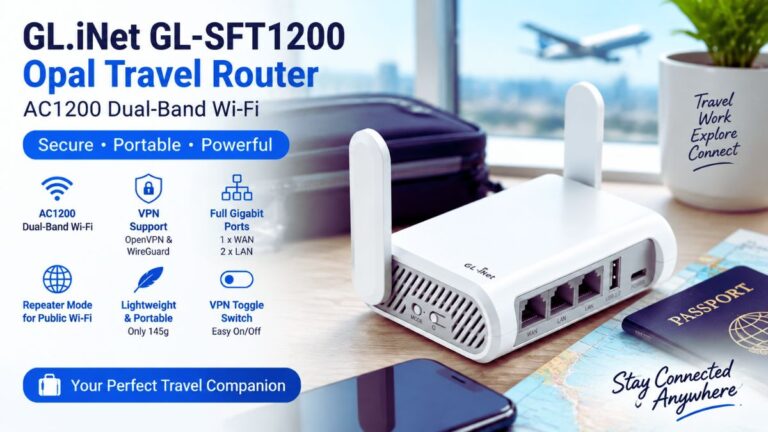
For a simpler and more affordable hotel internet solution, check our “GL.iNet Opal travel router review”
Security Features for Hotel WiFi
Public WiFi should always be used carefully. The Beryl 7 provides several helpful security features.
WPA3 Protection
WPA3 provides modern wireless security for compatible devices. You should still create a strong and unique password for your private network.
Encrypted DNS
Support for DNS over HTTPS and DNS over TLS can protect supported DNS traffic from basic observation or manipulation on the local network.
Guest Network
Guest Mode lets you create a separate network for friends, colleagues, or other temporary users without giving them access to your primary network.
AdGuard Home
AdGuard Home can be configured to block many advertising and tracking domains across the connected network. It should not be considered a replacement for antivirus software or safe browsing habits.
OpenWrt Customization
Beryl 7 uses OpenWrt-based firmware and provides 512 MB of storage for customization. Users can install compatible packages and configure advanced network functions.
OpenWrt makes the router attractive to experienced users who want:
- Custom DNS settings
- Advanced firewall rules
- Network monitoring
- Traffic management
- VPN policies
- Additional network packages
GL.iNet provides a simplified interface for common features. Advanced settings should only be changed when you understand their effects, as incorrect configurations may affect security or connectivity.
Physical Toggle Switch
The physical toggle switch can be assigned to OpenVPN, WireGuard, or AdGuard Home. Once configured, it lets you enable or disable the selected function without opening the administration panel.
The switch has no function assigned by default. You must configure it before use.
This small feature is particularly useful when you need to disable a VPN temporarily to complete a hotel captive portal login.
Advantages and Limitations
Pros
- Modern dual-band WiFi 7
- Dual 2.5G Ethernet ports
- High advertised VPN speeds
- WireGuard and OpenVPN support
- OpenWrt customization
- WPA3 and encrypted DNS
- Support for up to 120 devices
- USB 3.0 connectivity
- Compact, travel-friendly design
- US, UK, EU and AU plug options
Cons
- No built-in battery
- No SIM card slot
- Requires an existing internet source
- Advanced settings may challenge beginners
- Hotel captive portal compatibility can vary
- Cannot increase the speed of a slow hotel connection
- VPN providers may require separate subscriptions
Who Should Buy the Beryl 7?
The GL.iNet Beryl 7 is particularly suitable for:
- Business travelers using hotel WiFi
- Remote workers handling several devices
- Families sharing one hotel connection
- Gamers traveling with consoles
- Users who want router-level VPN protection
- People who value OpenWrt customization
- Travelers who need fast wired connectivity
Users who primarily need independent mobile internet should consider a battery-powered 4G or 5G hotspot with SIM or eSIM support instead.
Final Verdict
The GL.iNet GL-MT3600BE Beryl 7 combines powerful networking features with a compact travel-friendly design. Its WiFi 7 connectivity, dual 2.5G ports, fast VPN capabilities, OpenWrt support, WPA3 security, and physical toggle switch make it a strong option for hotels, temporary offices, business trips, and remote work.
It can simplify captive portal access by allowing multiple devices to share one authenticated hotel connection through a familiar private network. However, compatibility depends on the hotel, and the router cannot overcome a slow original internet connection.
Overall, the Beryl 7 is an excellent candidate for the best travel router for hotel WiFi with captive portal support in 2026, especially for USA travelers who prioritize security, performance, and control.
Frequently Asked Questions
Does the GL.iNet Beryl 7 have a SIM card slot?
No. It needs an existing internet source, such as hotel WiFi, Ethernet, or another compatible connection.
Can Beryl 7 connect to hotel WiFi?
Yes, it can connect to many hotel networks through repeater mode. Captive portal requirements and hotel restrictions may affect setup.
Can I use a VPN with hotel WiFi?
Yes. Beryl 7 supports WireGuard and OpenVPN. A separate subscription may be required when using a commercial VPN provider.
Does Beryl 7 have a built-in battery?
No. It must be connected to a suitable power source.
Can it make slow hotel WiFi faster?
No. It can manage and redistribute the connection efficiently, but it cannot exceed the speed supplied by the hotel.
How many devices can connect to Beryl 7?
The product information states support for up to 120 devices, although actual performance depends on network activity and conditions.