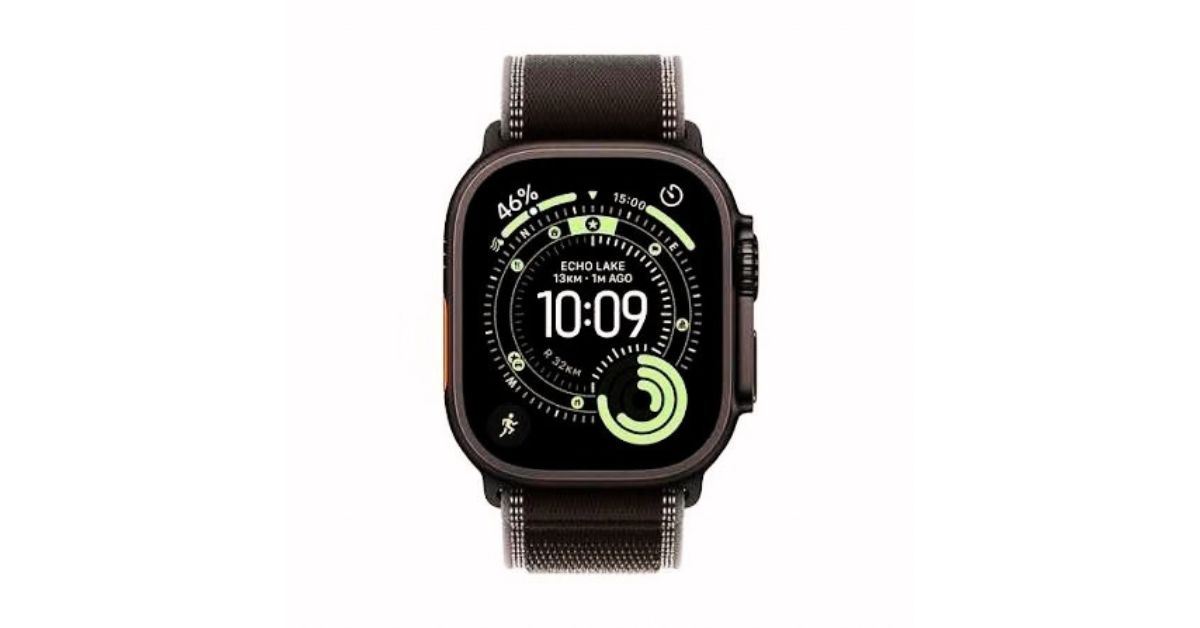
Apple Watch 12 or Ultra 4 Randomly Restarting? Complete Fix Guide (2026)
Is your Apple Watch 12 or Ultra 4 restarting without warning? This complete 2026 troubleshooting guide explains the common causes and shows you how to fix random restarts, reboot loops, software issues, battery problems, and more.
Apple Watch 12 or Ultra 4 Randomly Restarting? Here’s the Complete Fix Guide
If your Apple Watch 12 is randomly restarting, the problem may be related to watchOS, battery health, apps, overheating, or corrupted settings. The same troubleshooting steps can also help if your Apple Watch Ultra 4 keeps restarting unexpectedly.
your Apple Watch 12 or Apple Watch Ultra 4 is restarting randomly, freezing, or getting stuck on the Apple logo, you are not alone. Many users in the USA and other countries have reported this issue after updates or during normal usage.
This problem can be annoying because Apple Watch is used for fitness tracking, notifications, calls, and health monitoring. When it keeps restarting, it becomes unusable for daily life.
But the good news is — in most cases, this issue is not serious and can be fixed at home without going to a service center.
In this detailed guide, you will learn:
- Why your Apple Watch keeps restarting
- Common reasons behind this issue
- Easy step-by-step solutions
- Advanced fixes if the problem continues
- When you should contact Apple Support
Let’s fix your Apple Watch step by step.
Why Does Apple Watch Keep Restarting?
Before fixing the problem, it is important to understand the cause. Apple Watch restarting issue can happen for different reasons.
1. Software Bugs (watchOS Issues)
One of the most common reasons is a software bug. After updating watchOS, sometimes the system becomes unstable and causes random restarts or boot loops.
2. Problematic Apps
Some third-party apps are not fully optimized. These apps may crash in the background and force your Apple Watch to restart.
3. Low Storage Space
If your Apple Watch storage is almost full, it cannot run properly. This leads to lagging, freezing, and unexpected restarts.
4. Battery Problems
A weak or damaged battery cannot provide stable power. This can cause sudden shutdowns or restart loops even when the battery looks fine.
5. System Glitches
Temporary system errors or corrupted files can also create reboot issues.

Common Signs of Restart Problem
If your Apple Watch has this issue, you may notice:
- Apple logo keeps appearing again and again
- Watch turns off and on automatically
- Freezing before restart
- Slow performance
- Battery drains quickly with shutdown
If you see these symptoms, follow the fixes below.

Step-by-Step Fix for Apple Watch Restart Issue
Now let’s move to the solutions. Try them one by one.
Fix 1: Force Restart Apple Watch
Force restart is the simplest and most effective solution for temporary issues.
Steps:
- Press and hold Side Button + Digital Crown
- Hold for 10–15 seconds
- Release when Apple logo appears
👉 This refreshes the system and clears temporary bugs.
Fix 2: Update watchOS
Outdated software often causes instability.
Steps:
- Open Settings
- Go to General
- Tap Software Update
- Install the latest version
👉 Always keep your watch charged during updates.
Fix 3: Remove Unnecessary Apps
Some apps may cause conflicts.
Steps:
- Check recently installed apps
- Delete unused or suspicious apps
- Restart your watch
👉 This can instantly fix app-related crashes.
Fix 4: Free Up Storage Space
Low storage is a hidden cause of performance issues.
Steps:
- Go to Settings → General → Storage
- Delete unused apps
- Remove unnecessary photos or music
👉 Keep at least 1–2 GB free space.
Fix 5: Reset Apple Watch (Final Solution)
If nothing works, reset your device.
Steps:
- Go to Settings
- Tap General
- Select Reset
- Tap Erase All Content and Settings
👉 Then reconnect with your iPhone.
⚠️ This will delete your data, so backup is important.
Advanced Fixes (If Problem Still Exists)
If your Apple Watch still restarts after basic fixes, try these advanced solutions.
1. Unpair and Pair Again
Sometimes connection issues between iPhone and Apple Watch cause problems.
- Unpair watch from iPhone
- Restart both devices
- Pair again as new device
2. Check Battery Health
Battery degradation can also cause restarting issues.
- Visit Apple Support
- Ask for battery diagnosis
3. Restore from Backup
Restoring your watch can fix system-level errors.
When You Should Contact Apple Support
If your watch still restarts after all steps, the issue may be hardware-related.
Contact Apple Support if:
- Watch stuck in reboot loop
- Device won’t turn on
- Battery drains very fast
- Screen freezes permanently
👉 Apple may repair or replace your device if under warranty.

Apple Watch Ultra 4 vs Series 12 (Quick Comparison)
If you are facing issues and thinking about upgrade:
Ultra 4:
- Built for outdoor and sports use
- Strong body and durable design
- Long battery life
Series 12:
- Lightweight and daily use friendly
- Slim design
- Balanced performance
👉 Choose based on your lifestyle.
Ninja Blast Max 22 oz Portable Blender Review: Is It Good for Smoothies?
How to Prevent This Problem in Future
To avoid restarting issues again:
- Keep watchOS updated
- Don’t install unnecessary apps
- Clear storage regularly
- Use original charger
- Restart device weekly
👉 These habits improve performance and stability.
FAQ
Q1: Why does my Apple Watch keep restarting?
Usually because of software bugs, low storage, or bad apps.
Q2: How do I fix Apple Watch reboot loop?
Force restart, update software, or reset the device.
Q3: Is this common in USA?
Yes, many users report this after updates.
iOS 27 Paid Features Explained: Will Apple Charge for iPhone AI?
Q4: Will reset fix the problem?
In most cases, yes.
Q5: Can battery cause restarting?
Yes, weak battery can trigger restarts.
Conclusion
Apple Watch 12 or Ultra 4 restarting issue may look serious, but in most cases it is easy to fix. Simple steps like restarting, updating software, or removing apps can solve the problem.
If the issue continues, a reset or Apple Support visit will fix it.
By following this guide, you can bring your Apple Watch back to normal working condition and enjoy smooth performance again.