Best Affordable Tech Gadgets for College Students in 2026
Discover eight of the best smart gadgets for students in 2026. Compare budget and premium laptops, portable monitors, power banks, smartwatches, earbuds, and affordable computer accessories.
Best Smart Gadgets for Students in 2026: Budget and Premium Picks
Technology has become an essential part of student life. From attending online classes and completing research projects to taking notes, creating presentations, and staying connected, the right devices can make academic work significantly easier.
However, students do not need to purchase every new gadget that enters the market. The best smart gadgets for students in 2026 should solve a real problem, fit within a reasonable budget, and remain useful throughout the academic year.
This guide covers eight practical student gadgets, including affordable accessories, productivity tools, and premium devices. Whether you are preparing for college, studying from home, or completing creative coursework, these budget and premium picks can help you build a more productive study setup.
Quick Comparison of the Best Smart Gadgets for Students
| Product | Best For | Category | Price Level |
|---|---|---|---|
| Lenovo IdeaPad Slim 3 16 | Everyday college work | Laptop | Budget |
| HP Victus 15 | Creative work and multitasking | Laptop | Mid-range |
| Apple MacBook Air M5 | Premium student productivity | Laptop | Premium |
| UPERFECT Portable Monitor | Multitasking and research | Display | Budget |
| INIU 20000mAh Power Bank | Charging phones and laptops | Power accessory | Budget |
| Tensky Smart Watch | Fitness and notifications | Wearable | Budget |
| Apple AirPods 4 | Classes, calls, and entertainment | Audio | Premium |
| Amazon Basics USB Wired Mouse | Basic computer work | Accessory | Budget |
Product prices and availability can change. Check the current retailer listing before purchasing.
1. Lenovo IdeaPad Slim 3 16 – Best Budget Laptop for Students
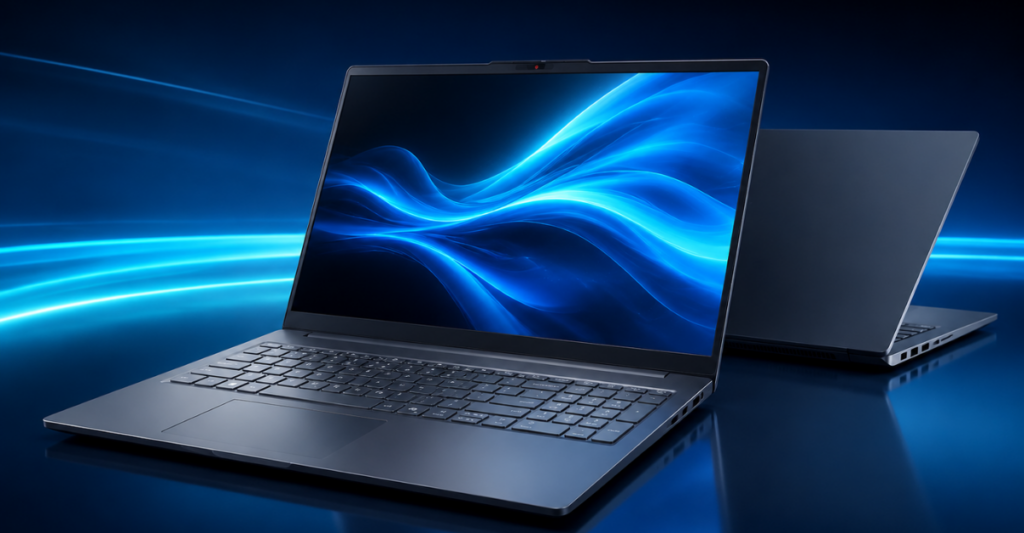
A dependable laptop is usually the most important technology investment for a student. The Lenovo IdeaPad Slim 3 16 provides a practical balance between performance, screen space, storage, and affordability.
This configuration includes an Intel Core i5-13420H processor, 16GB of DDR5 RAM, and a 512GB SSD. These specifications should be sufficient for common college activities such as writing assignments, attending video classes, browsing research sources, preparing presentations, and working with spreadsheets.
Its 16-inch Full HD+ display gives students more room for documents, browser tabs, and learning platforms. The larger screen may be especially helpful when comparing research material or working with two applications side by side.
Why It Is Useful for Students
- Handles everyday assignments and online classes
- Offers 16GB RAM for comfortable multitasking
- Provides a spacious 16-inch display
- Includes a 512GB SSD for documents and applications
- Suitable for business, science, and general college work
- Includes a numeric keypad for spreadsheets and calculations
The Lenovo IdeaPad Slim 3 is not designed for advanced gaming or professional 3D work. However, students who primarily use Microsoft Office, Google Workspace, Zoom, web browsers, and educational software may not need a dedicated graphics card.
Best for: College students who want a capable Windows laptop without paying for unnecessary premium features.
For complete specifications, advantages, limitations, and buying advice, read our Best Budget Laptop for College Students Under $800 in USA guide.
2. HP Victus 15 – Best Performance Laptop for Students
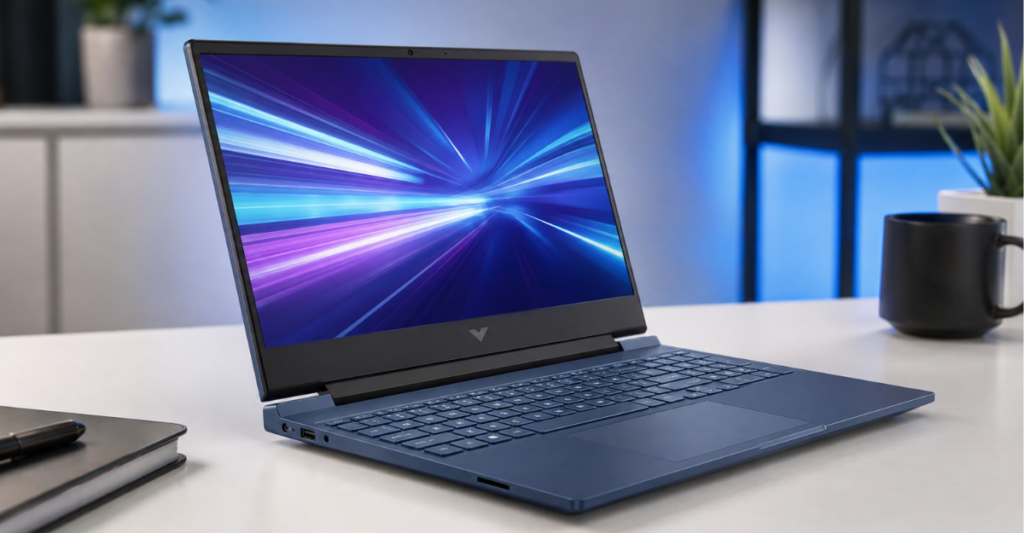
Some students need considerably more performance than a standard budget laptop can provide. The HP Victus 15 is a stronger option for video editing, graphic design, programming, content creation, and other demanding coursework.
This configuration combines an Intel Core i5-12450H processor with 32GB of RAM, a 1TB SSD, and NVIDIA GeForce RTX 3050 graphics. The additional memory allows students to keep multiple applications and browser tabs open while working on larger projects.
The dedicated graphics card can also support creative software, basic 3D applications, Full HD video editing, and GPU-accelerated tools. Its 15.6-inch Full HD 144Hz display provides smoother motion than a traditional 60Hz screen.
Why It Is Useful for Students
- 32GB RAM supports demanding multitasking
- The 1TB SSD provides generous project storage
- Dedicated RTX 3050 graphics support creative applications
- Backlit keyboard helps in low-light environments
- Numeric keypad is useful for business and accounting students
- Built-in webcam supports online classes and meetings
The main compromise is portability. A performance-focused laptop may be heavier and consume more power than a slim student notebook. It may also be more expensive than necessary for someone who only writes assignments and browses the web.
Best for: Programming students, content creators, beginner video editors, graphic design students, and learners who also want gaming capability.
Explore its performance and student-friendly features in our complete HP Victus 15 laptop review.
3. Apple MacBook Air M5 – Best Premium Laptop for Students
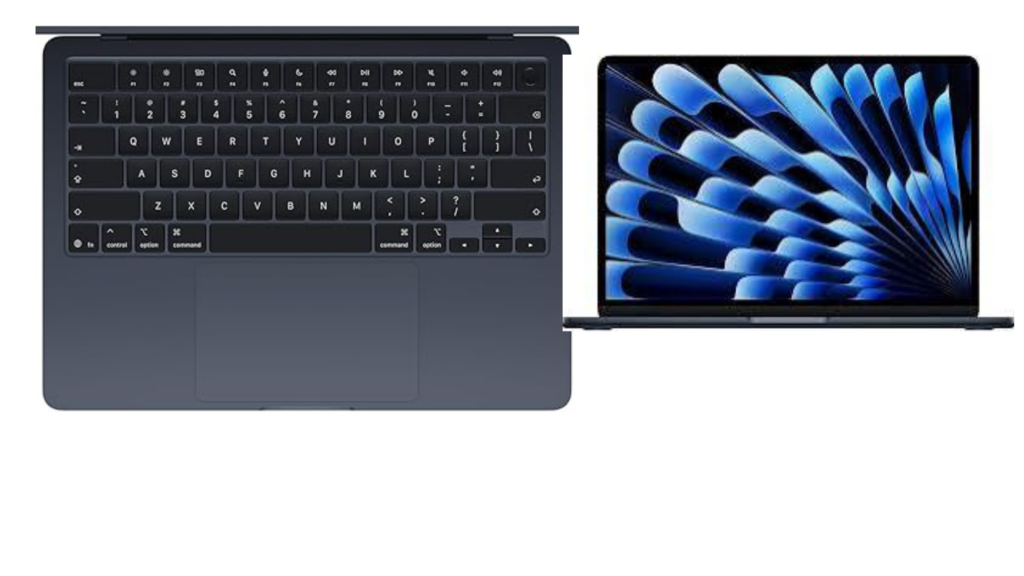
The Apple MacBook Air M5 is the premium choice in this student gadget guide. It is intended for buyers who value portability, long-term performance, battery efficiency, and integration with other Apple devices.
A thin and lightweight laptop can make a noticeable difference for students who carry their computers between lectures, libraries, dormitories, and cafés. The MacBook Air is also suited to writing, research, presentations, online meetings, coding, photo editing, and light-to-moderate video production.
Students who already use an iPhone, iPad, or AirPods may appreciate the connected Apple ecosystem. Files, notes, photos, and messages can move more smoothly between compatible devices.
Why It Is Useful for Students
- Thin and portable construction
- Suitable for everyday productivity and creative work
- Seamless integration with other Apple products
- Quiet working experience
- Premium display and build quality
- Useful for students who plan to keep one laptop for several years
The MacBook Air is not the right choice for every student. It costs considerably more than many Windows laptops, and some university applications may work only on Windows. Students should check their course software requirements before purchasing.
Best for: Business students, writers, programmers, content creators, and Apple users looking for a premium long-term laptop.
Read our Apple 2026 MacBook Air 13-inch M5 review and buying guide for more details.
4. UPERFECT Portable Monitor – Best Extra Display for Studying
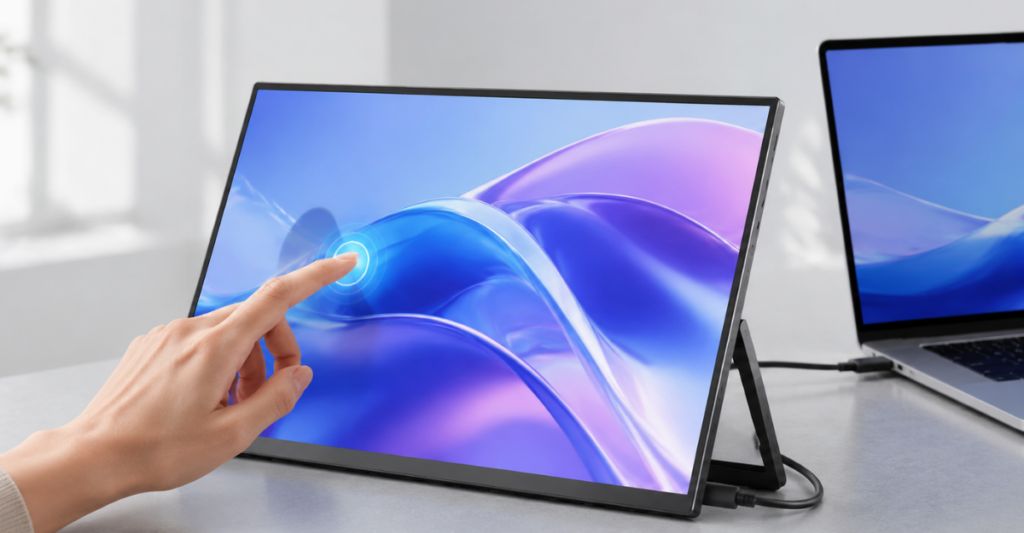
A second display can make research and multitasking easier, but most students cannot carry a full-size desktop monitor between locations. The UPERFECT 15.6-inch portable touchscreen monitor provides extra screen space in a travel-friendly format.
Students can keep a lecture, research paper, or reference website open on one screen while writing notes or completing an assignment on the other. The monitor can also be useful for coding, presentations, design work, remote internships, and entertainment.
This model features Full HD resolution, USB-C connectivity, an adjustable stand, 10-point touch control, and claimed 125% sRGB color coverage.
Why It Is Useful for Students
- Adds a second screen to a compatible laptop
- Helpful for research and writing
- Makes coding and spreadsheet work more comfortable
- Portable enough for dormitories and travel
- Touchscreen support provides additional control
- Can be useful for presentations and media
Before buying, confirm that your laptop’s USB-C port supports video output. A USB-C port does not automatically guarantee display compatibility. Touch functionality may also depend on the device, operating system, and connection method.
Best for: Researchers, programmers, online students, content creators, and anyone who regularly works with several applications.
Learn more in our Best Touchscreen Portable Monitor Under $200 buying guide.
5. INIU 20000mAh 65W Power Bank – Best Portable Charger
A student may spend an entire day moving between classrooms, libraries, transportation, and part-time work. Access to a wall outlet is not always guaranteed, making a reliable power bank an important everyday accessory.
The INIU power bank combines a 20,000mAh battery with up to 65W USB-C output. Unlike basic phone-only battery packs, it can charge compatible USB-C laptops as well as phones, tablets, earbuds, and other accessories.
It includes two USB-C ports, one USB-A port, and a digital battery-level display. The included port selection makes it easier to carry one charger for several devices.

Why It Is Useful for Students
- Large 20,000mAh battery capacity
- Up to 65W charging for compatible devices
- Can provide emergency power to supported laptops
- Charges phones, tablets, earbuds, and smartwatches
- Digital display shows the remaining charge
- Three ports support different accessories
The full charging output may be divided when multiple devices are connected. Students should also verify that their laptop supports USB-C Power Delivery and does not require more than the power bank can provide.
Because it has a large battery, it will be heavier than a small emergency phone charger.
Best for: Commuters, university students, travelers, and anyone who spends long hours away from a power outlet.
Read our full INIU 20000mAh 65W power bank review before buying.
Students who regularly use smartphones, earbuds, and other portable devices may also need a dependable charger. Explore our guide to the best budget power banks under $50 for affordable charging options.
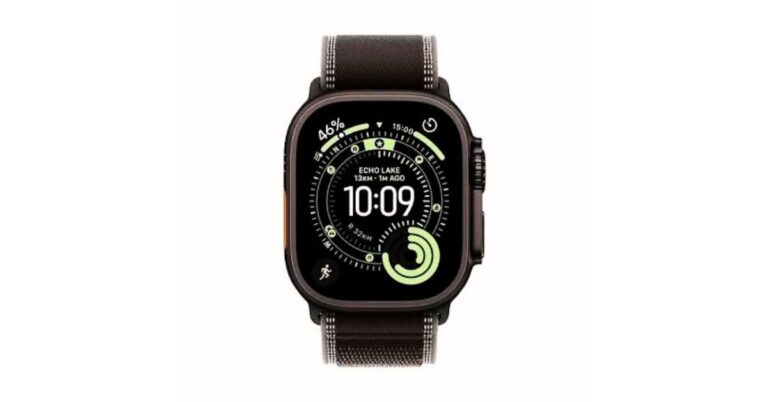
6. Tensky Smart Watch – Best Budget Wearable for Students
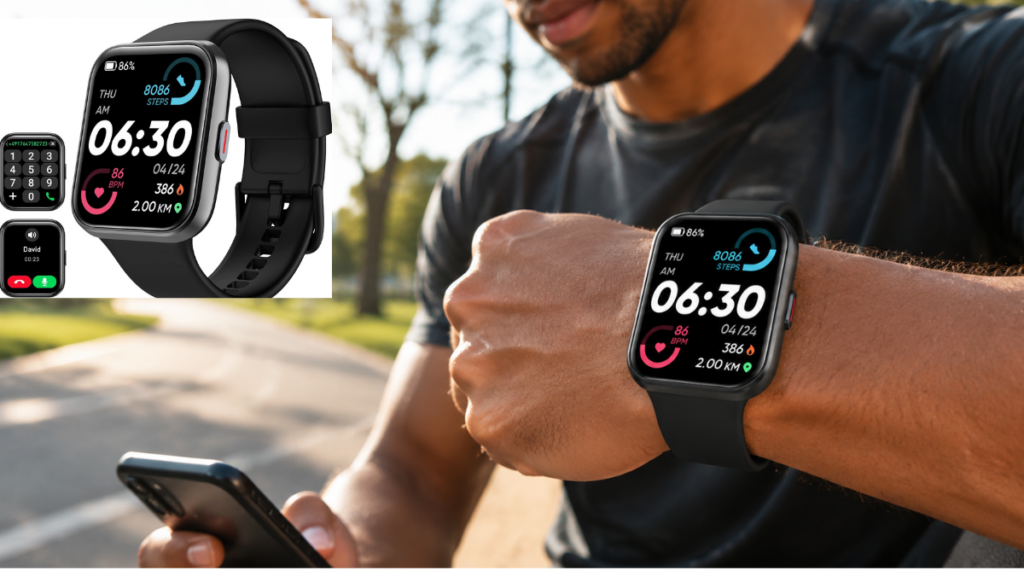
The Tensky Smart Watch is an affordable wearable for students who want notifications, activity tracking, and everyday smart features without purchasing a premium smartwatch.
It supports Bluetooth calling, Alexa, health-related tracking features, and more than 120 sports modes. Students can use it to check incoming notifications, set reminders, monitor daily activity, and manage basic functions without repeatedly taking out their phones.
The watch also lists 3ATM water resistance, making it better suited to daily wear and exercise than a device with no water-resistance rating.
Why It Is Useful for Students
- Displays calls and phone notifications
- Supports Bluetooth calling
- Includes Alexa voice assistance
- Tracks daily activity and exercise
- Provides more than 120 sports modes
- Affordable compared with premium wearables
Smartwatch health information should be treated as general wellness data, not professional medical information. Compatibility and feature availability may also vary depending on the connected phone.
Best for: Budget-conscious students who want fitness tracking, reminders, notifications, and basic calling features.
See the complete features, advantages, and limitations in our Best Budget Smartwatch for Students in 2026 review.
Before selecting a smartwatch, compare its compatibility, battery life, health features, display quality, and calling support. Our guide on how to choose the best smartwatch explains these factors in detail.
7. Apple AirPods 4 – Best Premium Earbuds for Students
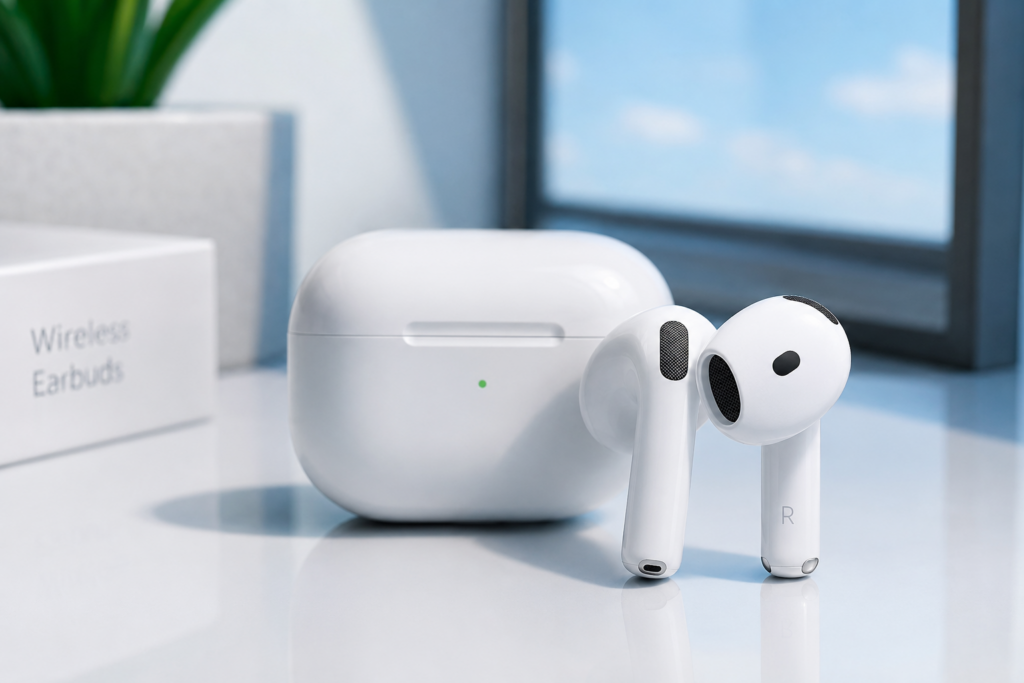
Wireless earbuds are useful for recorded lectures, study playlists, online calls, commuting, and entertainment. Apple AirPods 4 are the premium audio choice for students who already use an iPhone, iPad, or MacBook.
Their lightweight, open-fit design may feel more comfortable than in-ear earbuds for some users. Features such as the H2 chip, Personalized Spatial Audio, and USB-C charging make them a convenient part of the Apple ecosystem.
Depending on the version selected, buyers may also have access to additional features such as Active Noise Cancellation. Students should check the exact model before ordering because different AirPods 4 versions may not include identical features.
Why They Are Useful for Students
- Convenient for recorded lectures
- Suitable for online meetings and calls
- Easy pairing with compatible Apple devices
- Lightweight design for daily use
- USB-C charging
- Useful for commuting and entertainment
AirPods 4 are relatively expensive, and their open-fit design may not remain secure in every user’s ears. Android users can use them as Bluetooth earbuds, but some Apple-specific features may be unavailable.
Best for: Students who use Apple devices and want convenient premium earbuds for studying, calls, and entertainment.
Read our complete Apple AirPods 4 review before choosing a model.
Students using Apple devices and looking for premium wireless earbuds can read our complete Apple AirPods Pro 3 review to compare its sound quality, noise cancellation, fitness features, and overall value.
8. Amazon Basics USB Wired Mouse – Best Affordable Accessory
Not every useful student gadget needs to be expensive. The Amazon Basics three-button USB wired mouse is a simple computer accessory for assignments, research, spreadsheets, and everyday navigation.
A wired mouse does not require charging, Bluetooth pairing, or battery replacement. Students can connect it to a compatible USB port and begin using it immediately. This makes it a practical backup mouse for a dormitory, computer lab, or study desk.

Why It Is Useful for Students
- Simple plug-and-play operation
- No batteries or charging required
- Responsive enough for everyday work
- Compatible with many Windows and Mac computers
- Affordable to replace
- Useful for libraries, classrooms, and home desks
Its basic three-button design does not provide the advanced controls of a premium productivity or gaming mouse. Students with laptops that only offer USB-C ports may also require an adapter.
Best for: Students who need an affordable, dependable mouse for basic computer tasks.
Explore our Amazon Basics USB wired mouse review for compatibility and buying information.
Students looking for a lightweight premium laptop with strong performance and long battery life can read our detailed Apple 2026 MacBook Air 13-inch M5 review before making a decision.
How to Choose the Right Student Gadget
Buying more technology does not automatically improve academic performance. Before spending money, ask how a gadget will support your daily routine.
Start With Your Most Important Need
If your current laptop cannot handle your coursework, upgrading the laptop should be the first priority. If you already own a capable computer, a portable monitor, power bank, mouse, or earbuds may provide better value.
Check Course Requirements
Engineering, design, programming, and media students may require more powerful hardware than someone studying literature or business. Check the recommended software and hardware requirements from your school before buying a laptop.
Consider the Total Cost
The advertised price may not include every necessary accessory. A student may also need a case, adapter, charger, cable, subscription, extended warranty, or software license.
Verify Compatibility
Check ports, operating-system support, charging requirements, and wireless compatibility. For example, a portable monitor may require USB-C video output, while a laptop power bank requires compatible USB-C Power Delivery.
Choose Practical Features
Prioritize useful features such as battery life, portability, storage, warranty coverage, and durability. Avoid paying extra for specifications that will not improve your coursework.
Budget vs. Premium Gadgets: Which Should Students Buy?
Budget gadgets are usually the smarter starting point for students. They can solve basic problems without using a large portion of the academic budget.
A premium product may be worthwhile when:
- It will be used almost every day.
- Your coursework requires additional performance.
- It can replace several cheaper devices.
- Better reliability will reduce interruptions.
- You plan to use it beyond graduation.
- It supports software required by your course.
For example, the Lenovo IdeaPad Slim 3 may be sufficient for regular assignments, whereas the HP Victus 15 is better suited to video editing and graphics work. The MacBook Air is a premium option for students who value portability and the Apple ecosystem.
Students who need a reliable computer for online classes, assignments, and everyday productivity can also read our guide to the best budget laptop for college students under $800.
Final Verdict
The best smart gadgets for students in 2026 are products that solve genuine academic and everyday problems.
The Lenovo IdeaPad Slim 3 is the most balanced budget laptop for general college work, while the HP Victus 15 provides additional power for creative applications and multitasking. Students looking for a premium, portable laptop can consider the MacBook Air M5 after confirming software compatibility.
The UPERFECT portable monitor can expand a small workspace, and the INIU power bank provides emergency charging during long campus days. The Tensky Smart Watch offers affordable wearable features, while AirPods 4 are a convenient premium audio option for Apple users.
Students who need only a basic computer accessory can start with the Amazon Basics USB wired mouse. Ultimately, the best choice depends on your course requirements, existing devices, and available budget.
Frequently Asked Questions
What is the most useful smart gadget for students?
A reliable laptop is generally the most useful gadget because it supports assignments, online classes, research, presentations, and communication. Students who already own a capable laptop may benefit more from a power bank or portable monitor.
What are the best budget gadgets for college students?
Useful budget options include the Lenovo IdeaPad Slim 3, Tensky Smart Watch, INIU power bank, and Amazon Basics USB wired mouse. Current prices should always be checked before purchasing.
Is a gaming laptop good for students?
A gaming laptop can be useful for students studying video editing, design, programming, engineering, or 3D subjects. It may be heavier and more expensive than necessary for basic assignments.
Is a portable monitor worth buying for college?
A portable monitor can be worthwhile for students who frequently research, code, edit content, or work with multiple applications. Students who perform only basic browsing and writing may not need one.
Can a 65W power bank charge a student laptop?
It can charge compatible laptops that support USB-C Power Delivery. Charging speed depends on the laptop’s power requirements, cable, port, and whether other devices are connected.
Are smartwatches useful for students?
A smartwatch can help with reminders, notifications, timers, activity tracking, and daily organization. However, it should be treated as an optional accessory rather than an essential academic device.
Should students choose budget or premium gadgets?
Budget gadgets are suitable for most everyday needs. Premium products are worth considering when their additional performance, durability, or compatibility directly supports a student’s course or long-term goals.
Related Student Tech Guides
Continue exploring our practical student technology guides: