Best Ways to Choose a Power Bank in 2026
Looking for the best way to choose a power bank in 2026? This guide explains battery capacity, charging speed, USB-C ports, safety features, portability, and travel-friendly options to help you pick the right power bank for your phone, tablet, or other devices.
Best Ways to Choose a Power Bank in 2026: Complete Buying Guide
A reliable power bank can be one of the most useful tech accessories you own in 2026. Whether you are commuting to work, traveling across the United States, attending college, working remotely, or simply spending a long day away from a wall outlet, having portable backup power can keep your essential devices running.
However, choosing the right power bank is not as simple as picking the model with the largest battery capacity.
Today’s portable chargers come with USB-C Power Delivery, high-wattage laptop charging, multiple ports, built-in cables, digital battery displays, magnetic wireless charging, and newer Qi2 charging technology. Size, safety, charging speed, and airline restrictions are also important factors to consider.
This complete power bank buying guide explains what to look for in 2026, including battery capacity, wattage, USB-C support, recharge speed, wireless charging, portability, safety features, ports, and travel requirements.
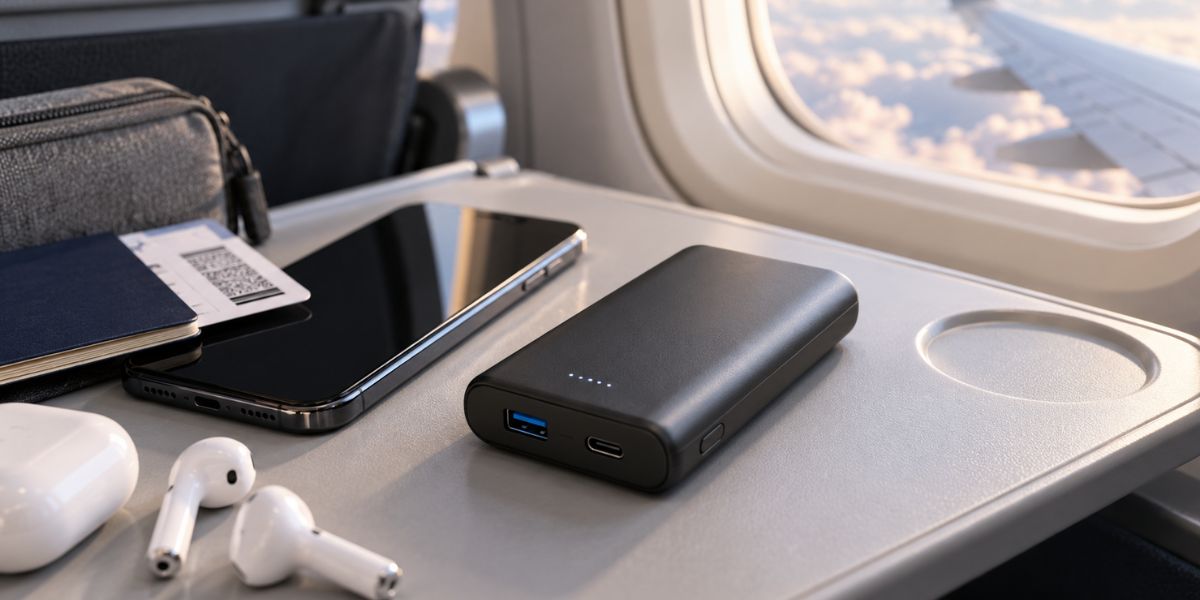
Wireless charging adds convenience, while USB-C remains the better choice for fast and high-power charging.1. Choose the Right Power Bank Capacity
Battery capacity is usually the first specification people notice when shopping for a portable charger. It is normally measured in mAh, or milliamp-hours.
Common power bank capacities include:
- 5,000mAh
- 10,000mAh
- 20,000mAh
- 25,000mAh to 27,000mAh
A small 5,000mAh power bank is usually best for emergency phone charging or quick top-ups during the day.
RGVOTA 38800mAh Power Bank Review & Buying Guide
For most smartphone users, a 10,000mAh model offers a good balance between battery capacity and portability. It can provide useful backup power without becoming too heavy to carry every day.
A 20,000mAh power bank is better suited to travelers, people who carry multiple devices, tablet users, and anyone who regularly spends long periods away from a wall outlet.
If you want to charge a USB-C laptop, you may want to consider a model in the 20,000mAh to 27,000mAh range with sufficient power output.
Keep in mind that the advertised battery capacity does not translate directly into the same amount of usable energy for your phone.
For example, a 10,000mAh power bank will not necessarily charge a 5,000mAh smartphone battery exactly twice. Some energy is lost during voltage conversion, cable transmission, and the charging process itself.
Instead of focusing only on the biggest mAh number, think about how many devices you normally carry and how often you will need to recharge them.
| Main Use | Suggested Capacity | Suggested Output |
|---|---|---|
| Emergency phone charging | 5,000mAh | 20W+ |
| Everyday smartphone use | 10,000mAh | 20–30W+ |
| Travel and multiple devices | 20,000mAh | 30–65W+ |
| Tablet and USB-C laptop | 20,000–27,000mAh | 65–140W+ |
| Magnetic wireless charging | 5,000–10,000mAh | Qi2/Qi2 25W where supported |
These are general recommendations rather than strict requirements because every phone, tablet, and laptop has different charging needs.
2. Understand Charging Wattage Before Buying
Battery capacity tells you how much energy a power bank can store.
Wattage tells you how quickly it can deliver that energy to your device.
Both specifications matter.
A 20,000mAh power bank with very slow output may be less convenient than a smaller model that supports modern USB-C fast charging.
For everyday smartphones, a USB-C power bank with around 20W to 30W of output may be enough for many users.
Some premium smartphones and tablets can take advantage of 30W, 45W, or even higher charging speeds.
Laptop charging requires more attention.
Many thin and lightweight USB-C laptops can charge at around 45W to 65W, while larger or more powerful laptops may require 100W, 140W, or more.
Modern USB Power Delivery technology can support very high charging levels when the power bank, cable, and connected device are all compatible.
You also do not need to worry about a powerful charger automatically sending its maximum wattage into a smaller device.
For example, a 140W USB-C power bank does not force a smartphone to accept 140W. Compatible USB Power Delivery devices negotiate an appropriate power level based on what the connected device supports.
Best Power Banks for Travel & Daily Use (Fast Charging Guide)
3. Choose USB-C Power Delivery Whenever Possible
USB-C should be one of the most important features on your power bank checklist in 2026.
Ideally, look for a model with at least one USB-C input/output port.
A bidirectional USB-C port allows the same connection to be used both for charging your devices and for recharging the power bank itself.
USB-C Power Delivery also offers broad compatibility with many modern devices, including:
- Smartphones
- Tablets
- USB-C laptops
- Cameras
- Handheld gaming systems
- Wireless earbuds
- Other USB-C accessories
USB-A can still be useful if you own older charging cables or accessories, but it should generally not be the only port on a new premium power bank.
Another specification worth checking is the maximum shared output.
A power bank advertised as delivering 100W may provide the full 100W when only one device is connected. When two or three devices are connected at the same time, that available power may be divided between the ports.
If you plan to charge a laptop and smartphone simultaneously, always check the manufacturer’s multi-port output specifications.
4. Check How Fast the Power Bank Recharges
Many buyers pay close attention to how quickly a power bank can charge their phone but forget to check how quickly the power bank itself can be recharged.
That can make a major difference in everyday use.
A large 20,000mAh or 25,000mAh battery can take a long time to refill if the power bank supports only low-wattage input.
If you use a high-capacity portable charger frequently, faster USB-C input can make it much more convenient to recharge between trips or overnight.
Look for input specifications such as:
USB-C Input: 30W, 45W, 65W, or higher
Remember that you also need the right wall charger.
A power bank that supports 65W input will not recharge at its maximum speed if you connect it to an older low-power USB adapter.
Your charging cable must also support the required power level.
For the best experience, make sure the power bank, wall charger, and USB-C cable are all compatible with the charging speed you want.
Best Power Bank For International Travel Under $50
5. Decide Whether You Need Wireless Charging
Wireless power banks have become much more practical in recent years.
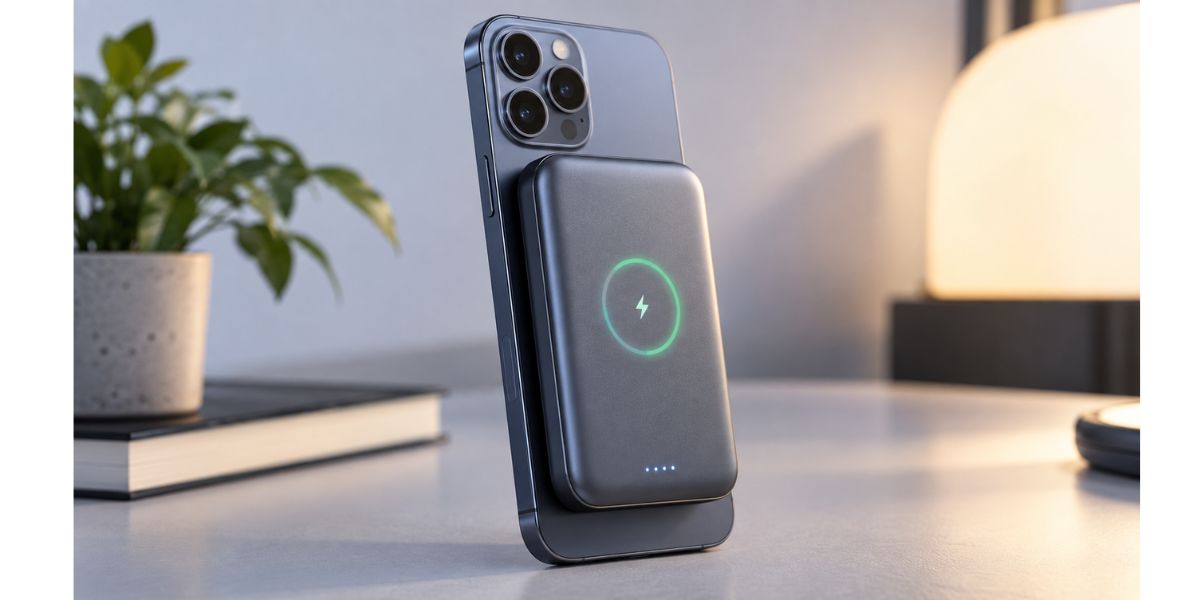
Qi2 technology adds magnetic alignment, helping compatible smartphones stay positioned correctly on the charger. Newer Qi2 implementations also support faster wireless charging on compatible devices.
A magnetic wireless power bank can be especially useful when you are commuting, walking around a city, traveling, or simply do not want to deal with a charging cable.
You can attach the battery to a compatible phone and continue using the device while it charges.
However, wireless charging is not always the best option.
If maximum charging speed and efficiency are your priorities, a wired USB-C connection is generally the better choice.
USB-C is also far more suitable for tablets, laptops, and other high-power devices.
For many users, the most versatile option is a power bank that provides both:
USB-C wired charging + Qi2 wireless charging
That gives you the convenience of wireless charging for your phone while keeping high-speed wired charging available when needed.
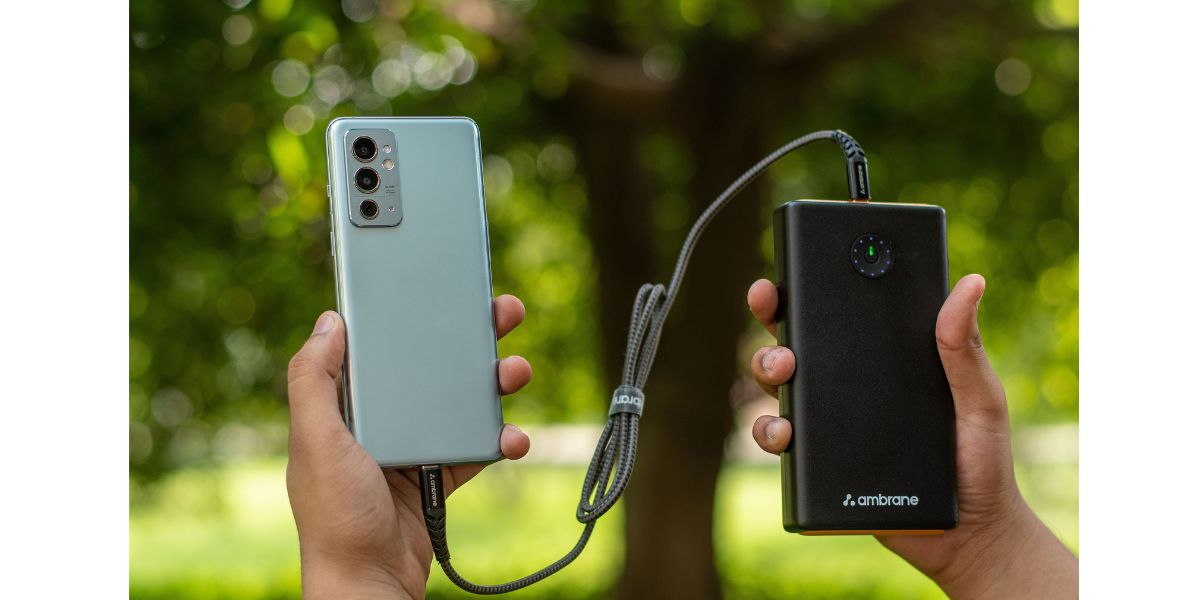
6. Pay Attention to Size and Weight
Higher battery capacity usually means more battery cells, and more battery cells generally result in a heavier and larger power bank.
That is why the biggest power bank is not always the best one.
If you want a portable charger that can stay in your pocket every day, a slim 5,000mAh or 10,000mAh model may be more comfortable than a bulky 25,000mAh unit.
For commuters, students, and everyday smartphone users, portability can matter just as much as battery capacity.
On the other hand, if you carry a backpack and regularly need to charge a laptop, tablet, smartphone, earbuds, camera, or several accessories, the additional weight of a 20,000mAh or larger power bank may be worth it.
Before buying online, check both:
- Product dimensions
- Listed weight
Do not judge portability based on product photos alone.
A charger may look compact in promotional images but feel surprisingly heavy in everyday use.
Frequent travelers should pay particular attention to this because the power bank may stay in a backpack or carry-on bag for many hours at a time.
7. Make Safety a Priority
Safety should be one of the most important considerations when choosing a power bank.
Most portable chargers use lithium-ion or lithium-polymer battery technology. A poorly designed or damaged battery can create problems such as excessive heat, swelling, charging failure, or other safety risks.
Choose products from reputable manufacturers that clearly describe their battery protection systems.
Useful protection features may include:
- Overcharge protection
- Overcurrent protection
- Short-circuit protection
- Temperature monitoring
- Over-voltage protection
- Over-discharge protection
For U.S. shoppers, independent safety testing and recognized standards can also provide additional confidence.
UL 2056, for example, specifically addresses safety testing related to power banks and includes areas such as short circuits, overcharging, overload conditions, mechanical stress, and thermal performance.
Be cautious of extremely inexpensive power banks advertising unusually high capacities with very little information about the manufacturer, warranty, battery cells, or safety testing.
Also stop using a power bank if you notice:
- Battery swelling
- Cracks or physical damage
- Unusual heat
- Strange smells
- Charging problems
- An official safety recall involving the model
Saving a few dollars is rarely worth the risk of buying a poorly made lithium battery product.
RGVOTA 38800mAh Power Bank Review & Buying Guide
8. Check the Number and Type of Charging Ports
The right number of ports depends on the devices you normally carry.
If you only need to charge a single smartphone, one USB-C port may be enough.
If you travel with several devices, such as a smartphone, smartwatch, earbuds, tablet, camera, and laptop, multiple outputs can make a power bank much more useful.
A practical setup in 2026 may include:
2 × USB-C ports + 1 × USB-A port
The USB-C ports can handle newer devices and faster charging, while USB-A provides compatibility with older cables and accessories.
Some modern power banks also include a built-in USB-C cable.
An integrated cable can be extremely convenient because you do not need to remember to pack a separate cable every time you leave home.
However, check how durable the built-in cable appears to be. If it becomes damaged, replacing it may be more difficult than simply replacing a detachable cable.
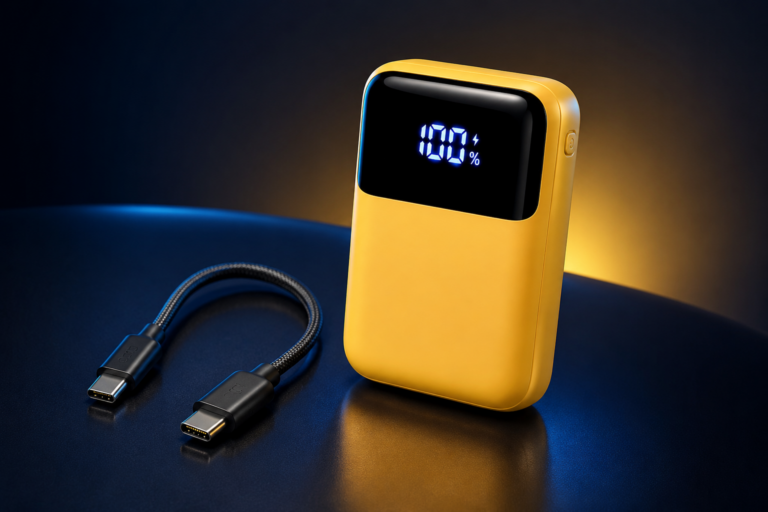
Another useful feature is a digital battery display.
Traditional power banks often use four LED lights to estimate the remaining charge. A digital screen can instead show a more precise battery percentage, such as 63% or 27%.
This makes it easier to know when your power bank needs to be recharged.
INIU 10000mAh 45W Power Bank Review 2026: Is It Worth It?
9. Know the Airline Rules Before Traveling
Airline battery rules are particularly important if you plan to travel with a power bank.
For travelers in the United States, spare lithium batteries and portable chargers generally need to be kept in carry-on baggage rather than checked baggage.
The watt-hour rating of the battery is also important.
Power banks rated at up to 100Wh are generally permitted on passenger aircraft.
Batteries between 101Wh and 160Wh may require approval from the airline.
Power banks above 160Wh are generally not permitted for normal passenger travel.
Individual airlines may apply additional restrictions, so always check the latest rules from your carrier before flying.
This is one reason travelers should understand watt-hours rather than looking only at mAh.
The basic formula is:
Watt-hours = Voltage × Amp-hours
Because power banks normally list their capacity in milliamp-hours, divide the mAh figure by 1,000 to convert it into amp-hours.
For example, consider a 20,000mAh power bank using a nominal cell voltage of 3.7V.
20,000mAh ÷ 1,000 = 20Ah
Then:
3.7V × 20Ah = 74Wh
So the approximate energy rating would be 74Wh.
Whenever possible, rely on the watt-hour rating printed directly on the power bank rather than calculating it yourself.
A clear Wh label can also make airline checks easier.
10. Choose Features You Will Actually Use
Modern power banks can include a long list of extra features.
Some are genuinely useful. Others may increase the price without providing much benefit to you.
Popular features include:
- Digital battery percentage displays
- Built-in USB-C cables
- Magnetic wireless charging
- Multiple USB-C ports
- High-wattage laptop charging
- Pass-through charging
- Compact designs
- Integrated stands
Instead of choosing the model with the longest specification list, think about how you use your devices every day.
For example, a college student carrying only a smartphone and wireless earbuds may be perfectly happy with a compact 10,000mAh USB-C power bank.
There may be little reason to carry a much heavier 25,000mAh model every day.
A photographer, remote worker, or business traveler may have very different needs. Someone carrying a camera, phone, tablet, and USB-C laptop could benefit significantly from a 20,000mAh or larger power bank with multiple high-output ports.
Buy based on your real charging habits rather than impressive specifications you may never use.
11. Do Not Choose Based on Price Alone
Price is important, but it should not be the only factor in your decision.
A cheap power bank is not automatically a bad product, and a high-priced model is not automatically the best choice.
Compare the overall value instead.
Important specifications and features to consider include:
- Battery capacity
- USB-C wattage
- Recharge speed
- Number of ports
- Safety protections
- Product dimensions
- Weight
- Warranty coverage
- Included cables or accessories
- Wireless charging support
Recent customer reviews can also be valuable.
Look beyond the overall star rating and pay attention to repeated complaints.
Potential warning signs include multiple users reporting:
- Excessive overheating
- Battery swelling
- Incorrect capacity claims
- Unreliable charging ports
- Very slow charging
- Rapid battery degradation
- Unexpected device shutdowns
A well-made power bank that meets your actual needs often provides better long-term value than a premium model loaded with features your devices cannot use.
Final Thoughts: What Power Bank Should You Buy in 2026?
The best power bank in 2026 is not necessarily the model with the highest battery capacity or fastest advertised charging speed.
The right choice depends on your devices, lifestyle, travel habits, and how much weight you are comfortable carrying.
For most smartphone users, a 10,000mAh USB-C Power Delivery power bank provides an excellent balance of portability and useful battery capacity.
Frequent travelers or people who regularly charge several devices may prefer a 20,000mAh model with 45W to 65W USB-C output or higher.
Laptop users should pay particular attention to USB-C Power Delivery wattage. Check the charging requirements of your laptop and choose a power bank capable of providing enough output.
If wireless convenience matters to you, consider a Qi2-compatible model when your smartphone supports it.
Air travelers should always check the watt-hour rating printed on the power bank and review the latest airline battery requirements before departure.
Above all, prioritize reliable specifications, proper safety protections, and reputable manufacturing over unrealistic capacity claims or an unusually low price.
Choose a power bank that matches the devices you actually use, and it can become a dependable charging accessory for years.
Best Budget Power Banks Under $50 in the USA (2026)
Frequently Asked Questions
What power bank capacity is best in 2026?
For most everyday smartphone users, a 10,000mAh power bank provides a good balance between portability and battery capacity.
A 20,000mAh model is often better for travel, tablets, several devices, or longer periods away from a wall outlet.
People who want to charge a USB-C laptop may prefer a power bank in the 20,000mAh to 27,000mAh range with sufficiently high USB-C output.
Is a 20,000mAh power bank allowed on airplanes?
Many 20,000mAh power banks have an energy rating below 100Wh and therefore generally fall within common airline limits.
However, portable power banks containing lithium batteries normally need to be carried in your carry-on baggage rather than checked luggage.
Always check the watt-hour rating printed on the device and review your airline’s current policy before traveling.
How many watts should a power bank have?
For many smartphones, around 20W to 30W may be enough for everyday fast charging.
Some smartphones and tablets can benefit from 30W, 45W, or higher output.
USB-C laptops may require 45W, 65W, 100W, 140W, or more depending on the model.
Before buying, compare the power bank’s USB-C PD output with the charging requirements of your devices.
Is USB-C better than USB-A for a power bank?
For most buyers in 2026, USB-C is the better primary connection.
USB-C supports modern USB Power Delivery technology, higher charging speeds, and bidirectional charging on many power banks.
USB-A can still be useful for older cables and accessories, but it should ideally be a secondary port rather than the only connection available.
Is wireless charging worth it on a power bank?
Wireless charging can be worthwhile if convenience matters more to you than maximum charging efficiency.
A magnetic Qi2-compatible power bank can make it easy to charge a supported smartphone without connecting a cable.
However, USB-C wired charging remains the better option when you want faster charging, greater efficiency, or support for high-power devices such as tablets and laptops.
See More…..
Best Power Banks for Travel & Daily Use (Fast Charging Guide)
INIU 10000mAh 45W Power Bank Review 2026: Is It Worth It?
RGVOTA 38800mAh Power Bank Review & Buying Guide
Best Power Bank For International Travel Under $50
Best Budget Power Banks Under $50 in the USA (2026)