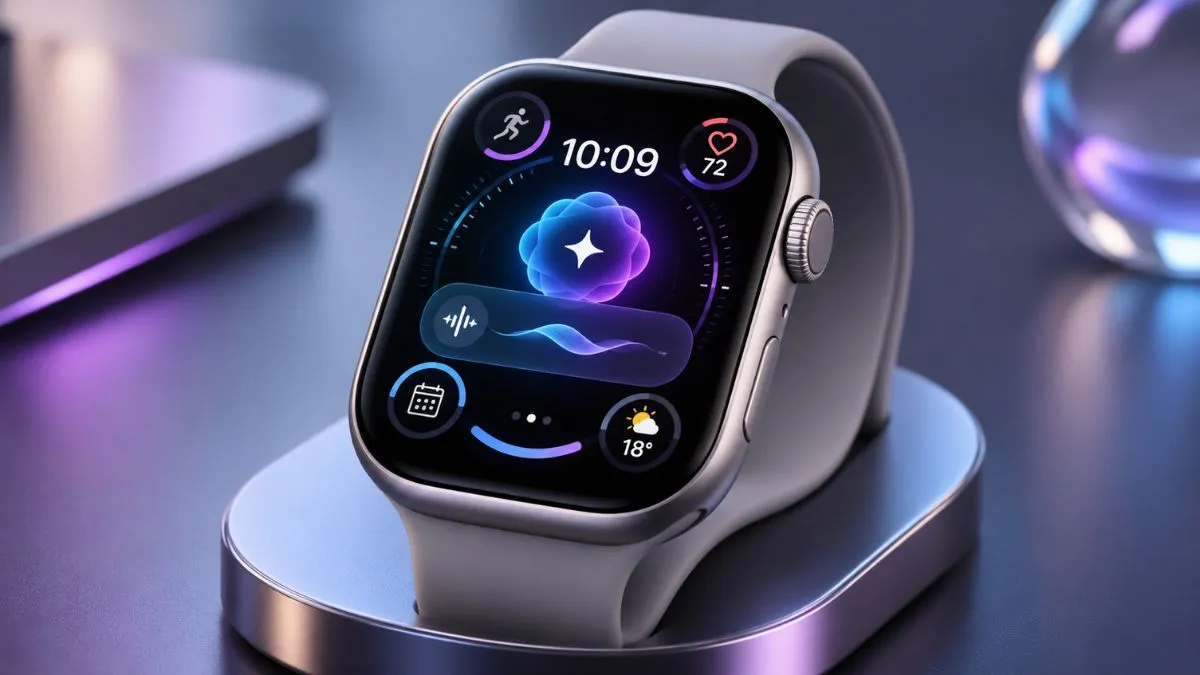
watchOS 27.3 Introduces Siri Recap: How Apple's New AI Feature Changes the Apple Watch Experience
Learn how watchOS 27.3 Siri Recap works, explore Live Rewind, Apple Watch AI features, privacy protection and device compatibility.
Apple is bringing artificial intelligence to the Apple Watch in a more practical way with the introduction of Siri Recap in watchOS 27.3. The new feature is designed to help users remember important conversations by creating short summaries that can be reviewed later.
For many people, remembering everything discussed during a busy day is not easy. A quick conversation might include an appointment, an important reminder, a work-related decision, or a plan for the following day. Usually, people depend on their memory or write down important details manually.
Siri Recap aims to make this process easier.
Instead of requiring users to take notes throughout the day, Apple’s new AI technology can generate summaries of conversations and make useful information available through the Siri app.
The feature arrives alongside Live Rewind, another Audio Intelligence tool that helps users recover recently missed speech. Together, these additions represent a new direction for Apple’s wearable technology.
However, there is more to this update than artificial intelligence. Device compatibility, privacy, accuracy, and everyday usefulness are all important factors to consider before enabling these features.
Here is what Apple Watch users should know about Siri Recap and the new watchOS 27.3 update.
What Is Siri Recap in watchOS 27.3?
Siri Recap is an Apple Intelligence feature that helps users remember conversations without manually recording every important detail.
When enabled, the feature processes nearby conversations and creates short, AI-generated summaries. These summaries are designed to highlight the main subjects and useful information rather than reproduce an entire conversation word for word.
For example, imagine discussing a project with a colleague. During the conversation, you might talk about a deadline, assign responsibilities, and agree on the next steps.
Later, you may remember the general discussion but forget one or two details.
Siri Recap can help by providing a short summary that you can review afterward.
Apple describes the feature as a way to help people stay present during conversations while making it easier to recall information later.
This is different from a traditional voice recorder or transcription application. Siri Recap focuses on high-level notes rather than creating a complete conversation transcript.
What Does watchOS 27.3 Bring to Apple Watch?
The first developer beta of watchOS 27.3 arrived on November 3, 2026. One of its most interesting additions is the availability of Siri Recap and Live Rewind for compatible Apple Watch models.
Both features belong to Apple’s Audio Intelligence system.
Audio Intelligence combines Apple Watch microphones, Apple silicon, and artificial intelligence models to provide useful information about sounds and conversations.
The four main Audio Intelligence capabilities include:
- Sound Recognition: Detects important sounds such as alarms, sirens, and doorbells.
- Music Recognition: Automatically identifies music playing nearby using Shazam.
- Live Rewind: Displays recently spoken words as text.
- Siri Recap: Creates summaries of conversations for later reference.
Sound Recognition and Music Recognition were already available on supported watches. The watchOS 27.3 beta brings the two additional conversation-focused features to testers.
This makes the update more interesting for people who want their smartwatch to do more than display notifications and track daily activity.
How Siri Recap Can Help With Everyday Tasks
The main advantage of Siri Recap is convenience. People regularly have conversations containing useful information, but remembering every detail afterward can be difficult.
The feature could help in several everyday situations.
Remembering Work Meetings
Meetings often involve multiple subjects, decisions, and responsibilities.
Someone attending several meetings in one day may find it difficult to remember every important point.
Siri Recap could provide a short summary of the main discussion topics, making it easier to review what was discussed later.
For example, a recap might help someone remember that a project deadline was mentioned or that a particular task needs attention.
It should not replace official meeting notes, but it could serve as an additional memory aid.
Keeping Track of Appointments
People sometimes discuss appointments, travel plans, or upcoming activities without immediately adding them to a calendar.
Later, they may struggle to remember the exact details.
A conversation summary could help bring those details back to mind.
However, users should always confirm dates, times, and important arrangements before relying on them.
Helping Students Remember Discussions
Students often discuss assignments, group projects, examination preparation, and study schedules.
Siri Recap could make it easier to revisit the main points of these discussions.
For example, someone working on a group assignment might want to remember which tasks were discussed and what the team planned to do next.
The feature is not a replacement for classroom notes or proper study materials. Its value is in providing another way to recall information.
Reducing Manual Note-Taking
Taking notes during a conversation can sometimes interrupt communication.
People may concentrate so much on writing that they miss other important parts of the discussion.
Siri Recap offers a different approach by generating summaries that can be reviewed afterward.
This could make everyday conversations feel more natural, particularly for people who frequently need to remember small details.
Live Rewind: Understanding What You Just Missed
Another important addition in watchOS 27.3 is Live Rewind.
Unlike Siri Recap, which creates summaries for later use, Live Rewind is designed to help users recover something they missed during a recent conversation.
Imagine talking to someone in a crowded restaurant. Background noise makes it difficult to understand a sentence, but you do not want to interrupt the conversation.
Live Rewind can help in this situation.
By double-pressing the Digital Crown on a compatible Apple Watch, users can display a text snippet of the previous 15 seconds of speech.
This can be helpful when:
- Someone speaks too quickly.
- Background noise makes a sentence difficult to understand.
- You miss an important instruction.
- You want to remember a recently spoken detail.
- You need to check something before continuing a discussion.
Live Rewind is not designed to continuously produce a complete transcript. It provides a short text snippet of recent speech.
Users can also save a snippet to the Siri app or ask Siri about its content.
An audible chime and a visible microphone indicator appear when Live Rewind is activated, helping notify people nearby.
Siri Recap vs. Live Rewind
Although these features are part of the same Audio Intelligence system, they have different purposes.
| Feature | Siri Recap | Live Rewind |
|---|---|---|
| Main purpose | Summarize conversations | Recover missed speech |
| Output | Short AI-generated notes | Text snippet |
| Time period | Throughout the day | Previous 15 seconds |
| Activation | Opt-in and scheduled | Double-press Digital Crown |
| Main benefit | Better memory | Understanding missed words |
Both features could be useful, but their value depends on individual needs.
Someone who regularly attends meetings may prefer Siri Recap, while someone who frequently misses words in noisy environments may find Live Rewind more useful.
Apple Watch Privacy: What Happens to Your Audio?
Privacy is one of the most important considerations when discussing Siri Recap.
Because the feature processes conversations throughout the day, users may wonder whether their Apple Watch is recording everything around them.
Apple says Audio Intelligence is designed with several privacy protections.
Audio Is Not Stored as Recordings
According to Apple’s documentation, Audio Intelligence does not create or store traditional audio recordings.
Raw audio is processed inside a hardware-isolated Secure Exclave in the S11 chip. Apple says this protected processing environment prevents ordinary apps and the operating system from accessing the raw audio.
The processed audio data is then deleted.
This is an important difference between Audio Intelligence and a conventional recording application.
Conversations Are Not Assigned to Speakers
Apple also says Audio Intelligence does not identify individual speakers or assign statements to particular people.
Siri Recap may include names mentioned during a conversation, but it does not label individual speakers or create a speaker-by-speaker transcript.
This means its purpose is to summarize the discussion rather than document exactly who said each sentence.
Sensitive Information Is Filtered
Apple says Siri Recap is designed to exclude certain sensitive information, including financial data, authentication information, government-assigned identifiers, and selected personal identifiers.
However, automated filtering cannot guarantee that every sensitive detail will be removed.
Users should still be careful when discussing confidential matters around devices that process nearby conversations.
Users Control When Siri Recap Is Active
Siri Recap is an opt-in feature.
Users can choose when it operates by setting schedules based on time or location. For example, someone could enable it during working hours and keep it disabled at night.
It can also be switched on or off manually through the available controls.
Summaries Are Automatically Deleted
Another useful privacy feature is automatic deletion.
Siri Recap summaries are automatically deleted after seven days unless users choose to save or export them.
Users can also review and delete summaries through the Siri app.
Saved summaries and Live Rewind snippets can sync through iCloud with end-to-end encryption when the required security settings are enabled.
These protections provide additional control over personal information.
Which Apple Watch Models Support Siri Recap?
Siri Recap and Live Rewind require specific hardware.
Apple currently lists the following compatible smartwatch models:
- Apple Watch Series 12.
- Apple Watch Ultra 4.
Users also need a compatible iPhone with Apple Intelligence and Siri AI support.
The feature requires an iPhone 16 or newer supported model, although compatibility varies by device. Not every newer iPhone is necessarily supported.
There are also some important availability restrictions:
- The initial release supports English.
- More languages are expected to follow.
- The features are unavailable to users under 13.
- Eligible Child Accounts under 18 require parental approval.
- Availability in the European Union is subject to Apple’s stated regional restrictions.
Owners of older Apple Watch models should not assume that installing watchOS 27.3 will provide access to these features.
It is best to check Apple’s official support documentation before updating.
How to Enable Siri Recap on Apple Watch
If you have a compatible Apple Watch and iPhone, enabling Siri Recap is relatively straightforward.
Follow these steps:
1: Update Your Devices
Install the compatible iOS version on your iPhone and the required watchOS version on your Apple Watch.
2: Open the Apple Watch App
Launch the Watch app on your paired iPhone.
3: Open Siri Settings
Go to the Siri settings and look for the Siri Recap option.
4: Turn On Siri Recap
Enable the feature and review the available privacy and scheduling controls.
5: Choose When It Should Operate
You can configure a schedule based on time or location, or manually control the feature.
6: Review Your Summaries
Open the Siri app and visit the Recaps section to review available summaries.
Menu names and settings may change as Apple continues testing the beta software.
If you cannot find these options, first check that both devices meet Apple’s compatibility and software requirements.
What Are the Limitations of Siri Recap?
Siri Recap introduces useful capabilities, but it is important to understand what the feature cannot guarantee.
Accuracy: AI-generated summaries may misunderstand speech, particularly in noisy environments.
Missing Details: A high-level summary is not a complete record of a conversation.
Language Support: English is the initial supported language, which limits availability for some users.
Device Requirements: The feature requires compatible Apple Watch and iPhone hardware.
Privacy Considerations: Users should consider the expectations of other people before enabling conversation-processing features.
Apple also warns that important details may be omitted or misunderstood. When accuracy matters, information should be confirmed with the people involved or another reliable source.
This is particularly important for medical instructions, financial discussions, legal matters, and professional decisions.
Is Siri Recap Worth Using?
Whether Siri Recap is worth enabling depends on how you use your Apple Watch.
For people who attend meetings, manage busy schedules, or frequently need to remember everyday conversations, it could be a valuable addition.
Its biggest advantage is convenience. Users can focus on conversations and review generated summaries later instead of trying to write down everything.
Live Rewind also provides a practical way to recover recently missed speech.
However, people who prefer not to use conversation-processing technology may choose to leave Siri Recap disabled.
The feature is most useful when users understand its limitations and treat its summaries as helpful references rather than perfectly accurate records.
Final Thoughts
watchOS 27.3 introduces an interesting development in Apple’s approach to wearable technology.
Siri Recap could help users remember important conversations, while Live Rewind offers a convenient way to recover words they may have missed.
These features suggest that the Apple Watch is gradually becoming more than a fitness tracker and notification device. It is moving toward a more intelligent personal assistant that can support everyday productivity.
There are still questions about accuracy, privacy, language availability, and long-term usefulness. However, Apple’s new Audio Intelligence features offer an interesting look at what future smartwatches could become.
For compatible Apple Watch owners, Siri Recap is certainly a feature worth exploring once they understand how it works and what information it can provide.
Frequently Asked Questions
What is Siri Recap in watchOS 27.3?
Siri Recap is an AI-powered feature that creates short summaries of conversations so users can review important information later.
Does Siri Recap record conversations?
Apple says Audio Intelligence does not create or store traditional audio recordings. It uses protected processing technology to handle audio information.
What does Live Rewind do?
Live Rewind displays a text snippet of the previous 15 seconds of speech when users double-press the Digital Crown.
Can I turn Siri Recap off?
Yes. Siri Recap is optional and can be manually disabled or configured to operate according to supported schedules.
Which Apple Watch supports Siri Recap?
Apple currently lists Apple Watch Series 12 and Apple Watch Ultra 4 as compatible models.
Is Siri Recap available in every language?
No. English is the initial supported language, with additional languages expected in future updates.
Is watchOS 27.3 available to everyone?
The first developer beta became available on November 3, 2026. The final public release has not yet been confirmed.